Get your patient on Genosyl - Nitric Oxide gas (Nitric Oxide)
Genosyl - Nitric Oxide gas prescribing information

INDICATIONS AND USAGE
GENOSYL ® is indicated to improve oxygenation and reduce the need for extracorporeal membrane oxygenation in term and near-term (>34 weeks gestation) neonates with hypoxic respiratory failure associated with clinical or echocardiographic evidence of pulmonary hypertension in conjunction with ventilatory support and other appropriate agents.
DOSAGE AND ADMINISTRATION
The recommended dose is 20 ppm, maintained for up to 14 days or until the underlying oxygen desaturation has resolved (2.1 ).
Dosage
Term and near-term neonates with hypoxic respiratory failure
The recommended dose of GENOSYL is 20 ppm. Maintain treatment up to 14 days or until the underlying oxygen desaturation has resolved and the neonate is ready to be weaned from GENOSYL therapy.
Doses greater than 20 ppm are not recommended [see Warnings and Precautions (5.2) ].
Administration
Nitric Oxide Delivery System
GENOSYL must be administered using a calibrated GENOSYL Delivery System. Only validated ventilator systems should be used in conjunction with GENOSYL [see Description (11) ].
Consult the GENOSYL Delivery System Operator's Manual or call 1-877-337-4118 or visit www.vero-biotech.com for needed information on training and technical support for users of GENOSYL with the GENOSYL Delivery System .
Keep available a backup power supply to address power failures. The GENOSYL Delivery System consists of a primary system and a fully functional second system that can be used as backup in the event of primary system failure.
Monitoring
Measure methemoglobin within 4-8 hours after initiation of treatment with GENOSYL and periodically throughout treatment [see Warnings and Precautions (5.2) ].
Monitor for PaO 2 and inspired NO 2 during GENOSYL administration [see Warnings and Precautions 5.3) ].
Weaning and Discontinuation
Avoid abrupt discontinuation of GENOSYL [see Warnings and Precautions (5.1) ]. To wean GENOSYL, down titrate in several steps, pausing several hours at each step to monitor for hypoxemia.
DOSAGE FORMS AND STRENGTHS
GENOSYL (nitric oxide) is a gas available at concentrations up to 800 ppm [see Description (11) ].
USE IN SPECIFIC POPULATIONS
Pediatric Use
The safety and efficacy of nitric oxide for inhalation has been demonstrated in term and near-term neonates with hypoxic respiratory failure associated with evidence of pulmonary hypertension [see Clinical Studies (14.1) ] . Additional studies conducted in premature neonates for the prevention of bronchopulmonary dysplasia have not demonstrated substantial evidence of efficacy [see Clinical Studies (14.3) ]. No information about its effectiveness in other age populations is available.
Geriatric Use
Nitric oxide is not indicated for use in the adult population.
CONTRAINDICATIONS
GENOSYL is contraindicated in neonates dependent on right-to-left shunting of blood.
WARNINGS AND PRECAUTIONS
Rebound Pulmonary Hypertension: Abrupt discontinuation of GENOSYL may lead to worsening oxygenation and increasing pulmonary artery pressure (5.1 ).
Methemoglobinemia: Methemoglobin increases with the dose of nitric oxide; following discontinuation or reduction of nitric oxide, methemoglobin levels return to baseline over a period of hours (5.2 ).
Elevated NO 2 Levels: Monitor NO 2 levels (5.3 ).
Heart Failure: In patients with pre-existing left ventricular dysfunction, GENOSYL may increase pulmonary capillary wedge pressure leading to pulmonary edema (5.4 ).
Rebound Pulmonary Hypertension Syndrome following Abrupt Discontinuation
Wean from GENOSYL [see Dosage and Administration (2.2) ]. Abrupt discontinuation of GENOSYL may lead to worsening oxygenation and increasing pulmonary artery pressure, i.e., Rebound Pulmonary Hypertension Syndrome. Signs and symptoms of Rebound Pulmonary Hypertension Syndrome include hypoxemia, systemic hypotension, bradycardia, and decreased cardiac output. If Rebound Pulmonary Hypertension occurs, reinstate GENOSYL therapy immediately.
Hypoxemia from Methemoglobinemia
Nitric oxide combines with hemoglobin to form methemoglobin, which does not transport oxygen. Methemoglobin levels increase with the dose of GENOSYL; it can take 8 hours or more before steady-state methemoglobin levels are attained. Monitor methemoglobin and adjust the dose of GENOSYL to optimize oxygenation.
If methemoglobin levels do not resolve with decrease in dose or discontinuation of GENOSYL, additional therapy may be warranted to treat methemoglobinemia [see Overdosage (10) ] .
Airway Injury from Nitrogen Dioxide
Nitrogen dioxide (NO 2 ) forms in gas mixtures containing NO and O 2 . Nitrogen dioxide may cause airway inflammation and damage to lung tissues.
If there is an unexpected change in NO 2 concentration, or if the NO 2 concentration reaches 0.5 ppm when measured in the breathing circuit, then the delivery system should be assessed in accordance with the GENOSYL Delivery System Operator's Manual troubleshooting section, and the NO 2 analyzer should be recalibrated. The dose of GENOSYL and/or FiO 2 should be adjusted as appropriate.
Worsening Heart Failure
Patients with left ventricular dysfunction treated with GENOSYL may experience pulmonary edema, increased pulmonary capillary wedge pressure, worsening of left ventricular dysfunction, systemic hypotension, bradycardia and cardiac arrest. Discontinue GENOSYL while providing symptomatic care.
ADVERSE REACTIONS
The following adverse reactions are discussed elsewhere in the label;
Hypoxemia [see Warnings and Precautions (5.2) ]
Worsening Heart Failure [see Warnings and Precautions (5.4) ]
Clinical Trials Experience
Because clinical trials are conducted under widely varying conditions, adverse reaction rates observed in the clinical trials of a drug cannot be directly compared to rates in the clinical trials of another drug and may not reflect the rates observed in practice. The adverse reaction information from the clinical studies does, however, provide a basis for identifying the adverse events that appear to be related to drug use and for approximating rates.
Controlled studies have included 325 patients on nitric oxide doses of 5 to 80 ppm and 251 patients on placebo. Total mortality in the pooled trials was 11% on placebo and 9% on nitric oxide gas for inhalation, a result adequate to exclude nitric oxide mortality being more than 40% worse than placebo.
In both the NINOS and CINRGI studies, the duration of hospitalization was similar in nitric oxide gas for inhalation and placebo-treated groups.
From all controlled studies, at least 6 months of follow-up is available for 278 patients who received nitric oxide gas and 212 patients who received placebo. Among these patients, there was no evidence of an adverse effect of treatment on the need for re-hospitalization, special medical services, pulmonary disease, and neurological sequelae.
In the NINOS study, treatment groups were similar with respect to the incidence and severity of intracranial hemorrhage, Grade IV hemorrhage, periventricular leukomalacia, cerebral infarction, seizures requiring anticonvulsant therapy, pulmonary hemorrhage, or gastrointestinal hemorrhage.
In CINRGI, the only adverse reaction (>2% higher incidence on nitric oxide gas for inhalation than on placebo) was hypotension (14% vs. 11%).
Postmarketing Experience
Post marketing reports of accidental exposure to nitric oxide for inhalation in hospital staff have been associated with chest discomfort, dizziness, dry throat, dyspnea, and headache.
DRUG INTERACTIONS
Nitric oxide donor compounds may increase the risk of developing methemoglobinemia (7 ).
Nitric Oxide Donor Agents
Nitric oxide donor agents such as prilocaine, sodium nitroprusside and nitroglycerine may increase the risk of developing methemoglobinemia.
DESCRIPTION
GENOSYL (nitric oxide) is administered by inhalation. Nitric oxide is a pulmonary vasodilator. Nitric oxide is generated from liquid dinitrogen tetroxide (N 2 O 4 ) by the Cassette in the GENOSYL Delivery System. Upon initiation of GENOSYL Delivery System, the liquid N 2 O 4 is heated and the equilibrium shifts to nitrogen dioxide (NO 2 ) gas. The NO 2 is then converted into nitric oxide (NO) using the antioxidant Cartridges, and nitric oxide is delivered to the patient by means of a ventilator or a nasal cannula. The amount of nitric oxide administered to the patient is set by controlling the temperature of the N 2 O 4 liquid module, which controls the pressure inside the liquid module, which in turn controls the mass of NO 2 that is sent to the primary Cartridges, and hence the mass of nitric oxide. The mass flow of nitric oxide, together with the air from the pump, control the nitric oxide concentration. A nitric oxide sensor monitors the nitric oxide in the patient line. GENOSYL Delivery System is designed to deliver a controlled level of nitric oxide blended with breathing air or oxygen-enriched breathing air.
The GENOSYL Delivery System controls the flow of nitric oxide mixed with air delivered to the patient.
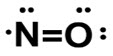
The structural formula of nitric oxide (NO) is shown below:
CLINICAL PHARMACOLOGY
Mechanism of Action
Nitric oxide relaxes vascular smooth muscle by binding to the heme moiety of cytosolic guanylate cyclase, activating guanylate cyclase and increasing intracellular levels of cyclic guanosine 3',5'-monophosphate, which then leads to vasodilation. When inhaled, nitric oxide selectively dilates the pulmonary vasculature, and because of efficient scavenging by hemoglobin, has minimal effect on the systemic vasculature.
GENOSYL appears to increase the partial pressure of arterial oxygen (PaO 2 ) by dilating pulmonary vessels in better ventilated areas of the lung, redistributing pulmonary blood flow away from lung regions with low ventilation/perfusion (V/Q) ratios toward regions with normal ratios.
Pharmacodynamics
Effects on Pulmonary Vascular Tone in PPHN
Persistent pulmonary hypertension of the newborn (PPHN) occurs as a primary developmental defect or as a condition secondary to other diseases such as meconium aspiration syndrome (MAS), pneumonia, sepsis, hyaline membrane disease, congenital diaphragmatic hernia (CDH), and pulmonary hypoplasia. In these states, pulmonary vascular resistance (PVR) is high, which results in hypoxemia secondary to right-to-left shunting of blood through the patent ductus arteriosus and foramen ovale. In neonates with PPHN, nitric oxide gas for inhalation improves oxygenation (as indicated by significant increases in PaO 2 ).
Pharmacokinetics
The pharmacokinetics of nitric oxide has been studied in adults.
Absorption and Distribution
Nitric oxide is absorbed systemically after inhalation. Most of it traverses the pulmonary capillary bed where it combines with hemoglobin that is 60% to 100% oxygen-saturated. At this level of oxygen saturation, nitric oxide combines predominantly with oxyhemoglobin to produce methemoglobin and nitrate. At low oxygen saturation, nitric oxide can combine with deoxyhemoglobin to transiently form nitrosylhemoglobin, which is converted to nitrogen oxides and methemoglobin upon exposure to oxygen. Within the pulmonary system, nitric oxide can combine with oxygen and water to produce nitrogen dioxide and nitrite, respectively, which interact with oxyhemoglobin to produce methemoglobin and nitrate. Thus, the end products of nitric oxide that enter the systemic circulation are predominantly methemoglobin and nitrate.
Metabolism
Methemoglobin disposition has been investigated as a function of time and nitric oxide exposure concentration in neonates with respiratory failure. The methemoglobin (MetHb) concentration-time profiles during the first 12 hours of exposure to 0, 5, 20, and 80 ppm nitric oxide are shown in Figure 1.
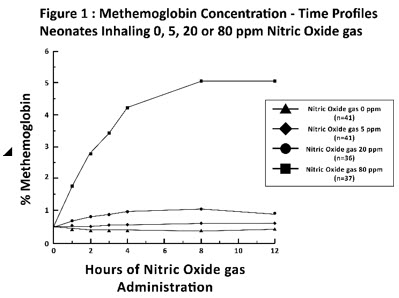 |
Methemoglobin concentrations increased during the first 8 hours of nitric oxide exposure. The mean methemoglobin level remained below 1% in the placebo group and in the 5 ppm and 20 ppm nitric oxide gas groups, but reached approximately 5% in the 80 ppm nitric oxide gas group. Methemoglobin levels >7% were attained only in patients receiving 80 ppm, where they comprised 35% of the group. The average time to reach peak methemoglobin was 10 ± 9 (SD) hours (median, 8 hours) in these 13 patients, but one patient did not exceed 7% until 40 hours.
Elimination
Nitrate has been identified as the predominant nitric oxide metabolite excreted in the urine, accounting for >70% of the nitric oxide dose inhaled. Nitrate is cleared from the plasma by the kidney at rates approaching the rate of glomerular filtration.
NONCLINICAL TOXICOLOGY
Carcinogenesis, Mutagenesis, Impairment of Fertility
No evidence of a carcinogenic effect was apparent, at inhalation exposures up to the recommended dose (20 ppm), in rats for 20 hr/day for up to two years. Higher exposures have not been investigated.
Nitric oxide gas has demonstrated genotoxicity in Salmonella (Ames Test), human lymphocytes, and after in vivo exposure in rats. There are no animal or human studies to evaluate nitric oxide for effects on fertility.
CLINICAL STUDIES
Treatment of Hypoxic Respiratory Failure (HRF)
The efficacy of nitric oxide gas was investigated in term and near-term newborns with hypoxic respiratory failure (HRF) resulting from a variety of etiologies. Inhalation of nitric oxide gas reduces the oxygenation index (OI= mean airway pressure in cm H 2 O × fraction of inspired oxygen concentration [FiO 2 ]× 100 divided by systemic arterial concentration in mmHg [PaO 2 ]) and increases PaO 2 [see Clinical Pharmacology (12.1) ].
NINOS Study
The Neonatal Inhaled Nitric Oxide Study (NINOS) was a double-blind, randomized, placebo-controlled, multicenter trial in 235 neonates with hypoxic respiratory failure. The objective of the study was to determine whether inhaled nitric oxide would reduce the occurrence of death and/or initiation of extracorporeal membrane oxygenation (ECMO) in a prospectively defined cohort of term or near-term neonates with hypoxic respiratory failure unresponsive to conventional therapy. Hypoxic respiratory failure was caused by meconium aspiration syndrome (MAS; 49%), pneumonia/sepsis (21%), idiopathic primary pulmonary hypertension of the newborn (PPHN; 17%), or respiratory distress syndrome (RDS; 11%). Infants ≤14 days of age (mean, 1.7 days) with a mean PaO 2 of 46 mmHg and a mean oxygenation index (OI) of 43 cm H 2 O / mmHg were initially randomized to receive 100% O 2 with (n=114) or without (n=121) 20 ppm nitric oxide for up to 14 days. Response to study drug was defined as a change from baseline in PaO 2 30 minutes after starting treatment (full response = >20 mmHg, partial = 10–20 mmHg, no response = <10 mmHg). Neonates with a less than full response were evaluated for a response to 80 ppm nitric oxide or control gas. The primary results of this study are presented in Table 1.
| Control (n=121) | Nitric Oxide gas (n=114) | P value | |
|---|---|---|---|
| Death or ECMO Extracorporeal membrane oxygenation , Death or need for ECMO was the primary end point of this study | 77 (64%) | 52 (46%) | 0.006 |
| Death | 20 (17%) | 16 (14%) | 0.60 |
| ECMO | 66 (55%) | 44 (39%) | 0.014 |
Although the incidence of death by 120 days of age was similar in both groups (NO, 14%; control 17%), significantly fewer infants in the nitric oxide group required ECMO compared with controls (39% vs. 55%, p = 0.014). The combined incidence of death and/or initiation of ECMO showed a significant advantage for the nitric oxide treated group (46% vs. 64%, p = 0.006). The nitric oxide group also had significantly greater increases in PaO 2 and greater decreases in the OI and the alveolar-arterial oxygen gradient than the control group (p<0.001 for all parameters). Significantly more patients had at least a partial response to the initial administration of study drug in the nitric oxide group (66%) than the control group (26%, p<0.001). Of the 125 infants who did not respond to 20 ppm nitric oxide control, similar percentages of NO-treated (18%) and control (20%) patients had at least a partial response to 80 ppm nitric oxide gas for inhalation or control drug, suggesting a lack of additional benefit for the higher dose of nitric oxide. No infant had study drug discontinued for toxicity. Inhaled nitric oxide gas had no detectable effect on mortality. The adverse events collected in the NINOS trial occurred at similar incidence rates in both treatment groups [see Adverse Reactions (6.1) ] . Follow-up exams were performed at 18-24 months for the infants enrolled in this trial. In the infants with available follow-up, the two treatment groups were similar with respect to their mental, motor, audiologic, or neurologic evaluations.
CINRGI Study
This study was a double-blind, randomized, placebo-controlled, multi-center trial of 186 term and near-term neonates with pulmonary hypertension and hypoxic respiratory failure. The primary objective of the study was to determine whether nitric oxide gas would reduce the receipt of ECMO in these patients. Hypoxic respiratory failure was caused by MAS (35%), idiopathic PPHN (30%), pneumonia/sepsis (24%), or RDS (8%). Patients with a mean PaO 2 of 54 mmHg and a mean OI of 44 cm H 2 O / mmHg were randomly assigned to receive either 20 ppm nitric oxide gas (n=97) or nitrogen gas (placebo; n=89) in addition to their ventilatory support. Patients who exhibited a PaO 2 >60 mmHg and a pH < 7.55 were weaned to 5 ppm nitric oxide gas or placebo. The primary results from the CINRGI study are presented in Table 2.
| Placebo | Nitric oxide gas | P value | |
|---|---|---|---|
| ECMO Extracorporeal membrane oxygenation , ECMO was the primary end point of this study | 51/89 (57%) | 30/97 (31%) | <0.001 |
| Death | 5/89 (6%) | 3/97 (3%) | 0.48 |
Significantly fewer neonates in the nitric oxide gas group required ECMO compared to the control group (31% vs. 57%, p<0.001). While the number of deaths were similar in both groups (Nitric oxide gas, 3%; placebo, 6%), the combined incidence of death and/or receipt of ECMO was decreased in the nitric oxide gas group (33% vs. 58%, p<0.001).
In addition, the nitric oxide gas group had significantly improved oxygenation as measured by PaO 2 , OI, and alveolar-arterial gradient (p<0.001 for all parameters). Of the 97 patients treated with nitric oxide gas, 2 (2%) were withdrawn from study drug due to methemoglobin levels >4%. The frequency and number of adverse events reported were similar in the two study groups [see Adverse Reactions (6.1) ].
In clinical trials, reduction in the need for ECMO has not been demonstrated with the use of inhaled nitric oxide in neonates with congenital diaphragmatic hernia (CDH).
Ineffective in Adult Respiratory Distress Syndrome (ARDS)
In a randomized, double-blind, parallel, multicenter study, 385 patients with adult respiratory distress syndrome (ARDS) associated with pneumonia (46%), surgery (33%), multiple trauma (26%), aspiration (23%), pulmonary contusion (18%), and other causes, with PaO 2 /FiO 2 <250 mmHg despite optimal oxygenation and ventilation, received placebo (n=193) or nitric oxide gas (n=192), 5 ppm, for 4 hours to 28 days or until weaned because of improvements in oxygenation. Despite acute improvements in oxygenation, there was no effect of nitric oxide gas on the primary endpoint of days alive and off ventilator support. These results were consistent with outcome data from a smaller dose ranging study of nitric oxide (1.25 to 80 ppm). GENOSYL (nitric oxide) for inhalation is not indicated for use in ARDS.
Ineffective in Prevention of Bronchopulmonary Dysplasia (BPD)
The safety and efficacy of nitric oxide gas for the prevention of chronic lung disease [bronchopulmonary dysplasia (BPD)] in neonates ≤ 34 weeks gestational age requiring respiratory support has been studied in four large previously conducted multicenter, double-blind, placebo-controlled clinical trials in a total of 2,600 preterm infants. Of these, 1,290 received placebo, and 1,310 received inhaled nitric oxide at doses ranging from 5-20 ppm, for treatment periods of 7-24 days duration. The primary endpoint for these studies was alive and without BPD at 36 weeks postmenstrual age (PMA). The need for supplemental oxygen at 36 weeks PMA served as a surrogate endpoint for the presence of BPD. Overall, efficacy for the prevention of bronchopulmonary dysplasia in preterm infants was not established. There were no meaningful differences between treatment groups with regard to overall deaths, methemoglobin levels, or adverse events commonly observed in premature infants, including intraventricular hemorrhage, patent ductus arteriosus, pulmonary hemorrhage, and retinopathy of prematurity.
The use of GENOSYL (nitric oxide) for prevention of BPD in preterm neonates ≤34 weeks gestational age is not recommended.
HOW SUPPLIED/STORAGE AND HANDLING
GENOSYL Delivery System Cassettes produce at least 216 liters of 800 ppm nitric oxide gas (at standard temperature and pressure, STP) (NDC 72385-002-01).
GENOSYL Delivery System External Transport Cassettes produce at least 73 liters of 800 ppm nitric oxide gas (at standard temperature and pressure, STP) (NDC 72385-003-01).
Store at 20°C to 25°C (68°F to 77°F) with excursions permitted between 15°C and 30°C (59°F and 86°F) [see USP Controlled Room Temperature].
The GENOSYL Delivery System must be used with antioxidant Cartridges not older than 12 months from the manufacturing date.
Occupational Exposure
The exposure limit set by the Occupational Safety and Health Administration (OSHA) for nitric oxide is 25 ppm, and for NO 2 the limit is 5 ppm.
Rx Only
VERO Biotech and GENOSYL are registered trademarks of VERO Biotech.
© 2024 VERO Biotech
Manufactured by:
VERO BIOTECH
387 Nerem Street NW
Suite 125
Atlanta, GA 30313, USA [602604]
VĒRO BIOTECH
GENOSYL ® DELIVERY SYSTEM
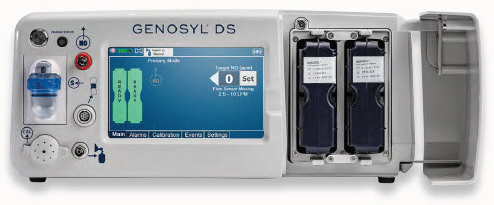
FOR DELIVERY OF GENOSYL ® (NITRIC OXIDE) GAS FOR INHALATION
OPERATOR'S MANUAL
Technical Support: 877.337.4118
Company Confidential Part No. 602502 Rev. I
DO NOT COPY
VERO Biotech Inc. 387 Nerem Street NW, Suite 125 Atlanta, GA 30313 USA
WARNINGS, CAUTIONS, AND NOTES
Please read all Warnings and Cautions in this Operator's Manual prior to using the GENOSYL DS.
MR Conditional Safety Information

The GENOSYL DS may be safely used in the MR environment under the following conditions. Failure to follow these conditions may result in injury.
- Maximum static magnetic field of 100 Gauss (0.01mT)
- Device remains outside the scanner bore
- Preparation protocols described in the Warnings section titled "Use in the MR Environment" must be followed before MR procedure
Image Artifacts:
When the GENOSYL DS is battery powered, no image artifacts are expected. When powered using a wall outlet, minor noise is expected.
Throughout this Operator's Manual, warnings, cautions, and notes will be displayed in the following manner.
| WARNING |
|---|
| The warning box will alert the user to possible injury, death, or serious adverse reactions associated with the use or misuse of the device. |
| CAUTION |
|---|
| The caution box will alert the user about proper use of the equipment and any conditions that could result in equipment damage or failure. The user should read and adhere to all warnings and cautions. |
| NOTE |
|---|
| The note box provides information, clarification, or supplemental information to assist and educate the user on the use of the equipment. |
A complete list of Warnings and Cautions for the GENOSYL DS are shown below. Where appropriate, some of these will also be shown throughout this manual.
| WARNINGS |
|---|
| Please consult the package insert for a complete list of contraindications. |
Alarms
|
Consoles
|
Cassette
|
Use in the MR Environment
|
Transport
|
Use with Anesthesia Gas Machines
|
Connections
|
Battery
|
User
|
Alternative Means of Ventilation
|
Patient Monitoring
|
Use with Breathing Devices
|
Set-up
|
Troubleshooting
|
Calibration
|
Cleaning and Maintenance
|
Water Trap
|
Use Outside of Product Labeling
|
| CAUTIONS |
|---|
Supplied Instructions
|
Cassette
|
Consoles
|
Use with Breathing Devices
|
Use with Anesthesia Gas Machines
|
Gas Sampling During Aerosol Delivery
|
Calibration
|
Cleaning and Maintenance
|
Switching OFF the System
|
Cart
|
| TABLE OF CONTENTS | ||
| WARNINGS, CAUTIONS, AND NOTES | 3 | |
| TABLE OF CONTENTS | 12 | |
| LIST OF TABLES | 16 | |
| LIST OF FIGURES | 17 | |
| ABBREVIATIONS, TERMINOLOGY, AND DEFINITIONS | 19 | |
| SYMBOLS | 21 | |
| GENOSYL DS PARTS / COMPONENTS | 23 | |
| 1.000000000000000e+00 | GENERAL INFORMATION | 32 |
| 1.1 | User Responsibility | 32 |
| 1.2 | General Information and Indications for Use | 33 |
| 1.3 | Principles of Operation | 34 |
| 1.4 | Exposure of Healthcare Providers to NO and NO 2 | 38 |
| 2.000000000000000e+00 | SYSTEM OVERVIEW | 42 |
| 2.1 | Frequently Used Functions | 42 |
| 2.2 | GENOSYL DS Cart and Consoles | 43 |
| 2.3 | Cassette | 49 |
| 2.4 | GENOSYL DS Ventilator Circuit Components | 51 |
| 2.5 | Gas Lines (detailed explanation) | 54 |
| 2.6 | Console Dosing Modes of Operation | 56 |
| 2.7 | Display Screen | 56 |
| 2.8 | Display "Menu" Tab Navigation | 57 |
| 2.9 | Display Screen Operational Buttons | 61 |
| 2.10 | Display Screen – Cassette Status Indicators | 63 |
| 2.11 | Display Screen - Adaptive Sensor Status | 67 |
| 2.12 | Cassette Insertion into Console | 68 |
| 2.13 | Water Trap / Sample Line Leak Test | 68 |
| 2.14 | Console Shutdown - Cassette Status Indicator | 69 |
| 2.15 | Battery Charge Status Indicator | 70 |
| 3.000000000000000e+00 | SYSTEM SET-UP AND CONNECTIONS | 74 |
| 3.1 | GENOSYL DS Set-Up and Mechanical Ventilator Circuit Schematic | 74 |
| 3.2 | Connections to Various Breathing Systems | 74 |
| 3.2.1 | Conventional Ventilators | 75 |
| 3.2.2 | Non-Invasive Gas Delivery Systems | 79 |
| 3.3 | GENOSYL DS Ventilator Circuit Assembly Pre-Check | 81 |
| 3.4 | Assembling GENOSYL DS Injection Assembly with Adaptive Sensor and GENOSYL DS Mixer Assembly with Adaptive Sensor | 83 |
| 3.4.1 | GENOSYL DS Injection Assembly with Adaptive Sensor | 83 |
| 3.4.2 | GENOSYL DS Mixer Assembly with Adaptive Sensor | 84 |
| 3.5 | GENOSYL DS Console Connections | 86 |
| 3.5.1 | GENOSYL DS Gas Line Connections | 86 |
| 3.5.2 | GENOSYL DS Sample Line Extension Connection | 87 |
| 3.5.3 | Sample Line Filter Connection | 89 |
| 3.5.4 | GENOSYL DS Adaptive Sensor Cable Connection | 91 |
| 3.5.5 | GENOSYL DS Respiratory Circuit Connections | 91 |
| 3.6 | Manual Ventilation (Bag) Connection | 93 |
| 3.7 | Mechanical Ventilator Circuit Connections | 94 |
| 3.8 | Gas Sampling During Aerosol Delivery | 95 |
| 4.000000000000000e+00 | SYSTEM START UP | 100 |
| 4.1 | Console Start-Up | 100 |
| 4.2 | Cassette Insertion & Water Trap / Sample Line Leak Test | 101 |
| 4.2.1 | Water Trap / Sample Line Leak Test Troubleshooting | 107 |
| 5.000000000000000e+00 | NITRIC OXIDE ADMINISTRATION | 110 |
| 5.1 | Nitric Oxide Dose Set-Up and Administration | 110 |
| 5.1.1 | Setting a Dose when using a Circuit with an Adaptive Sensor | 110 |
| 5.1.2 | Setting a Dose when using a Circuit without an Adaptive Sensor | 112 |
| 5.2 | Adjusting the Dose | 113 |
| 5.3 | Replacement of a Depleted Cassette | 115 |
| 5.4 | Manual Mode | 116 |
| 5.4.1 | Manual Ventilation Use (Bagging) | 116 |
| 5.4.2 | Preset Manual Dosing Mode Flow Rate (OPTIONAL) | 119 |
| 5.4.3 | Resuming Primary Dosing | 119 |
| 5.5 | Console Use as a Back-up | 120 |
| 6.000000000000000e+00 | CONSOLE SHUTDOWN AND CASSETTE DISPOSAL | 124 |
| 6.1 | Console Shutdown | 124 |
| 6.2 | Cassette Disposal | 128 |
| 7.000000000000000e+00 | USING THE SYSTEM IN THE MR SCANNER ROOM | 132 |
| 7.1 | Connection to the Ventilator Breathing Circuit | 132 |
| 7.2 | Transferring to and from the MR Scanner Room | 133 |
| 8.000000000000000e+00 | EXTERNAL TRANSPORT | 138 |
| 8.1 | External Transport Set-Up and Ventilator Circuit Schematics | 144 |
| 8.1.1 | Securing a Console in a Transport Mount | 144 |
| 8.1.2 | Connection to an International Bio-Med External Transport Ventilator Circuit | 145 |
| 8.1.3 | Connection to a Conventional External Transport Ventilator | 147 |
| 8.1.3.1 | Connection to a Conventional External Transport Ventilator using an Injection Assembly with Adaptive Sensor | 148 |
| 8.1.3.2 | Transport Ventilator Circuit Set-Up and Connections using Mixer Assembly with Adaptive Sensor | 151 |
| 8.2 | Using the GENOSYL DS for External Transport | 153 |
| 8.2.1 | Switching External Transport Mode ON | 153 |
| 8.2.2 | Inserting an External Transport Cassette | 155 |
| 8.2.3 | Setting a Dose in External Transport Mode with an Adaptive Sensor | 159 |
| 8.2.4 | Setting a Dose in External Transport Mode without an Adaptive Sensor | 161 |
| 8.2.5 | Adjusting a Dose in External Transport Mode | 163 |
| 8.2.6 | Using Manual Dosing Mode while External Transport Mode is Enabled | 164 |
| 8.2.7 | Resuming Primary Dosing while in External Transport Mode | 166 |
| 8.2.8 | Console Shutdown while in External Transport Mode | 167 |
| 8.2.9 | Switching External Transport Mode OFF | 171 |
| 9.000000000000000e+00 | USE WITH ANESTHESIA GAS MACHINES | 174 |
| 8.1 | Connection to a Dual Limb Anesthesia Circuit | 176 |
| 8.2 | Connection Instructions for the GENOSYL DS to an Anesthesia Gas Machine | 177 |
| 1.000000000000000e+01 | ALARMS, ALERTS, AND TROUBLESHOOTING | 184 |
| 10.1 | Alarms, Alerts, and Troubleshooting | 184 |
| 10.2 | On-screen Troubleshooting Module | 186 |
| 10.3 | High Priority Alarms and Messages | 189 |
| 10.4 | Medium Priority Alarms and Messages | 200 |
| 10.5 | Low Priority Alarms and Messages | 204 |
| 10.6 | Informational Messages | 205 |
| 10.7 | GaussAlert™ Alarm | 207 |
| 10.8 | Troubleshooting | 208 |
| 10.9 | Leak Detection Tool | 211 |
| 1.100000000000000e+01 | SYSTEM MAINTENANCE | 216 |
| 11.1 | Calibration | 216 |
| 11.1.1 | Air Calibration | 217 |
| 11.1.2 | NO Calibration | 218 |
| 11.1.3 | NO 2 Calibration | 220 |
| 11.2 | Maintenance Schedule | 222 |
| 11.3 | Testing the GaussAlert™ Function | 222 |
| 11.4 | Water Trap Maintenance | 224 |
| 11.4.1 | Emptying the Water Trap | 224 |
| 11.4.2 | Water Trap Replacement | 225 |
| 11.5 | Battery | 225 |
| 11.6 | Cleaning | 226 |
| 11.6.1 | Enclosure, Connections, and Surfaces Other Than the Display | 226 |
| 11.6.2 | Display Screen | 227 |
| 11.6.3 | Cleaning the Gauss Alarms Mount | 227 |
| 11.7.1 | Cart / Console Storage | 228 |
| 11.7.2 | Cassette / Accessory Storage | 228 |
| 1.200000000000000e+01 | MECHANICAL VENTILATION | 232 |
| 12.1 | Mechanical Ventilation | 232 |
| 12.1.1 | Oxygen Dilution | 232 |
| 12.1.2 | Minute Volume | 234 |
| 12.1.3 | Trigger Sensitivity | 234 |
| 12.1.4 | Maximum NO Delivery | 234 |
| 12.1.5 | Bias Flow and NO 2 | 234 |
| 12.2 | Ventilator Compatibility | 236 |
| 13 | PRODUCT SPECIFICATIONS | 246 |
| 13.1 | System Performance | 246 |
| 13.2 | System Classification | 246 |
| 13.3 | Testing | 246 |
| 13.4 | Electrical | 247 |
| 13.5 | Power Supply | 247 |
| 13.6 | Battery | 247 |
| 13.6.1 | Battery Charge Status Indicator | 248 |
| 13.17 | Display | 248 |
| 13.8 | Mechanical | 248 |
| 13.9 | Environmental | 249 |
| 13.10 | GaussAlert™ Specifications | 249 |
| 13.11 | MR Signal-to-Noise Ratio and Artifact Dimension Analysis | 249 |
| 13.12 | EMI/EMC | 250 |
| KEY WORD INDEX | 258 | |
| LIST OF TABLES | |
| Table 1: Conventional Ventilator Compatibility Test Ranges | 76 |
| Table 2: Non-Invasive Gas Delivery System Compatibility Test Ranges | 79 |
| Table 3: External Transport Ventilation Devices Compatibility Testing Ranges | 140 |
| Table 4: External Transport Equipment Specifications | 143 |
| Table 5: Anesthesia Gas Machine Validation Compatibility Test Ranges | 175 |
| Table 6: Anesthesia Gas Machine Tidal Volume Use Cases | 176 |
| Table 7: Alarm Icon Descriptions | 184 |
| Table 8: Alarm Characteristics | 185 |
| Table 9: Alarm Ranges, Defaults and Dose Interruption Condition | 185 |
| Table 10: Alarm conditions included in On-screen Troubleshooting Module | 187 |
| Table 11: Recommended Cleaning Agents | 227 |
| Table 12: Oxygen Dilution | 233 |
| Table 13: NO Dose at which NO 2 exceeded 3ppm NO 2 Threshold when dosing at 100% FiO 2 and Maximum bias flow | 235 |
| Table 14: Details of Validated Systems | 237 |
| Table 15: Validated Compatibility with and without Inline Mixer | 241 |
| LIST OF FIGURES | |
| Figure 1: GENOSYL DS Console Front Panel | 34 |
| Figure 2: Cassette Output Range | 35 |
| Figure 3: Calculated Time to Hospital Cassette Depletion | 36 |
| Figure 4: Calculated Time to External Transport Cassette Depletion | 36 |
| Figure 5: GENOSYL DS Assembled Cart | 44 |
| Figure 6: MR Conditional GENOSYL DS Front View | 45 |
| Figure 7: MR Conditional GENOSYL DS Side View | 46 |
| Figure 8: Front View GENOSYL DS Console | 47 |
| Figure 9: Back View GENOSYL DS Console | 48 |
| Figure 10: Right Side View GENOSYL DS Console | 48 |
| Figure 11: Left Side View GENOSYL DS Console | 48 |
| Figure 12: GENOSYL Cassette | 49 |
| Figure 13: GENOSYL External Transport Cassette | 50 |
| Figure 14: GENOSYL DS Gas Lines | 55 |
| Figure 15: GENOSYL DS Display Screen | 56 |
| Figure 16: Water Trap/Sample Line Leak Test | 69 |
| Figure 17: Conventional Ventilator Circuit Set-Up and Connections using Injection Assembly with Adaptive Sensor to the GENOSYL DS and a Manual Bagging System | 77 |
| Figure 18: Conventional Ventilator Circuit Set-Up and Connection using the Mixer Assembly with Adaptive Sensor to the GENOSYL DS and a Manual Bagging System | 78 |
| Figure 19: Fisher and Paykel Optiflow Jr 2 Breathing Circuit | 79 |
| Figure 20: Fisher and Paykel Optiflow Breathing Circuit | 80 |
| Figure 21: GENOSYL DS Injection Assembly with Adaptive Sensor | 83 |
| Figure 22: GENOSYL DS Mixer Assembly with Adaptive Sensor | 84 |
| Figure 23: MR Scanner Room | 134 |
| Figure 24: Display Navigation in External Transport Mode | 139 |
| Figure 25: GENOSYL DS on External Transport Mount | 141 |
| Figure 26: External Transport Cassette | 142 |
| Figure 27: International Bio-Med Transport Ventilator Circuit Set-Up and Connections using Injection Assembly with Adaptive Sensor to the GENOSYL DS and a Manual Bagging System | 145 |
| Figure 28: Transport Ventilator Circuit Set-Up and Connections using Injection Assembly with Adaptive Sensor to the GENOSYL DS and a Manual Bagging System | 148 |
| Figure 29: Transport Ventilator Circuit Set-Up and Connections using Mixer Assembly with Adaptive Sensor to the GENOSYL DS and a Manual Bagging System | 151 |
| Figure 30: Anesthesia Gas Machine Circuit Set-up and Connection to the GENOSYL DS without Inline Mixer | 177 |
| Figure 31: Anesthesia Gas Machine Circuit Set-up and Connection to the GENOSYL DS with Inline Mixer | 177 |
| Figure 32: On-screen Troubleshooting Menu | 187 |
| Figure 33: Description of VERO On-screen Troubleshooting Module Navigation | 188 |
| Figure 34: Screen displayed if recommended actions cannot address alarm condition, or alarm condition is active and on-screen troubleshooting support is not available | 189 |
| Figure 35: "Alarms" tab display when a leak is suspected | 212 |
| Figure 36: GaussAlert™ Test | 223 |
| Figure 37: Cassette Output Range | 236 |
| ABBREVIATION / TERMINOLOGY | DEFINITION |
|---|---|
| Adaptive Sensor Port | Port on the front of the Console that the Adaptive Sensor Cable plugs into. |
| AGM | Anesthesia Gas Machine |
| Back-up | A situation whereby the Back-up Console and its Cassette is activated in the event of a failure of the Dosing Console. |
| Back-up Console | The secondary Console used as a "Back-up" system to administer nitric oxide when the Dosing Console cannot be used. |
| BPM | Breaths per minute |
| Cassette | The Cassette contains the material used to make nitric oxide and when inserted into the Console is available for dosing the patient. |
| cmH 2 0 | Centimeters of water / unit of pressure |
| Display | Electronic information panel located on the front of the Console. |
| Dosing Console | The Console that is actively dosing NO. |
| DS | Delivery System |
| Gas Sample Port | Port on the front of the Console at the Water Trap that measures NO, NO 2 and O 2 levels within the NO gas path prior to reaching the patient. |
| GENOSYL | Nitric oxide for inhalation |
| Hz | Hertz |
| Keypad | A Graphical User Interface function built into the Console display and used to enter the nitric oxide dose to be administered to the patient. |
| L/min | Liters per minute |
| LPM | |
| Mixer | Ventilator circuit accessory used to mix the ventilator gas with the gas supplied by the GENOSYL DS for specific ventilator and tidal volume use cases, per Section 12.2. |
| MRI | Magnetic Resonance Imaging |
| MR Scanner Bore | The MR scanner opening |
| MR Exclusion Zone | Area in the MR scanner room where the magnetic field is greater than 100 gauss |
| MR Scanner | The MR device for diagnostic imaging |
| MR Scanner Room | The room where the MR scanner is located |
| mT | Millitesla; Unit used to measure magnetic field |
| NICU | Neonatal Intensive Care Unit |
| NO | Nitric oxide |
| NO Injection Port | Port on the front of the Console that introduces the concentrated NO into the respiratory circuit. |
| NO 2 | Nitrogen dioxide |
| N 2 O 4 | Dinitrogen tetroxide |
| O 2 | Oxygen |
| OD | Oxygen diameter |
| PEEP | Positive end-expiratory pressure |
| ppm | Parts er Million |
| psi | Pounds per square inch/ unit of pressure |
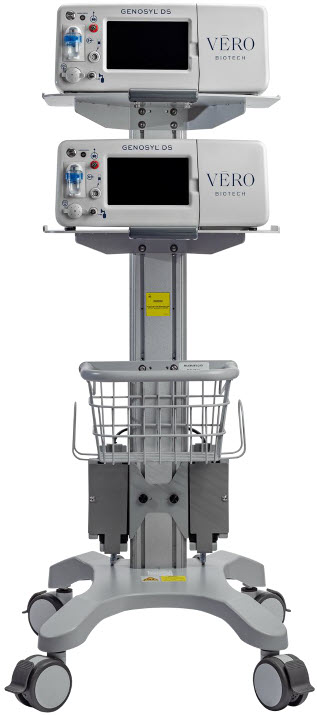
| System | The System (GENOSYL DS) consists of a Cart with two Consoles, Cassettes, and component parts used to set up the gas lines |
| v | Electrical Volts |
| Symbol | Symbol Name | Description |
|---|---|---|
 | AC | Indicates power input specification is alternating current (AC). |
 | Adaptive Sensor Port | Input port for Adaptive Sensor Cable |
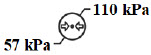 | Atmospheric pressure limitation | To indicate the acceptable upper and lower limits of atmospheric pressure for transport and storage. |
 | Attention | Indicates the need for the user to consult the instructions for use for important cautionary information such as warnings and precautions that cannot, for a variety of reasons, be presented on the medical device itself. |
 | Batch Code | Indicates the batch code so that the batch or lot can be identified. |
 | Calibration Port | Input port for calibration gas |
 | Catalog or model number | Indicates the catalog number so that the medical device can be identified. |
 | Consult instructions for use | Informs the user to consult the instructions for use. |
 | Date of Manufacture | Indicates the date when the medical device was manufactured. |
 | Do not reuse | Indicates a medical device that is intended for one use, or for use on a single patient during a single procedure. |
 | External Transport Symbols | Appears on External Transport Cassettes to indicate Cassette can be used during patient transfer in rescue vehicle, fixed wing, or helicopter. |
 | Ingression | Code for the level of ingression protection tested. The enclosure was tested to be drip proof. |
 | Magnetic Resonance (MR) Conditional | Indicates that the System has been demonstrated to pose no known hazards in a specified MRI environment with specified conditions of use. |
 | Manual Ventilation | Output port for GENOSYL to manual ventilation system |
 | Manufacturer | Indicates the manufacturer of the item. |
 | NO Injection | Output port for GENOSYL to patient circuit |
 | Operating Instructions | Refer to operating instructions for instructions for use, warnings, precautions, and other equipment information. |
 | RF Interference | Devices marked with this symbol may interfere with the Console. |
 | Sample Gas Inlet | Attachment point for Sample Line on Water Trap |
 | Serial Number | Indicates the serial number so that a specific medical device can be identified. |
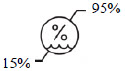 | Storage humidity range | Indicates the range of humidity to which the medical device can be safely exposed. |
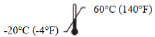 | Storage temperature range | Indicates the temperature limits to which the medical device can be safely exposed. |
 | Unlock position | Direction to push to open the Water Trap. |
 | Use by | Indicates the date after which the medical device is not to be used. |
 | Water Trap Attachment Point | Indicates the location where the Water Trap with Sample Port is to be attached. |
| PART | PART NAME |
|---|---|
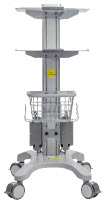 | GENOSYL DS Cart |
 | GENOSYL DS Console (2 required per System) |
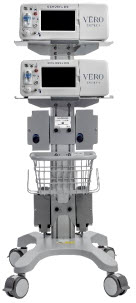 | MR Conditional GENOSYL DS System |
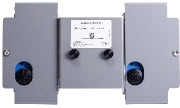 | Gauss Alarms Mount (2 gauss alarms installed) |
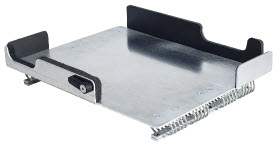 | External Transport Mount |
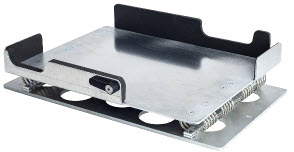 | External Transport Mount with Quick Connect Plate |
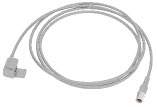 | Adaptive Sensor Cable |
The following parts are required to set up the GENOSYL DS and deliver nitric oxide to the patient breathing circuit, using validated ventilators, ventilator circuits, and manual ventilation equipment.
| PART | PART NAME |
|---|---|
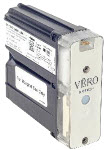 | GENOSYL Hospital Cassette (may be referred to as Cassette or Hospital Cassette) |
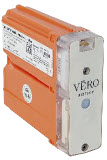 | GENOSYL External Transport Cassette (may be referred to as Cassette or External Transport Cassette) |
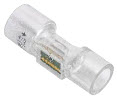 | Adaptive Sensor |
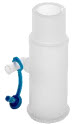 | NO Gas Injection Adapter 22M/15F × 22F |
 | Adapter 22F × 22F |
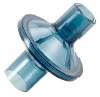 | Inline Breathing Circuit Filter |
. 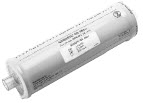 | GENOSYL DS Mixer |
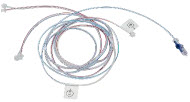 | GENOSYL DS Gas Lines: NO Injection Line (red) Sample Line (blue) Manual Ventilation Line (clear) |
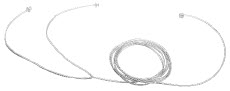 | |
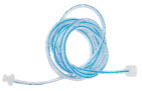 | GENOSYL DS Sample Line Extension |
 | Neonatal Gas Sample Tee |
 | Water Trap |
 | 22M 22F Elbow Adapter |
 | Sample Line Filter |
 | Sample Tee, 3/8" Barbed |
 | Injection Line Filter |
 | 22M/15F × 22M/15F Adapter |
 | 15M × 4.5 Adapter |
 | 22M/15F × 15M Gas Sample Tee |
 | 22F × 15M Adapter |
Note: Physical appearances may vary slightly.
The following parts are required to deliver nitric oxide using a manual ventilation system.
| PART | PART NAME |
|---|---|
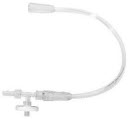 | GENOSYL DS Manual Ventilation Bag NO Adapter |
Note: Physical appearances may vary slightly.
The following parts are required for routine maintenance.
| PART | PART NAME |
|---|---|
 | Calibration Gas - 45 ppm NO |
 | Calibration Gas - 10 ppm NO 2 |
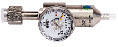 | Calibration Regulator |
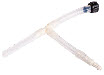 | Calibration Tee Tubing |
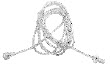 | Calibration Extension Tubing |
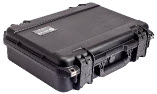 | Calibration Gas Carrying Case |
 | Calibration Equipment Wrench |
 | Calibration Regulator Teflon Washer |
Note: Physical appearances may vary slightly.
GENOSYL ® DS
SECTION 1 GENERAL INFORMATION
1. GENERAL INFORMATION
1.1 User Responsibility
The GENOSYL DS (Console) will perform as described in this Operator's Manual, accompanying inserts, and/or labels when assembled, operated, maintained, and repaired in accordance with the instructions provided. The Console must be set up as described in Section 3 . If the Console does not perform as described in Section 3 or during assembly, the parts are found to be broken, missing, contaminated, or visibly worn, they should be replaced immediately.
In the case of repair or replacement of the Console is required, a telephone service request should be made to Technical Support at 877-337-4118. The GENOSYL DS or any of its parts should not be serviced or repaired by anyone other than a VERO Biotech Technical Engineer or without written permission from VERO Biotech Technical Engineering Department.
Any malfunction resulting from faulty maintenance, improper repair, damage, alteration by anyone other than a VERO Biotech Technical Engineer, and/or improper use will be the sole responsibility of the User.
| WARNING |
|---|
| The GENOSYL DS must only be used in accordance with the approved indications, usage, contraindications, precautions, and warnings described in the GENOSYL DS labeling. Refer to the labeling prior to use. |
| CAUTION |
|---|
| U.S. Federal law restricts this device to sale by or on the order of a physician. Outside the U.S., check local laws for any restrictions that may apply. |
| NOTES |
|---|
|
1.2 General Information and Indications for Use
GENOSYL DS generates and delivers NO for inhalation at the point of use. The concentration of NO, as set by the user, is monitored, and adjusted to accurately dose the patient throughout an inspired breath. Only validated devices / components should be used with the GENOSYL DS.
The intended population for inhaled NO treatment is term and near-term neonates in neonatal intensive care units (NICUs). Refer to the GENOSYL (nitric oxide) for inhalation drug label for more detailed information.
The GENOSYL DS is intended for use in the hospital, 1.5 Tesla and 3.0 Tesla diagnostic imaging environments, during patient transfer via rescue vehicle, fixed wing aircraft, or helicopter, and the operating room in conjunction with validated anesthesia gas machines.
The GENOSYL DS is intended for use by healthcare professionals (HCPs) who are licensed and actively practicing pediatric and/or neonatal respiratory therapists (RTs), or HCPs in the operating room with the supervision of RTs in the United States. These users are required to set up, administer inhaled nitric oxide (iNO) and provide respiratory care (including initiation and maintenance of mechanical ventilators) in the critically ill neonatal population.
The GENOSYL DS starts with liquid N 2 O 4 /NO 2 , which is then converted in a proprietary Cassette to NO. The GENOSYL DS delivers NO into the ventilator stream, where the NO joins a stream of air or O 2 and is diluted to the prescribed concentration.
The NO concentration (dose) to be delivered to the patient is selected by the user and is set and maintained independently by means of computer-controlled air pumps, Cassette heaters, and a feedback loop that measures the delivered NO concentration.
The GENOSYL DS takes a gas sample removed from the NO gas flow stream immediately prior to the patient and provides real-time output of the NO, NO 2 , and O 2 concentrations that are being delivered to the patient. The continuous integrated gas monitoring includes a comprehensive alarm system.
The NO concentration detected from the sample line is used in a feedback loop to adjust the NO concentration delivered into the ventilator circuit.
The GENOSYL DS includes a redundant Console for complete back-up capability for delivery of NO for inhalation. Each Console has a back-up battery that is expected to last up to four hours under optimal conditions in the absence of an external power source. Console will alarm when less than 15 minutes of battery life remains.
1.3 Principles of Operation
GENOSYL DS . The GENOSYL DS continuously introduces a precisely controlled concentration of nitric oxide (NO) into the inspiratory limb of the ventilator circuit. GENOSYL DS utilizes the known properties of NO and other oxides of nitrogen, namely dinitrogen tetroxide (N 2 O 4 ) and nitrogen dioxide (NO 2 ), to create a "tankless" drug/device combination System to produce, at the point of use, ultra-high purity NO for inhalation, providing a consistent, prescribed dose to the patient.
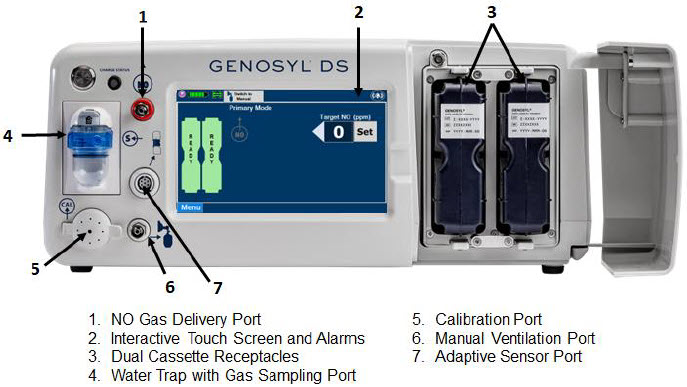
Console. The GENOSYL DS Console contains the electronics to control the production and to maintain the constant and precise delivery of NO.
The primary features of the Console front panel are displayed in Figure 1.
NO generation. The Console uses Cassettes containing liquid N 2 O 4 /NO 2 inside a stainless-steel vessel (the liquid module) and an antioxidant cartridge. Upon initiation of a Cassette, the liquid N 2 O 4 is heated, producing NO 2 gas, which is mixed with up to 0.9 LPM ambient air supplied by the Console. The NO 2 /air is injected into the antioxidant cartridge inside the Cassette, which converts NO 2 to NO.
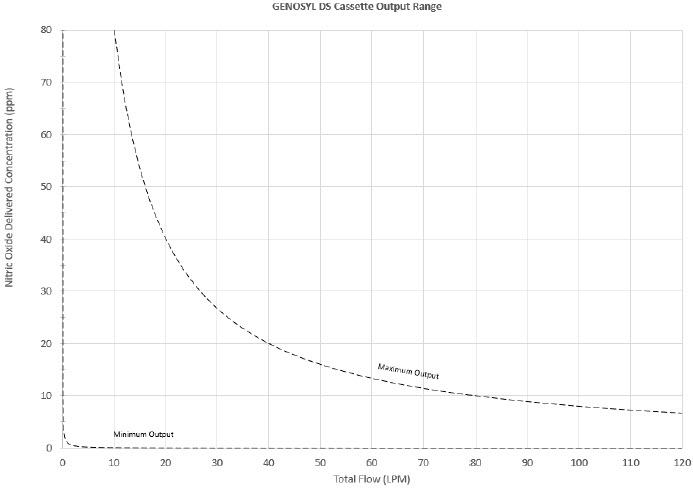
The Cassette is designed to provide NO in concentrations up to 80 ppm. The maximum and minimum delivered dose for a range of constant inspiratory flow rates is presented in Figure 2.
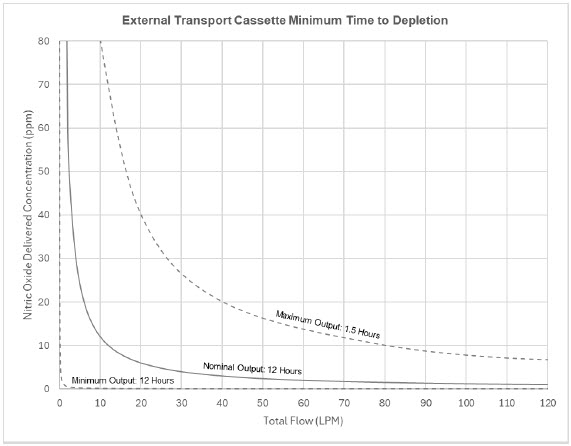
The maximum combination of dose (ppm) and flow (LPM) output of the System is 800 ppm × LPM (e.g., 20 ppm with 40 LPM, 40 ppm at 20 LPM, etc.). The System is capable of delivering NO at a minimum of 1 ppm × LPM (e.g., 1 ppm at 1 LPM).
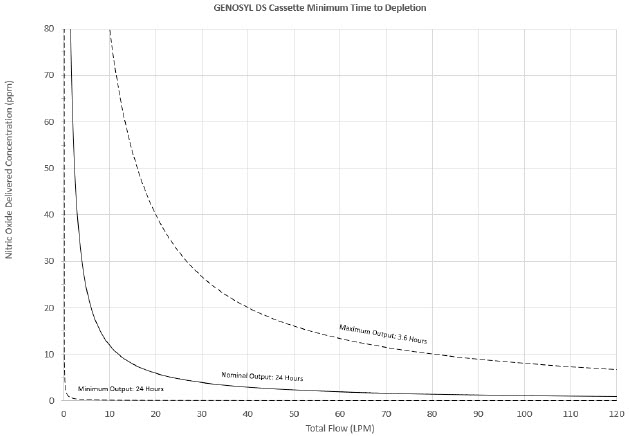
The total time to deplete the Cassette N 2 O 4 contents depends on the rate of use. The minimum time to depletion based on use rate for Hospital Cassettes is shown in Figure 3. The minimum time to depletion of the External Transport Cassette based on use rate is shown in Figure 4. The calculated minimum remaining contents at the current output rate is indicated by a gauge presented on the Console display during use.
NO Injection into the Ventilator Circuit . After NO is produced in the Cassette, the NO injector introduces the concentrated NO into the ventilator circuit where the NO is diluted to the prescribed concentration (dose) and mixed with the O 2 or air supplied to the patient.
GENOSYL Smart Feedback System ™ Before the gas mixture reaches the patient, a sample line removes a small gas sample and sends it back to the Console, where gas sensors continuously measure the supplied NO, NO 2 and O2. The Console software then compares the measured NO concentration to the set NO concentration and continuously adjusts the delivery of NO to maintain the prescribed NO concentration (dose) delivered to the patient (closed loop control). The Console software commands the NO injection flow rate into the ventilator circuit with a maximum flow rate of 0.9 LPM. Changes in the ventilator settings by the user may cause brief transient changes in the measured NO value. The Console software will adjust the injected flow rate and the internal temperature of the Cassette to compensate for the changes in the total ventilator flow rate. For example, a higher minute ventilation will require a higher injection flow rate to produce the same NO concentration.
Mixer . An inline Mixer is used in the applicable ventilator circuit after the NO injection site and before the gas sample site to mix NO from the Console with the gas supplied by the ventilator, for specific ventilator and tidal volume use cases per Section 12.2.
Gas Monitoring. The gas mixture delivered to the patient by the GENOSYL DS is continuously monitored with two NO detectors, with one providing redundant back-up, as well as a detector for NO 2 and O 2 . A sample of inspired gas is taken from the inspiratory limb, close to the patient, and is measured by the gas sensor within the Console. The gas monitoring sensors are electrochemical; they are specific to each gas and provide an electronic signal that is proportional to the concentration of gas present.
Adaptive Sensor. The Adaptive Sensor is used to detect flow in the patient breathing circuit. When flow is not detected by the Adaptive Sensor, nitric oxide delivery will be interrupted until flow is detected. The Console will provide a visual and audible low priority alarm when flow is not detected to alert the user (see Section 10.5 ). Once flow is detected, the Console will auto resume delivery of nitric oxide at the previously set dose. An Adaptive Sensor is recommended for use with certain breathing devices. Refer to Section 3 for recommended set up diagrams. The GENOSYL DS will properly deliver and control nitric oxide dose in the absence of an Adaptive Sensor.
Alarms and Dosing Safeguard Fallback Modes. The GENOSYL DS alerts the user in the event of excursions of NO, NO 2 , and Oxygen from their expected ranges. Nitric oxide delivery interruption conditions are as follows:
- NO > 100 ppm
- NO 2 reaches 3 ppm
- The measured respiratory circuit dilution flow drops below 0.3 LPM as measured by the Adaptive Sensor.
The Console will provide a visual and audible high priority alarm. When detecting a sustained gas level higher than the above limits for 11 consecutive seconds, the Console will interrupt delivery of NO until the sampled levels of NO and/or NO 2 decrease to a safe level. Once sampled levels are in acceptable range, the Console will resume delivery with previously set dose.
If the cause of the high gas cannot be resolved, the use of the Back-up Console may be required. Refer to Section 10.1 for additional information on alarms and dosing safeguards.
If NO delivery was interrupted due to the GENOSYL DS Adaptive Sensor reading dropping below 0.3 LPM, the Console will resume delivery with the previously set dose once the Adaptive Sensor reading exceeds 0.35 LPM. The automatic resumption of dose delivery after the interruption conditions listed above are cleared is one of the safety fallback modes of the GENOSYL DS.
Back-up NO Delivery. The Back-up Console is used to administer nitric oxide when the Dosing Console cannot be used. This Console has a separate power supply, and at least one Cassette loaded and preheated. If the Dosing Console fails to deliver NO, the Back-up Console is ready to begin dosing to continue NO delivery.
Transition to a new Cassette. When a Cassette approaches depletion, the Dosing Console will automatically transition to the second Cassette in the Console. Once the dosing Cassette is depleted, the Dosing Console will eject the depleted Cassette and alert the user to replace via the Cassette Status Indicator.
Disposal of the Cassette . Following use, any remaining Cassette contents are purged into an inerting chamber, where the contents are chemically neutralized, rendering the Cassette safe for disposal.
1.4 Exposure of Healthcare Providers to NO and NO 2
Occupational exposure of healthcare providers to NO or NO 2 may occur during Inhaled NO therapy for patients. Below are examples of calculated and observed exposure to NO or NO 2 , in the context of guideline workplace exposure limits.
Calculated and observational methods show that the exposure levels to NO or NO 2 from an NO delivery system are significantly less than the levels recommended by the National Institute for Occupational Safety and Health (NIOSH).
Workplace Limits : NIOSH has recommended workplace exposure limits as follows NIOSH Pocket Guide to Chemical Hazards, Dept of Health & Human Services, Centers for Disease Control and Prevention, National Inst for Occupational Safety & Health. Publication 2005-149, Sept 2007. .
| NO | time-weighted (8 hours) average concentration limit of 25 ppm |
| NO 2 | Recommended exposure limit of 1 ppm |
Theoretical Calculation. The build-up of NO in a well-ventilated ICU room, with NO flowing directly into the room, can be evaluated using the following calculation:
| Room size | 1000 ft 3 |
| Room volume | 28,300 L |
| Room ventilation (6 complete exchanges/hour) | 2,830 L/min |
| NO flow into the room | 80 ppm at 14 L/min |
| Average NO room concentration | 0.4 ppm of NO |
Observations of NO Exposure . The theoretical calculation has been supplemented by actual measurements in three independent studies in actual therapeutic use settings. Hess et al, Use of Inhaled Nitric Oxide in patients with Acute Respiratory Distress Syndrome. Respiratory Care 1996; 41(5):424-446. , Phillips M, Hall TA, Sekar K, Tomey JL. Assessment of Medical Personnel Exposure to Nitrogen Oxides During Inhaled Nitric Oxide Treatment of neonatal and Pediatric Patients. Pediatrics. 1999;104(5):1095-1110. , Qureshi MA, Shah NJ, Hemmen CW, Thill MC, Kruse JA.Exposure of Intensive Care Nurses to Nitric Oxide and Nitrogen Dioxide during Therapeutic use of Inhaled Nitric Oxide in Adults with Acute Respiratory Distress Syndrome. Am. J. Crit Care, 2003;12(2):147-153. The studies found that detectable exposures to NO and NO 2 were brief, infrequent, and well below recommended exposure limits.
If the location for using NO has uncertain ventilation, then the location should be evaluated for NO and NO 2 build-up prior to use.
GENOSYL ® DS
SECTION 2 SYSTEM OVERVIEW
2. SYSTEM OVERVIEW
2.1 Frequently Used Functions
Detailed instructions are provided in this manual for the primary user interaction and frequently used functions of the GENOSYL DS, which include:
System Set-Up and Connections ( Section 3 )
- Connections to Various Breathing Systems
- GENOSYL DS Ventilator Circuit Assembly Pre-Check
- GENOSYL DS Injection Assembly with Adaptive Sensor
- GENOSYL DS Mixer Assembly with Adaptive Sensor
- GENOSYL DS Console Connections
- GENOSYL DS Gas Line Connections
- GENOSYL DS Sample Line Extension Connection
- GENOSYL DS Adaptive Sensor Cable Connection
- GENOSYL DS Ventilator Circuit Connection
- GENOSYL DS Manual Ventilation Connections
- GENOSYL DS Mechanical Ventilator Circuit Connections
- Gas Sampling During Aerosol Delivery
System Start-Up ( Section 4 )
- Console Start-Up
- Cassette Insertion
- Water Trap / Sample Line Leak Test
Nitric Oxide Administration ( Section 5 )
- Setting a Dose when using a Circuit with an Adaptive Sensor
- Setting a Dose when using a Circuit without an Adaptive Sensor
- Adjusting the Dose
- Manual Dosing Mode
- Manual Ventilation Use (Bagging)
- Preset Manual Dosing Mode Flow Rate (Optional)
- Resuming Primary Dosing
- Console Use as Back-up
Console Shutdown ( Section 6 )
- Console Shutdown
- Cassette Removal
- Cassette Disposal
Using the System in the MR Scanner Room ( Section 7 )
- Connection to the Ventilator Circuit
- Transferring to and from the MR Scanner Room
External Transport ( Section 8 )
- External Transport Set-up and Ventilator Circuit Schematics
- Using GENOSYL DS for External Transport
Use with an Anesthesia Gas Machine ( Section 9 )
- Connection to a Dual Limb Anesthesia Circuit
- Connection instructions for the GENOSYL DS to an Anesthesia Gas Machine
Alarms, Alerts, and Troubleshooting ( Section 10 )
- On-Screen Troubleshooting Module
- Alarms (High, Medium, and Low Priority)
- Informational messages
- GaussAlert™ Alarm
- Troubleshooting
- Leak Detection Tool
System Maintenance ( Section 11 )
- Calibration
- Maintenance Schedule
- Testing the GaussAlert™ Function
- Water Trap Maintenance
- Battery
- Cleaning
- Storage
2.2 GENOSYL DS Cart and Consoles
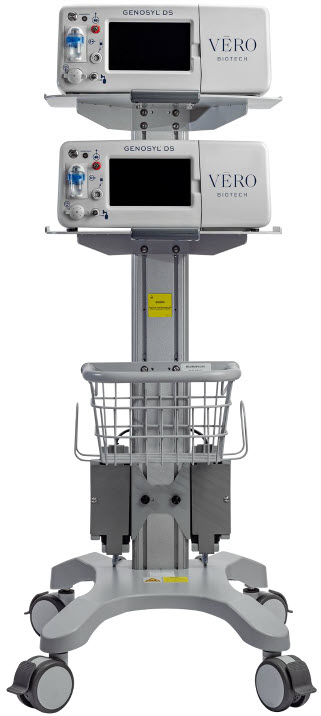
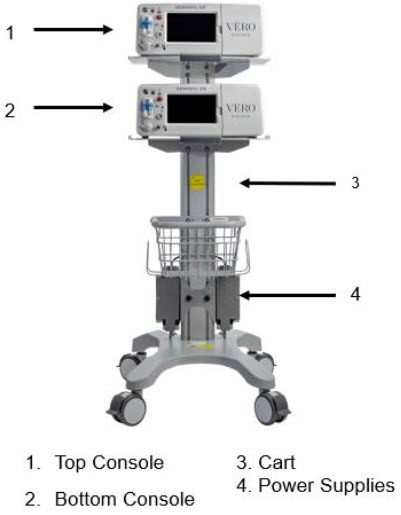
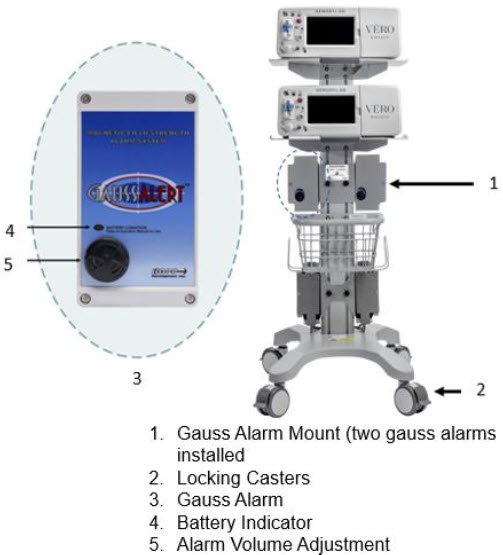
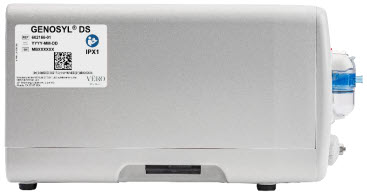
The following pages contain photos of the GENOSYL DS Consoles. The specific sections of the GENOSYL DS are numbered with the respective description listed below the photo.
| WARNING |
|---|
|
| CAUTION |
|---|
|
| NOTE |
|---|
| A System has a top and bottom Console. Both Consoles will start-up in Primary Dosing Mode. One Console will be used for dosing and the other will remain in Primary Dosing Mode as a Back-up Console. (See Section 5.5 ) |
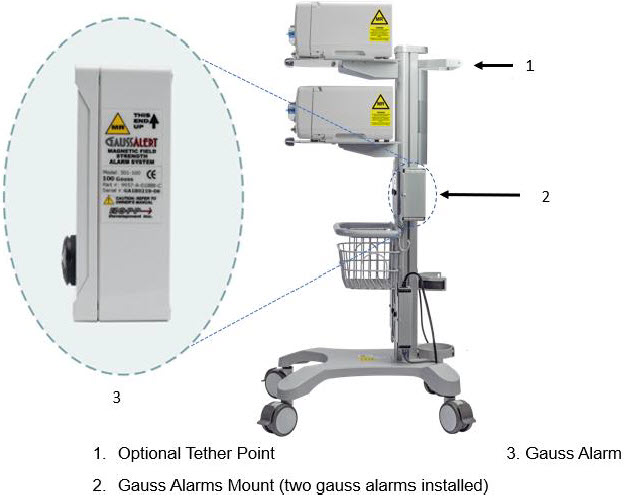
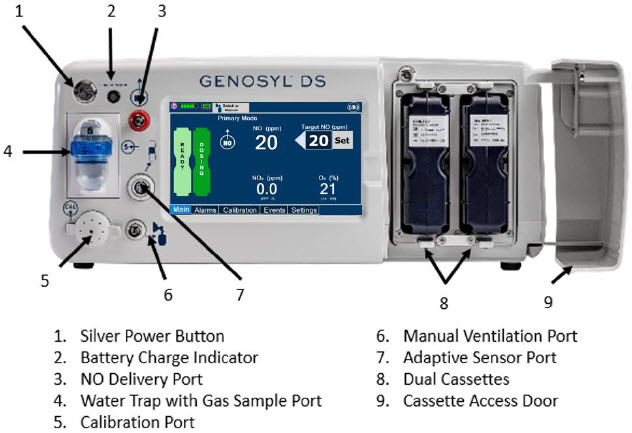
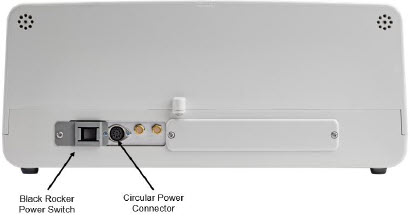
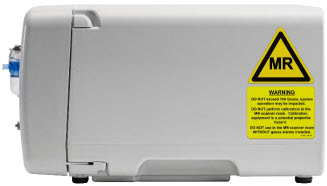
2.3 Cassette
The Cassette contains the material that will be converted to nitric oxide during the activation process. It is inserted into the GENOSYL DS Console, and its shape helps ensure proper orientation during the insertion process. A Cassette State Window is located on the front of the Cassette to indicate if the Cassette is available for use (blue), or if it has been inerted and unavailable for use (bleached and reddened).
The GENOSYL DS requires different Cassettes for use in the hospital (ICU or MR setting of care) and for use in external patient transport. The Hospital Cassette is blue in color. See Figure 12 for details about the Hospital Cassette. The External Transport Cassette is orange in color. Refer to Section 8 for more information about using the GENOSYL DS in external transport and Figure 13 for details about the External Transport Cassette.
Cassette in Packaging 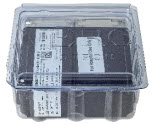 |
Unused Cassette 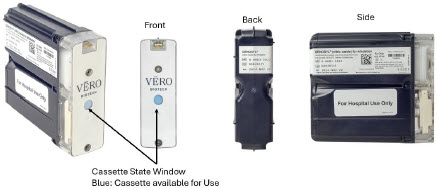 |
Inerted Cassette 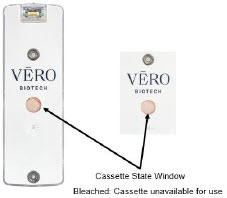 |
| Figure 12: GENOSYL Cassette |
External Transport Cassette in Packaging 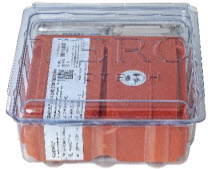 |
Unused External Transport Cassette 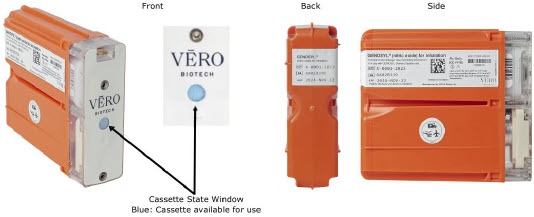 |
Inerted External Transport Cassette 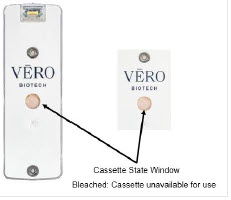 |
| Figure 13: GENOSYL External Transport Cassette |
| CAUTION |
|---|
| DO NOT remove Cassette from packaging until ready to use. External packaging is designed to protect the Cassette from damage and/or contamination. |
2.4 GENOSYL DS Ventilator Circuit Components
The following parts are used to set up the GENOSYL DS portion of the patient respiratory circuit, as specified in Section 3.2.
| PART | PART NAME | FUNCTION |
|---|---|---|
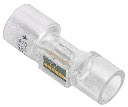 | Adaptive Sensor | Used to measure flow from the ventilator into the circuit. |
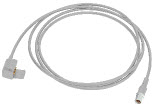 | Adaptive Sensor Cable | Used to communicate flow readings to the Console. |
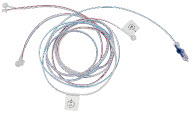 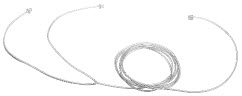 | GENOSYL DS Gas Lines NO Injection Line (red) Sample Line (blue) NO Manual Ventilation Line (clear) | Used to deliver nitric oxide to the ventilator circuit and manual ventilation bag, and to sample gas within the ventilator circuit. |
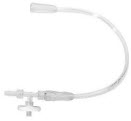 | GENOSYL DS Manual Ventilation Bag NO Adapter | Used to connect oxygen tubing to manual ventilation bagging system to deliver nitric oxide. Includes an NO Injection Port to connect to the NO Injection Line. |
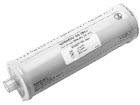 | GENOSYL DS Mixer | Used to mix the NO gas with the gas supplied by the ventilator through a filter containing silica gel to provide intra-breath NO delivery for certain scenarios. |
 | Adapter 22F × 22F | Used as a coupler between the Mixer and the Gas Injection Adapter when a Mixer is required. |
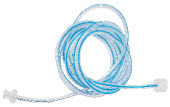 | GENOSYL DS Sample Line Extension | Used when the distance between the patient and the DS exceeds the length of the standard sample gas line in the MR Environment. |
 | Injection Line Filter | Used to filter air from the Injection Line. |
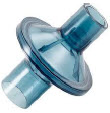 | Inline Breathing Circuit Filter | Used to filter air from the Injection Line, and on the expiratory limb when used with an anesthesia gas machine. |
 | Neonatal Gas Sample Tee | Used to connect the Sample Line to the ventilator circuit. |
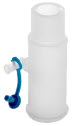 | NO Gas Injection Adapter 22M/15F × 22F | Used between the Adaptive Sensor and the Inline Breathing Circuit Filter, and to connect to the NO Injection Line (red). |
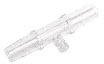 | Sample Tee, 3/8" Barbed | Used to accommodate gas sampling in some ventilator circuits, (e.g., Crossvent Infant Circuit). |
 | Sample Line Filter | Used to protect sampling system during use with aerosol medications (refer to Section 3.8 ). |
 | Water Trap | Used to protect sample system by collecting condensation and filtering contaminants from the sampled gas. The Water Trap may need to be emptied or changed while in use (refer to Section 11.4 ). |
 | 22M/15F × 22M/15F Adapter | Used to create GENOSYL DS sampling port 6 to 12 inches from the patient wye. |
 | 15M × 4.5 Adapter | Used between Oxygen Tubing and NO Gas Injection Adapter with some non-invasive gas delivery systems. |
 | 22M/15F × 15M Gas Sample Tee | Used to connect the Sample Line to the ventilator circuit. |
 | 22F × 15M Adapter | Used to assist with connection of the NO Delivery Injection Assembly to various ventilator circuits. |
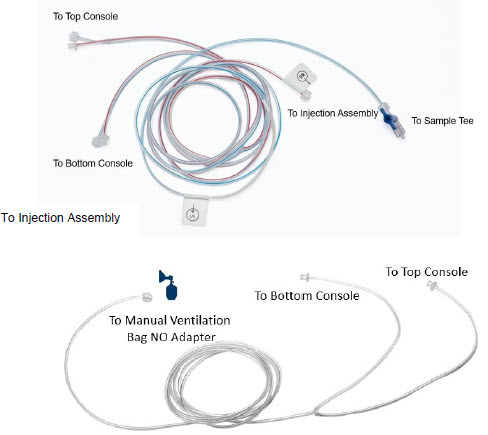
2.5 Gas Lines (detailed explanation)
Gas lines are used to deliver nitric oxide from the GENOSYL DS Consoles to the ventilator circuit and manual ventilation bag, and to sample gas within the ventilator circuit. The lines are color coded and labeled with icons corresponding to colors and icons on each Console.
The NO Injection Line (red) delivers nitric oxide from the Console to the mechanical ventilation circuit (described in Section 3.5 ).
The Sample Line (blue) also contains a stopcock to conduct the Water Trap / Sample Line Leak Test (described in Section 4.2 ).
A Sample Line Extension is available when additional distance between the patient circuit and the Console is required (e.g., use in the MR environment) (described in Section 3.5.2 ).
The Manual Ventilation Line (clear) delivers nitric oxide from the Console to the Manual Ventilation Bag NO adapter (described in Section 3.6 ).

2.6 Console Dosing Modes of Operation
During operation, a Console can be in one of two dosing modes; Primary Dosing Mode or Manual Dosing Mode . The user can switch the dosing modes during normal operation to perform specific functions for certain conditions. The following table summarizes key characteristics of each dosing mode. Both dosing modes are available when External Transport is ON and when External Transport is OFF.
| MODE | FUNCTIONAL CHARACTERISTICS |
|---|---|
| Primary Dosing |
|
| Manual Dosing |
|
2.7 Display Screen
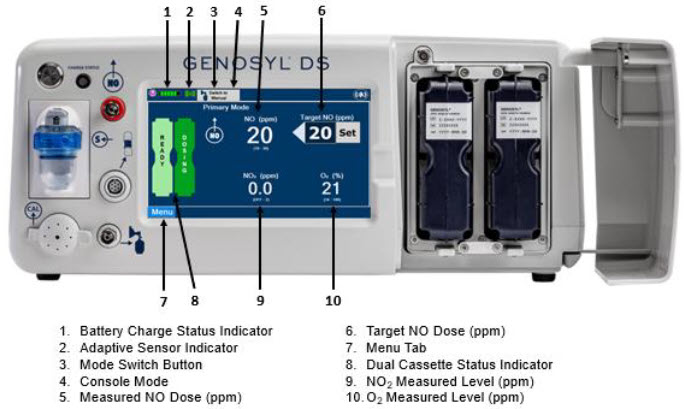
The GENOSYL DS display screen is presented below ( Figure 15 ) followed by a table with descriptive text corresponding to the numbers shown around the display screen.
| NOTE |
|---|
| Some confirmation display screens (e.g., "Confirm", "Yes", "Accept", etc.) will be semi-transparent after dosing has been initiated to allow the Operator to continue to see important information on the underlying screen (e.g., NO values, Alarms, Alerts, etc.). |
2.8 Display "Menu" Tab Navigation
The table below consists of the available "Menu" tabs (Main, Alarms, Calibration, Events, and Settings) along with the functional description of each tab, and the buttons within each tab. When regular night (dark) display view is used and a tab is selected, the title of the tab will appear on a bright blue background. When the tab is not selected, it will appear with a dark blue background. When day (light) display view is used, and a tab is selected, the tab will appear on a bright blue background. When the tab is not selected, it will appear on a light blue background. When External Transport Mode is ON, the tab currently selected will have an orange background and tabs not actively selected will have a blue background.
| MENU TAB DISPLAY | TAB / BUTTON | DESCRIPTION |
|---|---|---|
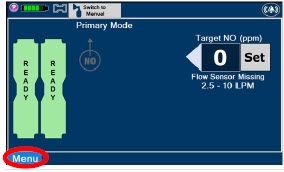 |  | Press this tab to access the sub-level tabs (Main, Alarms, Calibration, Events, and Settings). |
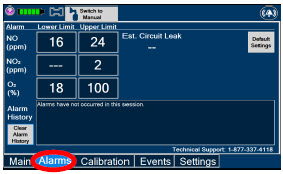 |  | Displayed when the "Alarms" tab is selected, this screen is used to set the Upper and Lower Alarm Limits for NO (ppm), NO 2 (ppm), and O 2 (%). A list of Alarms that have occurred since the last reset for the Console will be displayed on this tab. |
| NOTE | ||
| See Section 10 for additional information on alarms and alerts. | ||
 | Displayed after pressing the "Alarms" tab, press this button to switch to the default upper and lower limits for NO (ppm), NO 2 (ppm), and O 2 (%). | |
 | Pressing this button will clear the alarm history from the alarm log visible on this tab. The alarm will remain logged in the Console's permanent logs. | |
 | Press this tab to return to the main screen. Pressing the Main Tab will collapse the tab menu. | |
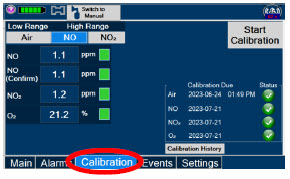 |  | Press this tab to access the calibration screen. |
| NOTE | ||
| See Section 11.1 for additional information on Calibration. | ||
 | Press this button to calibrate the low range of the NO and NO 2 sensor. | |
 | Press this button to calibrate the high range for the NO sensor. | |
 | Press this button to calibrate the high range for the NO 2 sensor. | |
 | Press this button to initiate calibration for the selected gas. | |
 | Press this button to stop the calibration in the middle of a calibration process. The previous calibration will remain to be used. | |
 | Press this button to display the history of calibration. | |
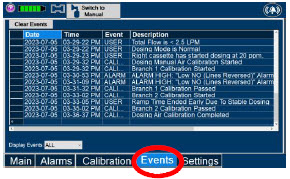 |  | Press this tab to access the events menu. |
 | Press this button to clear the events listed on the events screen. | |
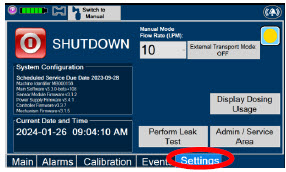 |
| Press this tab to access the settings screen. |
 | Press this button to begin the process of shutting down the Console. | |
 | Press this button to switch display to day (light) display view. This will switch the display to a lighter gray background instead of the dark blue background. | |
 | This drop-down menu allows operator to preset the dilution flow rate for Manual Mode. If no rate is selected, Console will default to 10 LPM. | |
 | Press this button to enter the screen to adjust the date and time. This button is only present when logged in as an Administrator | |
 | Press this button to adjust the date and time. This button is only present when logged in as an Administrator | |
 | Press this button to perform a "Water Trap/ Sample Line Leak Test". | |
 | Used by service personnel only. Password controlled. | |
| NOTE | ||
| Contact Technical Support at 877-337-4118 for additional support. | ||
 | Press this button to display a window to enter date ranges to retrieve dosing usage over a period of time and number of Cassette activations. | |
 | Press this button to enable External Transport Mode. This button is gray when External Transport Mode is OFF. | |
| NOTE | ||
| This will require the transport PIN. Contact Technical Support for additional support. | ||
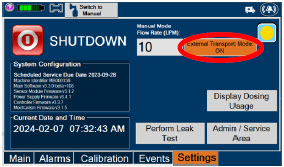 |  | Press this button to disable External Transport Mode. This button is orange when External Transport Mode is ON. |
| NOTE | ||
| This will require the transport PIN. Contact Technical Support for additional support. | ||
 | When External Transport Mode is ON, the External Transport animated icons will rotate between these three icons in the upper right corner of the screen next to the Alarm icon. | |
 | ||
 | ||
 |  | Day (Light) display view Main Menu: Press this tab to access the sub-level tabs (Main, Alarms, Calibration, Events, and Settings). |
 | Press this button to switch display to regular night (dark) display view. This button is located on the "Settings" tab. |

2.9 Display Screen Operational Buttons
The following buttons on the display screens allow the Operator to operate and adjust the GENOSYL DS prior to and during the delivery of nitric oxide.
Note: the following are shown in regular night (dark) display view but are also available in day (light) display view.
| BUTTON | DESCRIPTION |
|---|---|
 | Press this button to set the targeted NO (ppm) dose when in Primary Dosing Mode. |
  | Press this button to pre-silence alarms. Pushing this button will pre-silence specific alarms for 120 seconds. When active, a red "X" will appear through the alarm icon with a countdown of how much longer alarms will be pre-silenced for. When tapping the icon with the red "X", the user will cancel the pre-silence. |
 | Press this button to cancel the Water Trap / Sample Line Leak Test. |
 | Press this button to switch a Console to Primary Dosing Mode from Manual Dosing Mode. When in Primary Dosing Mode, the dosage can be set to a user selected (prescribed) level. |
 | Press this button to switch from Primary Dosing Mode to Manual Dosing Mode. See Section 5.4 for information about dosing in Manual Dosing Mode. |
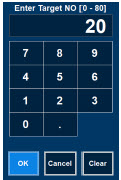 | Electronic keypad used to set and adjust the prescribed targeted nitric oxide dose to be delivered to the patient. Includes buttons to confirm "OK", "Cancel", or "Clear" the entry. |
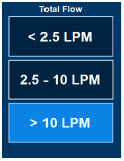 | The Total Flow range is selected by the user if the Adaptive Sensor is not connected to the Console. These buttons will only appear if the Console does not detect an Adaptive Sensor when setting or adjusting dose. Total Flow range is the sum of the ventilator (or ancillary equipment) Bias Flow and the minute ventilation of the patient. |
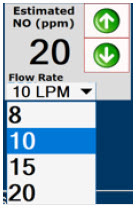 | Displayed when in Manual Dosing Mode, press the green up or down arrows to adjust the dose to the patient, from the default dose. Pressing the down arrow will decrease the dose in increments of 1 ppm for 24 ppm and below. Pressing the up arrow will increase the dose in increments of 2 ppm above 24 ppm. Press the green LPM (liters per minute) button to activate a drop-down menu and set a different dilution flow rate. |
 | Press this button to confirm the action specified on the screen. |
 | Press this button to cancel the action specified on the screen. |
 | Press this button to acknowledge the information message displayed on the screen. |
 | Press this button to move to the next step. |
 | Press this button to cancel the current step. |
2.10 Display Screen – Cassette Status Indicators
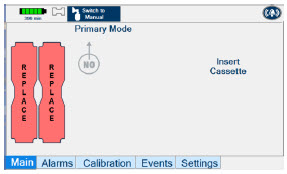
The following describes the Cassette Status Indicators that will be shown on the display screen prior to, during, and post-delivery of nitric oxide. The Cassette Status Indicators consist of two Cassette icons, which correspond to the left and right Cassette receptacles.
| CASSETTE STATUS INDICATOR DISPLAY | DESCRIPTION |
|---|---|
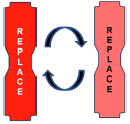 | This Cassette Status Indicator will be displayed when a Cassette is not loaded into the Console. The Cassette Status Indicator will display "REPLACE" and will alternate between a dark red and light red. The user is prompted to "Replace" |
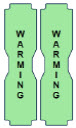 | This Cassette Status Indicator is displayed during the warmup phase when a new Cassette is inserted. This indicator will display "WARMING" alternating with "READY". Dose may be initiated while the Cassette is warming. |
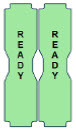 | This Cassette Status Indicator is displayed once the Cassette has achieved a fully preheated status. |
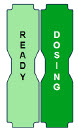 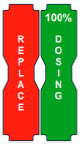 | This Cassette Status Indicator is displayed during dosing. If a secondary Cassette has been inserted, the Cassette Status Indicator will display "Dosing" for the dosing Cassette and "Ready" for the secondary Cassette. If a secondary Cassette has not been inserted, the Cassette Status Indicator will display the percentage of nitric oxide remaining in the dosing Cassette and the secondary Cassette Status Indicator will be red and display "Replace". A low priority tone will also sound in ten second intervals until a secondary Cassette is inserted. |
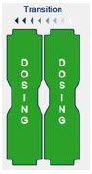 | This Cassette Status Indicator will be displayed when the Console is transitioning from the dosing Cassette to the secondary Cassette. The direction of the arrow indicates the Cassette that is being transitioned to. |
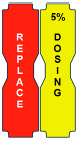 | This Cassette Status Indicator will be displayed when less than one hour of Cassette life remains and no secondary Cassette is inserted. The indicator will display the percentage of life remaining in the dosing Cassette and the estimated time before depletion. The Cassette Status Indicator for the dosing Cassette will appear yellow and display "Dosing" and the other Cassette Status Indicator will appear red and display "Replace" |
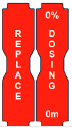 | This Cassette Status Indicator is displayed when a Cassette is depleted and no secondary Cassette is inserted in the Console. This status will only display if another Cassette is not present in the Console. The Cassette Status Indicator for the dosing Cassette will appear red and display "Dosing 0%" and "0m". The empty Cassette Status Indicator will appear red and display "Replace". Both indicators will alternate between a dark and light red color. |
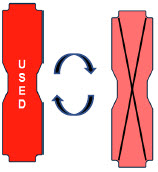 | This Cassette Status Indicator will be displayed when a Cassette that has previously been used is inserted in a Console. The Cassette display will alternate between "USED" and an "X" through the Cassette icon. The Console will automatically eject a previously used Cassette. |
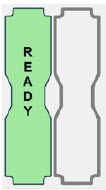 | This Cassette Status Indicator will be displayed two minutes after inserting one Cassette into the Back-up Console. The secondary Cassette Status Indicator on the screen will switch from a red flashing "REPLACE" to an empty gray Cassette outline. Once a dose is entered, and the inserted Cassette is activated, the outline will switch back to the red flashing "REPLACE" so the user is prompted to insert a secondary Cassette in the dosing Console. |
 | This Cassette Status Indicator is displayed when a Cassette is non-operational. A white X will appear over a red Cassette Status Indicator. The Console will eject a non-operational Cassette and dose from the secondary Cassette, if properly inserted. User will be prompted to replace Cassette after ejection. |
 | This Cassette Status Indicator is displayed when a Cassette is past its expiration date. The display will read "EXPIRED". An expired Cassette cannot be used for dosing and will be automatically ejected from the Console. User will then be prompted to replace the ejected Cassette via the Cassette Status Indicator. |
 | This Cassette Status Indicator will be displayed when the wrong Cassette type is inserted into the Console. The display will read "WRONG TYPE" then proceed to eject the incorrect Cassette from the Console. A Hospital Cassette will be ejected while External Transport Mode is turned ON and an External Transport Cassette will be ejected while External Transport Mode is turned OFF. |
2.11 Display Screen - Adaptive Sensor Status
The following describes the Adaptive Sensor status that will be shown on the display screen. The Adaptive Sensor Icon is located on the top left of the Console display screen. To troubleshoot the Adaptive Sensor, see Section 10.8 Troubleshooting .
| ADAPTIVE SENSOR DISPLAY | DESCRIPTION |
|---|---|
 | The Console has detected flow through the Adaptive Sensor. |
 | The Console has detected an Adaptive Sensor without flow. To initiate delivery, the Console requires flow detection. The Set button will not appear until flow is detected through the Adaptive Sensor. The screen will appear as pictured below. Once flow is detected, the "Set" button will appear and allow the user to set the dose. 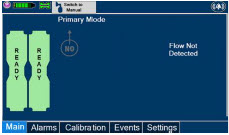 If the Adaptive Sensor stops detecting flow while dosing, the Console will interrupt delivery of NO into the circuit and display a turquoise "Flow Not Detected-Nitric Oxide Delivery Interrupted" message. This message will be accompanied by a low tone every 10 seconds. See Section 10.5 Low Priority Alarms and Messages . If the Adaptive Sensor stops detecting flow while dosing, the Console will interrupt delivery of NO into the circuit and display a turquoise "Flow Not Detected-Nitric Oxide Delivery Interrupted" message. This message will be accompanied by a low tone every 10 seconds. See Section 10.5 Low Priority Alarms and Messages . |
 | The Console does not detect an Adaptive Sensor is connected |
 | An Adaptive Sensor is detected but the Adaptive Sensor is either malfunctioning or not properly connected to the Adaptive Sensor Cable. |
2.12 Cassette Insertion into Console
| WARNING |
|---|
| ONLY use External Transport Cassettes, identified by orange color and transport sticker, in external transport outside of the hospital. |
When inserting a Cassette into a Console, it is important to push the Cassette fully into the receptacle and confirm the Cassette has been registered on the screen.
| PHOTO | DESCRIPTION |
|---|---|
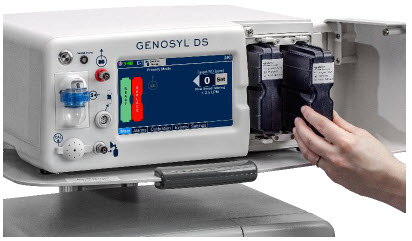 | Insert the Cassette into the receptacle. Push in until you hear the Cassette click into the mechanism. |
 | The on-screen Cassette Status Indicator will switch to say "READY" and then prompt the user to begin a Water Trap/ Sample Line Leak Test. |
2.13 Water Trap / Sample Line Leak Test
A Water Trap / Sample Line Leak Test is initiated when a Cassette has been inserted into the Console and fully seated, and if the measured NO is less than 1.0 ppm. Its purpose is to test the integrity of the Water Trap seal, the proper seating of the Water Trap, and the Sample Line connection to each Console, prior to operation. This is important to ensure an accurate measurement of NO within the ventilator circuit.
After the test has been initiated, the screen will prompt the Operator to close the Stopcock Valve and the Operator will have 60 seconds within which to do this . A numerical timer and a horizontal progress bar provide a visual representation of the time elapsed (red) and time remaining (gray). Once the Stopcock Valve has been closed and if the test has been successfully completed, the entire progress bar will turn green.
| TEST IN PROCESS | TEST PASSED |
|---|---|
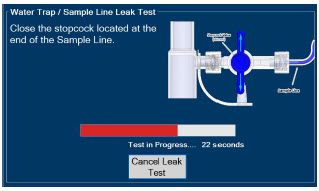 | 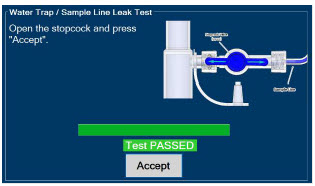 |
| Figure 16: Water Trap / Sample Line Leak Test | |
If the test has failed, the progress bar will remain red throughout the full 60 seconds. The Operator will be notified and prompted to troubleshoot the potential cause
Prior to completion of the leak test and if a condition exists in which immediate NO delivery is required, the Operator may cancel the leak test. The GENOSYL DS will allow a dose of 20 ppm to be set in Primary Dosing Mode. If a different dose is required, a Water Trap /Sample Line Leak Test must be completed.
The Water Trap / Sample Line Leak Test may also be initiated manually via the "Settings" tab and pressing the "Perform Leak Test" button. This may be useful to test the integrity of the Water Trap and Sample Line independent of the need to initiate the delivery of nitric oxide (see Settings in Section 2.8 ).
2.14 Console Shutdown - Cassette Status Indicator
The following describes the Cassette Status Indicators that will be shown on the display screen as the Console is shutting down. For proper Console shutdown procedures, see Section 6 .
| CASSETTE STATUS INDICATOR | DESCRIPTION |
|---|---|
 | This Cassette Status Indicator will display "SAVE" on the shutdown screen to note which Cassette should be retained for future use. This Cassette has not been activated for dosing. |
 | This Cassette Status Indicator will display "DISPOSE" on the shutdown screen to note which Cassette should be disposed of per hospital policy. This Cassette was used for dosing or has been activated. |
 | This Cassette Status Indicator will appear on the shutdown screen to note no Cassette was inserted into the receptacle. |
2.15 Battery Charge Status Indicator
| CHARGE STATUS INDICATOR | DESCRIPTION |
|---|---|
| Solid Red | Battery Power Supply Error. See Battery Error Alarm in Section 10.3 . |
| Blinking Red | Communication Failure or Hardware Error. See Hardware Failure Alarm in Section 10.3 . |
| Solid Amber | Console is unplugged and using battery power. See System is running on low Battery Alarm in Section 10.5 . |
| Blinking Amber | Console is using battery power and running on low battery. See Low Battery Alarm in Section 10.5 . |
| Solid Green | Console is plugged in and battery is fully charged. |
| Blinking Green | Console is plugged in and the battery is charging. |
GENOSYL ® DS
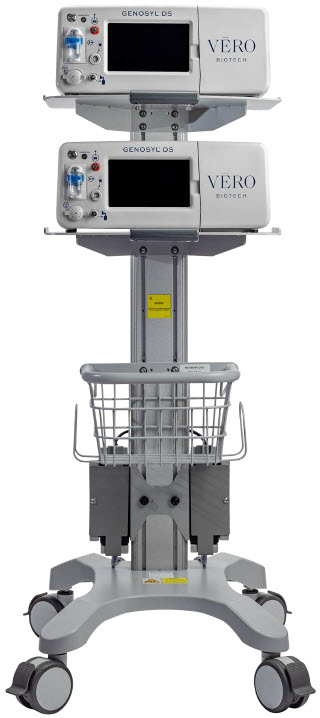
SECTION 3 SYSTEM SET-UP AND CONNECTIONS
3. SYSTEM SET-UP AND CONNECTIONS
3.1 GENOSYL DS Set-Up and Mechanical Ventilator Circuit Schematic
| NOTE |
|---|
| Naming conventions: The GENOSYL DS accessories and components consist of the GENOSYL DS Injection Assembly with Adaptive Sensor, ( Section 3.4.1 ), or the GENOSYL DS Mixer Assembly with Adaptive Sensor ( Section 3.4.2 ), and the GENOSYL DS Gas Lines ( Section 3.5 ). Refer to Section 12.2 Table 15 for when use of the Mixer Assembly with Adaptive Sensor is recommended. Connections and disposable circuits to breathing systems may vary and are unique to individual manufacturers. Example circuit diagrams are provided for reference. |
The schematic in Figure 17 shows an example ventilator circuit set-up and connection to the GENOSYL DS, and a manual ventilation bagging system.
All required GENOSYL DS Parts / Components are listed in the front of this manual and should be removed from their packaging prior to set-up.
3.2 Connections to Various Breathing Systems
| WARNING |
|---|
|
| CAUTION |
|---|
| Prolonged use in dry environments without humidification will damage the gas sensors. Supplemental humidification providing greater than 20% relative humidity (RH) in the patient circuit is recommended. |
| NOTE |
|---|
|
3.2.1 Conventional Ventilators
Compatibility testing has demonstrated performance meeting requirements for the GENOSYL DS operating range of 0 to 80 ppm with the following conventional ventilators at the operating ranges shown in Table 1. For further information on the use of the GENOSYL DS with validated MR conditional ventilators in the MR environment, refer to Section 7 . For further information on the use of the GENOSYL DS with validated external transport ventilators, refer to Section 8 . For use with validated anesthesia gas machine, see Section 9 . See Section 12.2 Table 14 for modes validated for each conventional ventilator. Validated ventilators were not tested with a nebulizer.
- Bio-Med Devices CrossVent 2+
- Bio-Med Devices MVP-10
- Dräger V500
- Dräger VN500
- Dräger V600
- Dräger VN600
- Dräger V800
- Dräger VN800
- Hamilton C1/T1
- Hamilton C6
- Hamilton G5
- Hamilton MR1
- Puritan Bennett 980
- Vyaire AVEA
| WARNING |
|---|
|
| CAUTION |
|---|
|
| NOTE |
|---|
|
| Setting | Range | Unit |
|---|---|---|
| Inspiratory Flow Rate | 2-120 | LPM |
| Respiratory Rate | 6-60 | BPM |
| Peak Inspiratory Pressure | 0-70 | cmH 2 O |
| Positive End Expiratory Pressure | 0-20 | cmH 2 O |
The ventilator circuit diagram for use without the Inline Mixer accessory, required in certain scenarios, is shown in Figure 17 . See Section 12.2, Table 15 for applicable use scenarios.
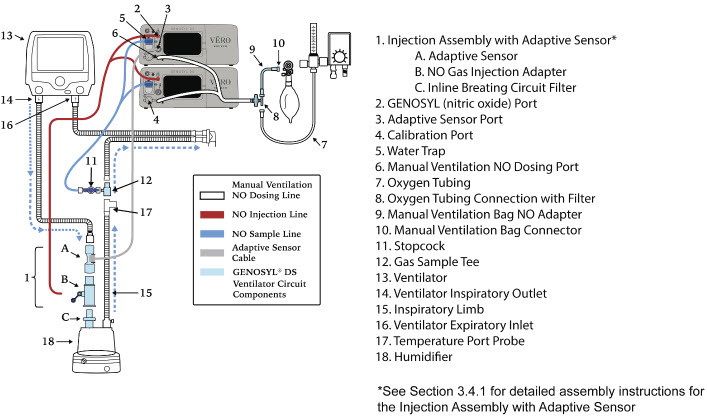
The ventilator circuit diagram for use with the Inline Mixer accessory, required in certain scenarios, is shown in Figure 18 . See Section 12.2, Table 15 for applicable use scenarios.
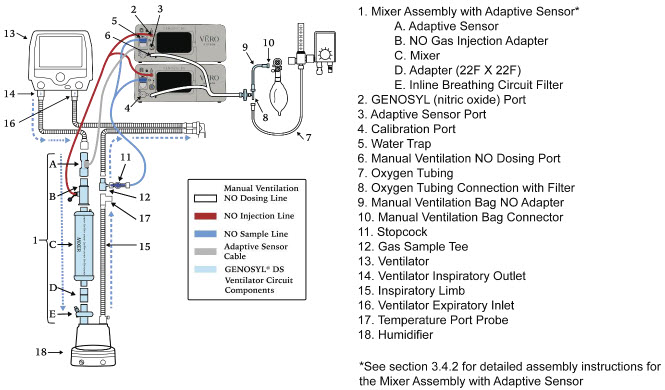
3.2.2 Non-Invasive Gas Delivery Systems
Compatibility testing has demonstrated performance meeting requirements for the GENOSYL DS operating range of 0 to 80 ppm with the following non-invasive gas delivery systems at operating ranges shown in Table 2 .
- Fisher and Paykel Optiflow Jr 2 Breathing Circuit
- Fisher and Paykel Optiflow Breathing Circuit
| Setting | Range | Unit |
|---|---|---|
| Optiflow Jr 2 Flow Rate | 0.5 - 25 | LPM |
| Optiflow Flow Rate | 5-60 | LPM |
The Fisher and Paykel Optiflow Jr 2 Breathing Circuit for use with the GENOSYL DS is shown in Figure 19 .
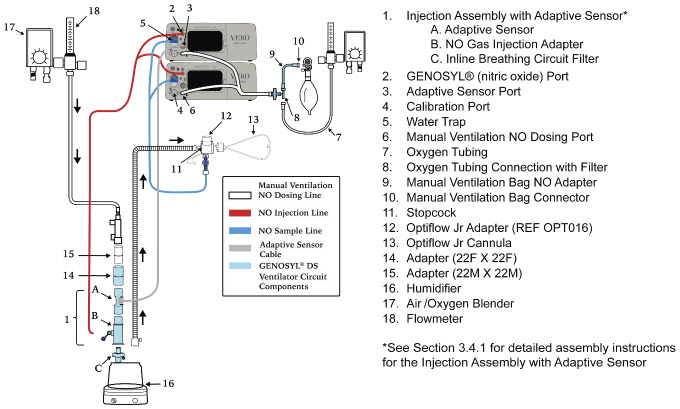
The Fisher and Paykel Optiflow Breathing Circuit for use with the GENOSYL DS is shown in Figure 20 .
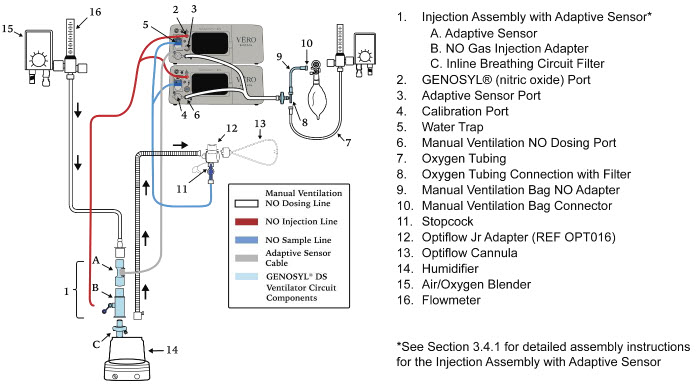
3.3 GENOSYL DS Ventilator Circuit Assembly Pre-Check
Follow the steps listed below for the initial System pre-check prior to completing the ventilator circuit assembly.
| ILLUSTRATION | ACTION | Warnings, Cautions and Notes |
|---|---|---|
|
| WARNING |
| ||
| NOTE | ||
| A Mixer Assembly is not required for all use cases. Refer to Section 12.2, Table 15 | ||
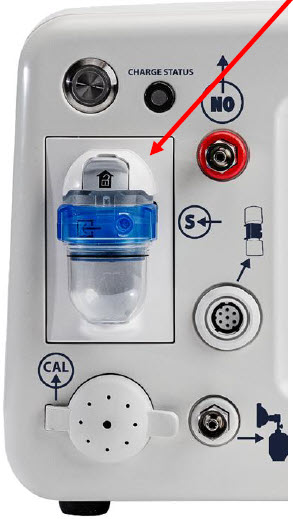 |
| WARNING |
| ALWAYS empty Water Trap before each use, when prompted by the System, and when the trap is more than half full. Allowing the Water Trap to completely fill will occlude the Sample Line which will interrupt patient gas NO, NO 2 , and O 2 concentration monitoring. Failure to monitor the patient gas NO, NO 2 , and O 2 concentrations may result in patient injury. ALWAYS conduct Water Trap / Sample Line Leak Test every time you empty and replace the Water Trap, as failure to do so may lead to an incorrect NO reading, which can result in injury or death. | ||
| NOTE | ||
| To empty the Water Trap, see Section 11.4.1 . |
3.4 Assembling GENOSYL DS Injection Assembly with Adaptive Sensor and GENOSYL DS Mixer Assembly with Adaptive Sensor
The Injection Assembly with Adaptive Sensor or the Mixer Assembly with Adaptive Sensor is the point of nitric oxide injection into the patient respiratory circuit. Only one type of assembly is required for each patient circuit. For certain scenarios, the Mixer Assembly with Adaptive Sensor is recommended to mix the NO gas with the gas supplied by the ventilator through a filter containing silica gel to provide intra-breath NO delivery. Refer to Section 12.2, Table 15 for scenarios when a Mixer is recommended for use.
| NOTE |
|---|
| When using a Mixer, an Inline Breathing Circuit Filter must be used. If a Mixer is not used, an Inline Breathing Circuit Filter as presented in Figure 21 may be used, or an Injection Line Filter connected to the port on the Gas Injection Adapter may be used. |
3.4.1 GENOSYL DS Injection Assembly with Adaptive Sensor
Follow the instructions outlined below to assemble the GENOSYL DS Injection Assembly as shown in Figure 21 .
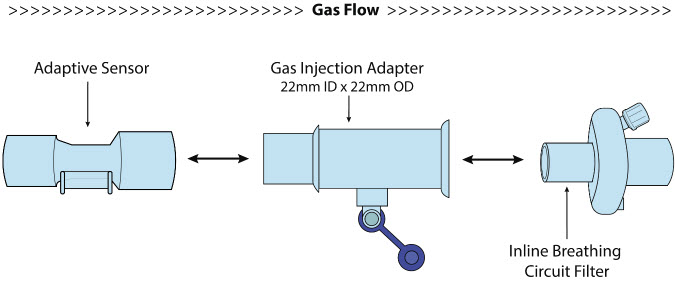
| ILLUSTRATION | ACTION |
|---|---|
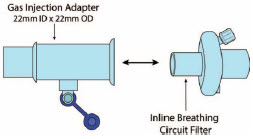 |
|
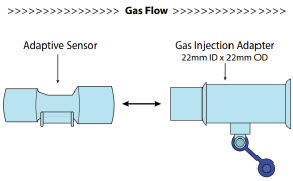 |
|
3.4.2 GENOSYL DS Mixer Assembly with Adaptive Sensor
If required, follow the instructions outlined below to assemble the GENOSYL DS Mixer Assembly with Adaptive Sensor as shown in Figure 22 .

| ILLUSTRATION | ACTION |
|---|---|
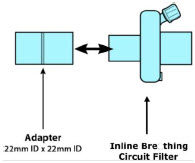 |
|
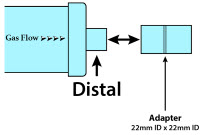 |
|
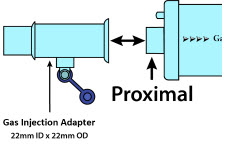 |
|
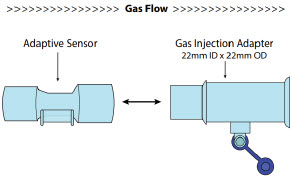 |
|
3.5 GENOSYL DS Console Connections
3.5.1 GENOSYL DS Gas Line Connections
Follow the steps listed below to connect the GENOSYL DS Gas Lines to both Consoles.
| ILLUSTRATION | ACTION | Warnings, Cautions and Notes |
|---|---|---|
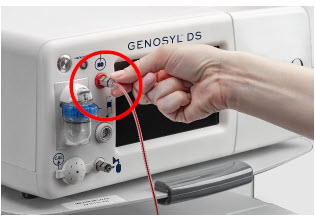 |
| |
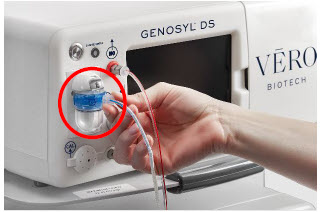 |
| NOTE |
| Ensure the Sample Lines are connected to the Water Traps on both Consoles. | ||
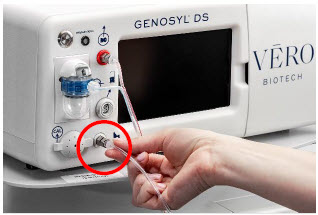 |
|
3.5.2 GENOSYL DS Sample Line Extension Connection
For use in the MR Environment, where a longer sample line is required follow the steps listed below to connect a Sample Line Extension. It is recommended to install the Sample Line Extension prior to initiation of dose.
| ILLUSTRATION | ACTION | Warnings, Cautions and Notes |
|---|---|---|
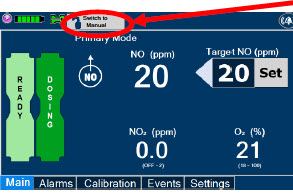 |
| WARNING |
| Failure to switch to Manual Dosing Mode prior to installing a Sample Line Extension when the System is actively dosing may result in a spike in the NO dose delivered to the patient. | ||
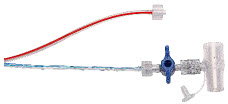 |
| |
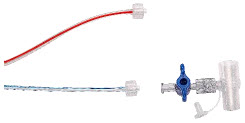 |
| |
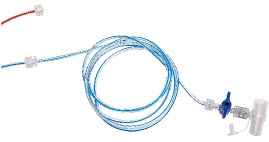 |
| |
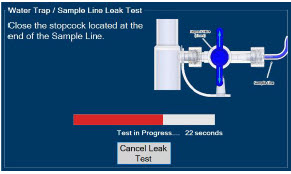 |
| |
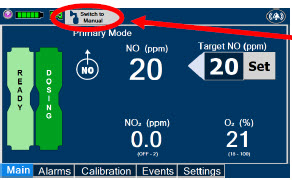 |
|
3.5.3 Sample Line Filter Connection
In cases when additional filtration of the sample line may be required (e.g.: Aerosol Delivery), follow the steps listed below to connect a Sample Line Filter.
| ILLUSTRATION | ACTION | Warnings, Cautions and Notes |
|---|---|---|
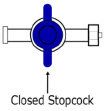 |
| |
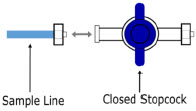 |
| |
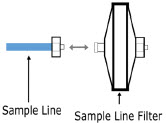 |
| |
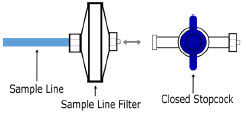 |
| |
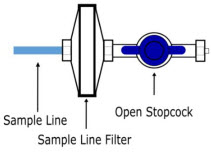 |
| |
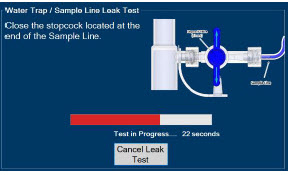 |
|
3.5.4 GENOSYL DS Adaptive Sensor Cable Connection
Follow the step below to connect the Adaptive Sensor Cable to the Dosing Console.
| ILLUSTRATION | ACTION | Warnings, Cautions and Notes |
|---|---|---|
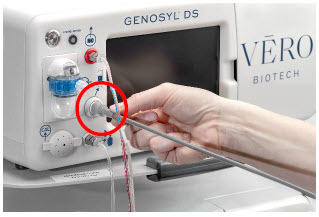 |
| NOTE |
| The Adaptive Sensor should only be connected to the Dosing Console. |
3.5.5 GENOSYL DS Respiratory Circuit Connections
Follow the steps listed below to connect the Gas Lines to the Injection Assembly, Sample Tee, and Adaptive Sensor. If a Sample Tee already exists within the ventilator circuit, the Sample Line may be connected directly to the existing Sample Tee.
| ILLUSTRATION | ACTION | Warnings, Cautions and Notes |
|---|---|---|
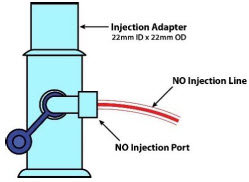 |
| NOTE |
| After connecting, the valve assembly may have rotated such that the orientation may appear different from what is shown here and on the display screen. | ||
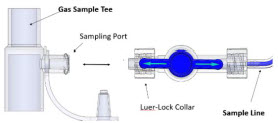 |
| NOTE |
| Skip this step if a Gas Sample Tee is already connected and in-line with the ventilator circuit. | ||
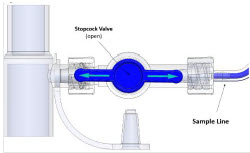 |
| |
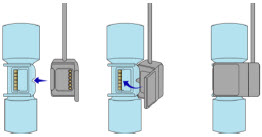 |
|
3.6 Manual Ventilation (Bag) Connection
Follow the steps listed below to connect the Manual Ventilation Line to a manual bagging system.
| ILLUSTRATION | ACTION |
|---|---|
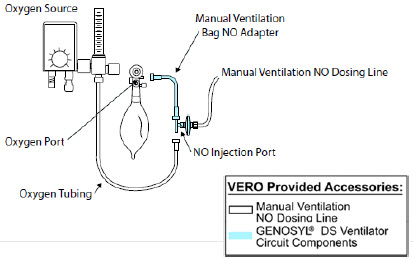 |
|
3.7 Mechanical Ventilator Circuit Connections
Follow the steps outlined in this section to connect the GENOSYL DS Ventilator Circuit Assembly to the Mechanical Ventilator Circuit.
| WARNING |
|---|
|
| NOTE |
|---|
| All ventilator connections should be assembled and inspected prior to connecting to the mechanical ventilator circuit. |
| ILLUSTRATION | ACTION | Warnings, Cautions and Notes |
|---|---|---|
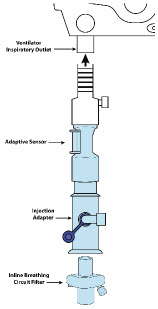 |
| |
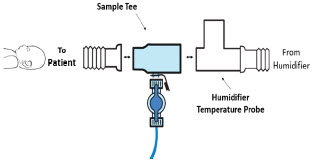 |
| NOTE |
| If a Gas Sample Tee is already connected and in-line with the ventilator circuit, connect the blue Sample Line directly to the existing Gas Sample Tee. |
3.8 Gas Sampling During Aerosol Delivery
Follow the steps below to sample gas during Aerosol Delivery.
| CAUTION |
|---|
| Pneumatic Nebulizers will dilute the delivered nitric oxide dose. |
| NOTE |
|---|
| Replace filter after each treatment period. Change the filter if necessary due to Line Occlusion Alarm. |
| ILLUSTRATION | ACTION | Warnings, Cautions and Notes |
|---|---|---|
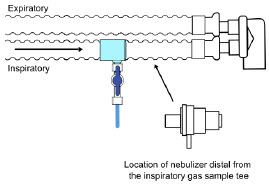 |
| NOTE |
| This placement avoids contamination of the sample system and prevents Line Occlusion Alarm from occurring. | ||
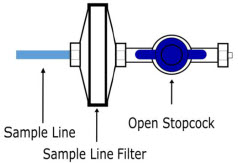 |
|
GENOSYL ® DS
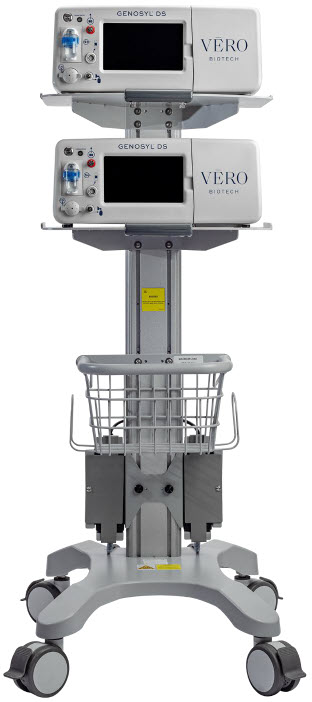
SECTION 4 SYSTEM START-UP
4. SYSTEM START UP
4.1 Console Start-Up
Follow the instructions in this section to turn on both the Dosing and Back-up Consoles.
| ILLUSTRATION | ACTION | Warnings, Cautions and Notes |
|---|---|---|
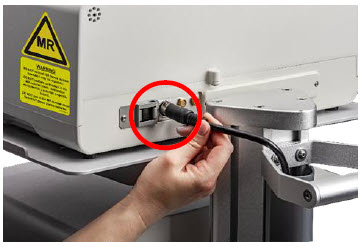 |
| CAUTION |
| ONLY use the GENOSYL DS with the power cord supplied by the manufacturer. Use of a generic power cord may cause output voltage instability leading to a touch screen failure. ALWAYS ensure the power cord is firmly seated into the power supply and the wall outlet. A loose connection can result in damage to the device or faulty operation. | ||
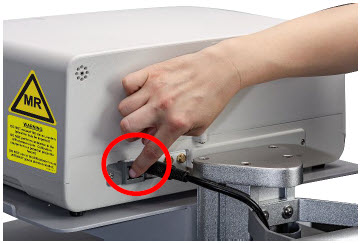 |
| |
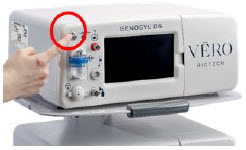 |
| CAUTION |
| The System will conduct an internal self-test. If an alarm or failure message should occur, refer to Section 10 to resolve the issue. | ||
| NOTE | ||
| If the display screen does not turn on, see Troubleshooting, Section 10.8 . |
4.2 Cassette Insertion & Water Trap / Sample Line Leak Test
The following steps should be taken on both Consoles. Initiating Console Start-Up and inserting a Cassette for the Back-up Console at this stage will prepare it to serve as a Back-up for the Dosing Console.
Upon the insertion of a Cassette, a test will be initiated on each Console to check and ensure the integrity of the Water Traps and Sample Line (see Section 2.13 ). This helps ensure the accuracy of NO being delivered to the ventilator circuit.
The Water Trap / Sample Line Leak Test is automatically initiated upon one or both of the following conditions: 1) Insertion and seating of the Cassette if the measured NO is less than 1.0 ppm and/or 2) Insertion and seating of the Water Trap.
| ILLUSTRATION | ACTION | Warnings, Cautions and Notes |
|---|---|---|
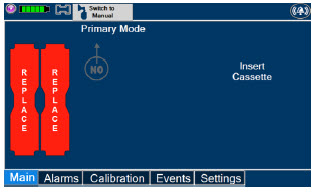 | The following steps should be taken to insert the Cassettes into the Consoles. | WARNING |
| ALWAYS follow Cassette inspection instructions prior to insertion. Not inspecting the Cassette prior to insertion may lead to using a faulty Cassette, resulting in injury. | ||
| NOTE | ||
| Upon turning on the Consoles, the Cassette Indicator will display "Replace" | ||
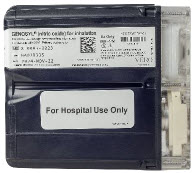 |
| WARNING |
| Only use the orange External Transport Cassettes identified by orange color and transport sticker for use in external transport outside of the hospital. | ||
| NOTE | ||
| See Section 8 for information about using the GENOSYL DS for external patient transfer outside of the hospital. | ||
 |
| WARNING |
| DO NOT use the Cassette if the window is not blue. A Cassette State Window that is any color other than blue may affect the Cassette's ability to provide the correct NO dosage to the patient, which may cause injury or death. | ||
| NOTE | ||
| Cassette is inserted front first. The Cassette State Window is not visible when properly inserted. If the Cassette State Window is not blue, see Troubleshooting, Section 9.8 | ||
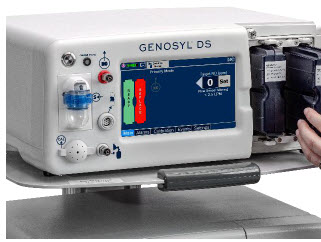 |
| NOTE |
| Make sure Consoles are turned on before inserting the Cassette. The Water Trap / Sample Line Leak Test is automatically initiated when the Cassette has been inserted and the measured NO is less than 1.0 ppm. After the first Cassette is fully inserted , the Operator will have 60 seconds to close the blue Stopcock Valve to perform the test ( Step 4 below). Gas lines will need to be connected to the Console in order to pass the Water Trap / Sample Line Leak Test. | ||
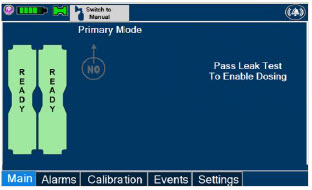 | NOTE | |
| The Display Screen will temporarily indicate the Cassette has been detected, then automatically transition to the Water Trap / Sample Line Leak Test screen. | ||
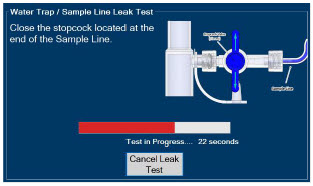 |
| NOTE |
| The screen will indicate the Water Trap / Sample Line Leak Test has started and the progress bar will be red until the Stopcock Valve has been closed, upon which it will then turn green if there is no leak detected. Pressing "Cancel Leak Test", will allow for dosing in Manual Dosing Mode. See Section 5.4 for detail around dosing in Manual Dosing Mode. | ||
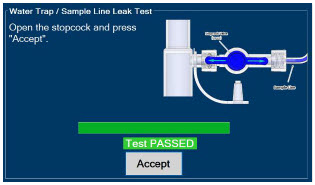 |
| CAUTION |
| Open the blue Stopcock Valve prior to pressing "Accept". Failure to do so will result in a line occlusion alarm. |
4.2.1 Water Trap / Sample Line Leak Test Troubleshooting
| NOTE |
|---|
| If the Water Trap / Sample Line Leak Test fails, follow the onscreen instructions below to resolve the issue. Also see Troubleshooting, Section 10.8 . |
| ILLUSTRATION | ACTION | Warnings, Cautions and Notes |
|---|---|---|
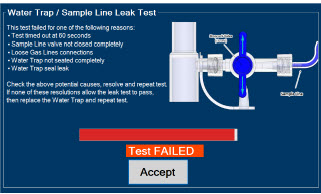 |
| |
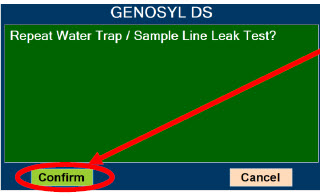 |
| NOTE |
| NO Injection is held at 20 ppm until the completion of a successful Water Trap / Sample Line Leak Test. |
GENOSYL ® DS
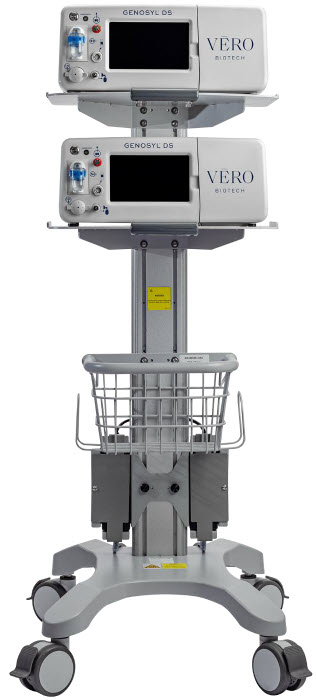
SECTION 5 NITRIC OXIDE ADMINISTRATION
5. NITRIC OXIDE ADMINISTRATION
5.1 Nitric Oxide Dose Set-Up and Administration
The following steps are a continuation of Section 4.2 , in which the Cassette will now be activated for nitric oxide administration.
| WARNING |
|---|
|
5.1.1 Setting a Dose when using a Circuit with an Adaptive Sensor
This section describes how to set a nitric oxide dose when an Adaptive Sensor is used in the patient circuit. Refer to Section 3.2 for recommended set up diagrams.
| ILLUSTRATION | ACTION | Warnings, Cautions and Notes |
|---|---|---|
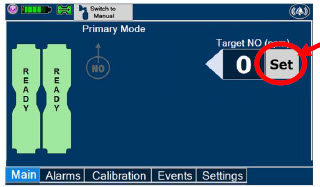 |
| Note |
| The Adaptive Sensor must detect flow through the breathing circuit to set a dose. | ||
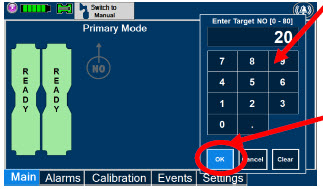 |
| NOTE |
| The time to reach target dose may vary up to 10 minutes. | ||
| If unable to set the dose in Primary Dosing Mode, see Troubleshooting, Section 10.8. | ||
| NOTE | ||
| If manual ventilation is required, proceed to Section 5.4. When adjusting dose, proceed to Section 5.2. If dosing is completed, proceed to Section 6.1 . | ||
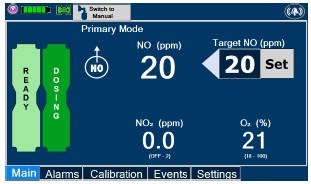 | NOTE | |
| The display screen will look as shown after completing steps 1-3. | ||
| NOTE | ||
| The NO 2 sensor reading may appear as "—" for the first 30 seconds of dosing while the sample System is preparing. |
5.1.2 Setting a Dose when using a Circuit without an Adaptive Sensor
This section describes how to set a nitric oxide dose when an Adaptive Sensor is not used in the patient circuit, such as when initiating a dose when using a Console as Backup ( Section 5.5 ). Refer to Section 3.2 for recommended set up diagrams. In the absence of an Adaptive Sensor, the GENOSYL DS will properly deliver and control nitric oxide dose. However, the user will have to manually select a Total Flow range.
| ILLUSTRATION | ACTION | Warnings, Cautions and Notes |
|---|---|---|
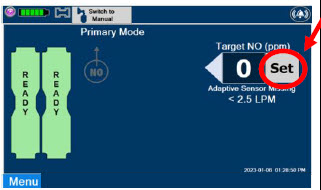 |
| |
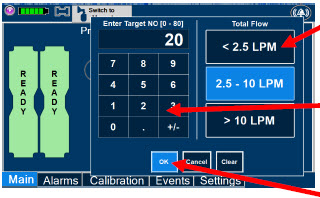 |
| NOTE |
| The time to reach target dose may vary up to 10 minutes. If unable to set the dose in Primary Dosing Mode, see Troubleshooting, Section 10.8 . | ||
| NOTE | ||
| If manual ventilation is required, proceed to Section 5.4 . When adjusting dose, proceed to Section 5.2 . If dosing is completed, proceed to Section 6.1 . | ||
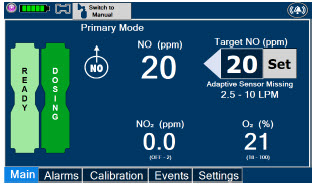 | NOTE | |
| The display screen will look as shown after completing steps 1-3. | ||
| NOTE | ||
| The NO 2 sensor reading may appear as "--" for the first 30 seconds of dosing while the sample system is preparing. |
5.2 Adjusting the Dose
To adjust the dose of nitric oxide administered per hospital protocol or physician order, follow the instructions listed below.
5.2.1 Adjusting the Dose when using a Circuit with an Adaptive Sensor
| ILLUSTRATION | ACTION | Warnings, Cautions and Notes |
|---|---|---|
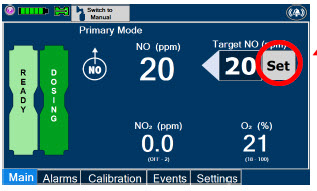 |
| |
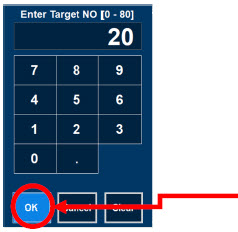 |
| NOTE |
| If dosing is complete, proceed to Section 6 . |
5.2.2 Adjust the Dose and Flow Range when using a Circuit without an Adaptive Sensor
| ILLUSTRATION | ACTION | Warnings, Cautions and Notes |
|---|---|---|
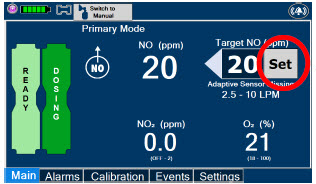 |
| |
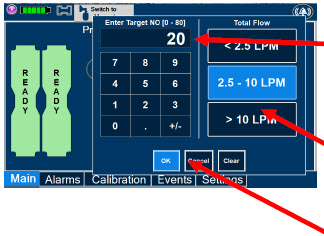 |
| NOTE |
| If dosing is complete, proceed to Section 6. |
5.3 Replacement of a Depleted Cassette
The GENOSYL DS automatically switches from the dosing Cassette to the secondary Cassette in the Dosing Console once the Cassette is depleted if a secondary Cassette is properly inserted and preheated. After transition, the depleted Cassette is automatically ejected.
| CAUTION |
|---|
| User should always have a secondary Cassette inserted in the Dosing Console and preheated in order for auto transition to occur. User should replace depleted Cassette as soon as possible after ejection. |
| ILLUSTRATION | ACTION | Warnings, Cautions and Notes |
|---|---|---|
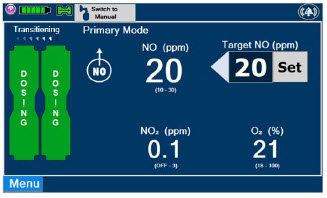 | NOTE | |
| The Console will automatically transition to the secondary Cassette if properly inserted and preheated. The screen to the left will be displayed during the transition process. | ||
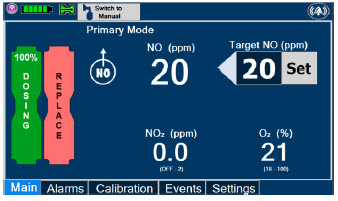 |
|
5.4 Manual Mode
| NOTE |
|---|
|
5.4.1 Manual Ventilation Use (Bagging)
This section will describe NO administration when manual ventilation is required.
| WARNING |
|---|
|
| ILLUSTRATION | ACTION | Warnings, Cautions and Notes |
|---|---|---|
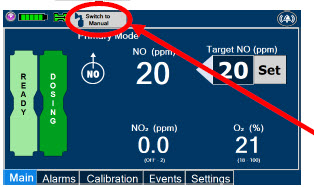 |
| |
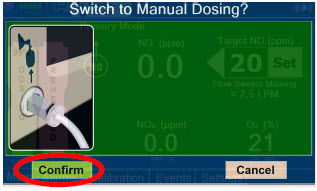 |
| WARNING |
| If the dilution flow rate displayed on the screen does not match the wall source, then the estimated NO may be inaccurate. | ||
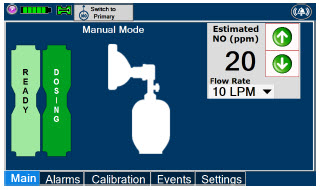 | NOTE | |
| Dosing has been initiated at the same dose (ppm) as set in Primary Dosing Mode. If the primary dosing was set at "0" prior to pressing the "Switch to Manual" button, the estimated NO will also be at "0" and will need to be adjusted. If the dose was set between 1 and 5 ppm prior to pressing the "Switch to Manual" button, the estimated NO dose will also be at"5 ppm" and may be adjusted. In the event dose is initiated in Manual Dosing Mode, the console will default to 20 ppm, which can be adjusted as needed. | ||
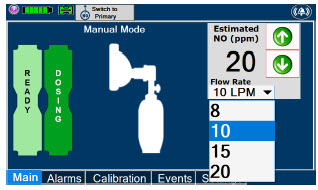 |
| NOTE |
| If an adjustment of the NO concentration is required, press the green up and down arrows. If an adjustment to the Dilution Flow Rate is required while in Manual Dosing Mode, press the LPM value and a dropdown menu will expand. Press the prescribed value. The new value will be highlighted in blue and the dropdown menu will collapse. |
5.4.2 Preset Manual Dosing Mode Flow Rate (OPTIONAL)
User has the option to preset a Manual Dosing Mode Flow rate. This can be completed during set up or at any time.
| ILLUSTRATION | ACTION | Warnings, Cautions and Notes |
|---|---|---|
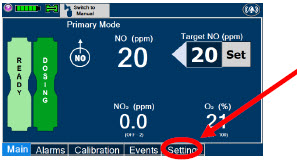 |
| |
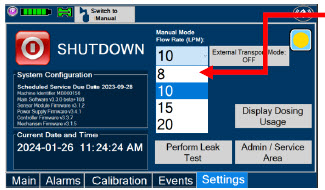 |
| NOTE |
| The Console will default to a Flow Rate of 10 LPM if not adjusted. Any adjustment will be retained until the Console is powered down. |
5.4.3 Resuming Primary Dosing
This section describes the process for resuming primary dosing from Manual Mode.
| ILLUSTRATION | ACTION | Warnings, Cautions and Notes |
|---|---|---|
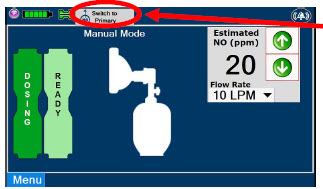 |
| |
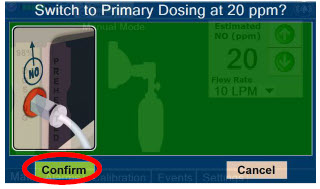 |
| NOTE |
| The NO dose used in Manual Mode will become the set target dose in Primary Mode. | ||
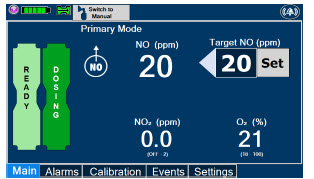 | NOTE | |
| The display screen will look as shown after completing steps 1-2. |
5.5 Console Use as a Back-up
This section describes the process of activating the Cassette in the Back-up Console. Delivery of NO will begin immediately upon Cassette activation.
| DISPLAY | ACTION | Warnings, Cautions and Notes |
|---|---|---|
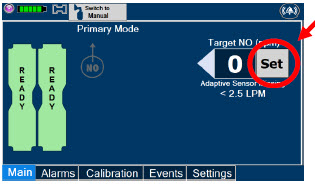 |
| |
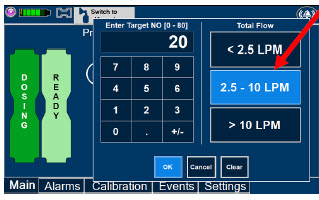 |
| NOTE |
| The Back-up Console screen will be as shown. The default Total Flow range displayed will be <2.5LPM and the default dose will be 20 ppm unless otherwise selected by the user. See Section 5.1.2 The Back-up Console is now the Dosing Console. | ||
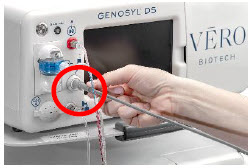 |
|
GENOSYL ® DS
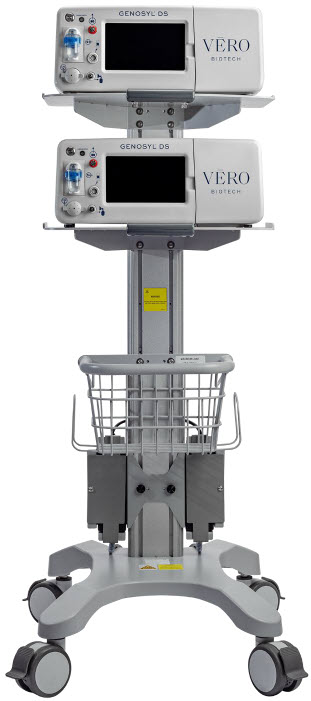
SECTION 6 CONSOLE SHUTDOWN
6. CONSOLE SHUTDOWN AND CASSETTE DISPOSAL
| WARNING |
|---|
| NEVER turn the rear power switch OFF until the System has gone through a controlled shutdown or instructed by VERO Technical Support. Turning the rear power switch OFF prematurely (e.g., while it is still in use) will immediately shut down the device. This may result in interruption in NO delivery to the patient, which may cause injury or death. |
| CAUTION |
|---|
| NEVER turn the rear power switch OFF until the System has gone through a controlled shutdown or instructed by VERO Technical Support. Turning the rear power switch OFF prematurely (e.g., while it is still in use) will immediately shut down the device and may cause improper operation upon restart. |
| NOTE |
|---|
| It is recommended that the Console be rebooted at least once every 30 days. |
6.1 Console Shutdown
If the administration of NO must be stopped, then the dose level must be set to "0". The following procedure describes how to remove the Cassette and the following section will describe how to shut down the Console.
| DISPLAY | ACTION | Warnings, Cautions and Notes |
|---|---|---|
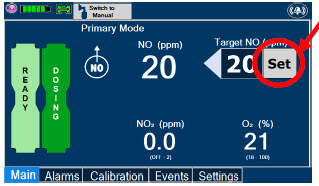 |
| |
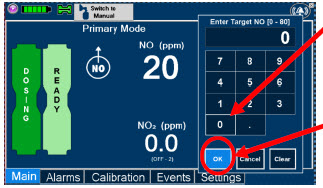 |
| |
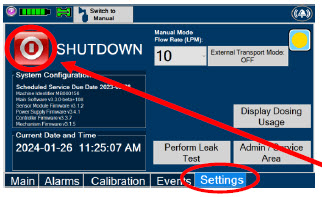 |
| |
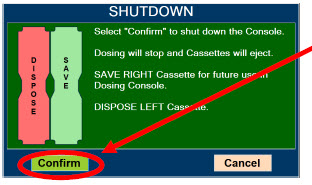 |
| NOTE |
| If the System does not shut down, see Troubleshooting , Section 10.8 . The screen will inform user if Cassette should be saved or disposed of. Refer to Section 2.14 Shutdown Cassette Status Indicator description. | ||
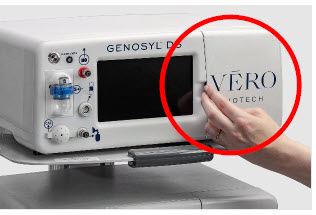 |
| |
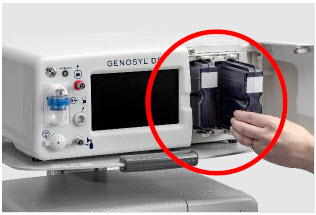 |
| NOTE |
| The Console will inert any remain contents from a dosing Cassette upon ejection, rendering it unusable. If a Cassette has only been preheated, and not used for dosing, the contents have not been inerted and it can still be used. The Cassette State Window will remain blue on Cassettes that have not been inerted. | ||
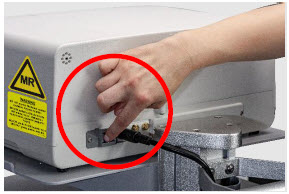 |
| WARNING |
| NEVER turn the rear power switch OFF until the System has gone through a controlled shutdown or instructed by VERO Technical Support. Turning the rear power switch OFF prematurely (e.g., while it is still in use) will immediately shut down the device. This may result in interruption in NO delivery to the patient, which may cause injury or death. | ||
| CAUTION | ||
| NEVER turn the rear power switch OFF until the System has gone through a controlled shutdown or instructed by VERO Technical Support. Turning the rear power switch OFF prematurely (e.g., while it is still in use) will immediately shut down the device and may cause improper operation upon restart. |
6.2 Cassette Disposal
Following dosing use, any remaining Cassette liquid contents in a dosing Cassette are purged into an inerting chamber that is built into the Cassette, where the contents are chemically neutralized, rendering the Cassette safe for disposal. When the Cassette liquid contents are emptied into the inerting chamber, the Cassette State Window on the front of the Cassette reddens and bleaches from its original blue color, indicating the Cassette is depleted. The Cassette can now be disposed of per hospital policy.
GENOSYL ® DS
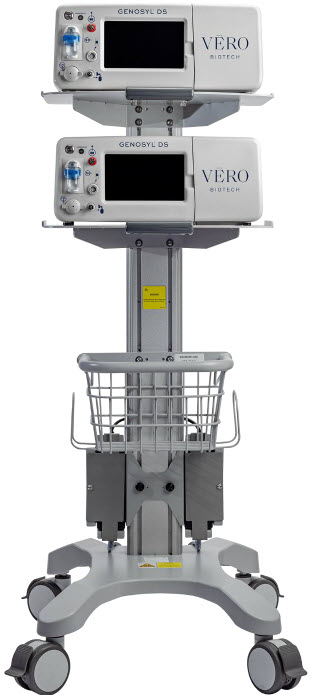
SECTION 7 USING THE SYSTEM IN THE MR SCANNER ROOM
7. USING THE SYSTEM IN THE MR SCANNER ROOM
| WARNING |
|---|
|
| NOTE |
|---|
| Refer to Section 13.11 for MR Signal-to-Noise Ratio and Artifact Dimension Analysis |
7.1 Connection to the Ventilator Breathing Circuit
To connect the GENOSYL DS to an MR Conditional ventilator, see Section 3.2 for example breathing circuits. When using the GENOSYL DS in the MR environment, a Sample Line Extension may be required. See Section 3.5.2 for steps to install the Sample Line Extension.
| NOTE |
|---|
|
7.2 Transferring to and from the MR Scanner Room
| WARNING |
|---|
|
1. Verify that both gauss alarms are installed on the GENOSYL DS Cart.
2. Move the patient, MR conditional ventilator circuit, and GENOSYL DS into the MR scanner room.
3. Position the GENOSYL DS outside of the MR exclusion zone, as shown in Figure 23.
| WARNING |
|---|
| ALWAYS move System away from the MR scanner if the gauss alarm sounds. The gauss alarm will sound if the System is too close to the MR scanner. Move System away from the MR scanner until the gauss alarm stops sounding. |
4. Engage the locks on wheels and confirm caster lock function. Attaching a facility supplied tether to the System Cart handle may be utilized as a redundant means to limit the distance the Cart can move.
| WARNING |
|---|
|
5. Move the patient, MR conditional ventilator, and GENOSYL DS outside of the MR scanner room.
6. Verify ventilator and GENOSYL DS function following transition from the MR scanner room.
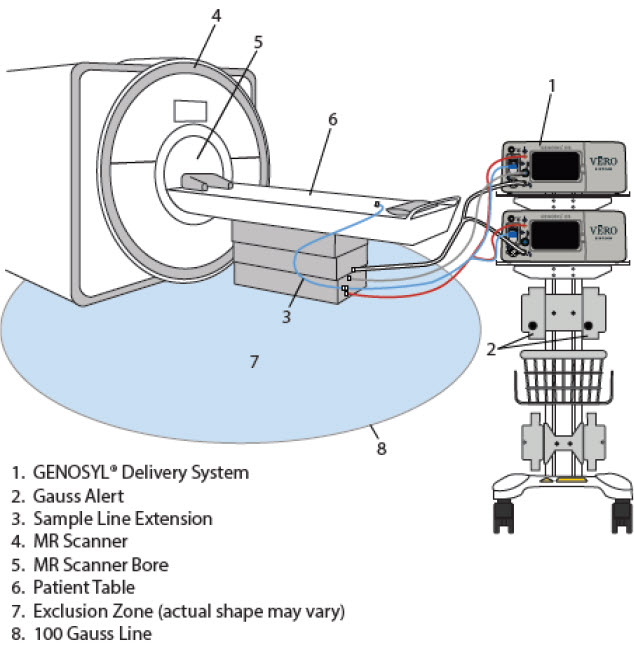
GENOSYL ® DS
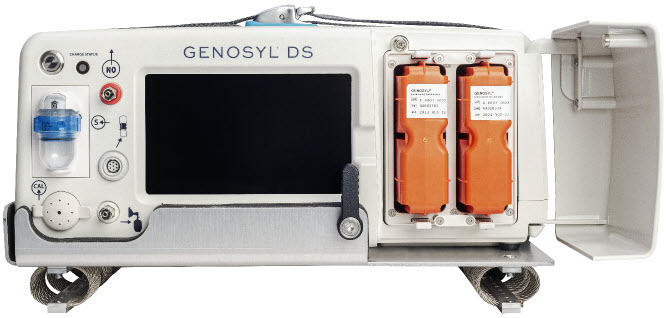
SECTION 8 EXTERNAL TRANSPORT
8. EXTERNAL TRANSPORT
| WARNING |
|---|
|
| CAUTION |
|---|
| Prolonged use in dry environments without humidification will damage the gas sensors. Supplemental humidification providing greater than 20% relative humidity (RH) in the patient circuit is recommended. |
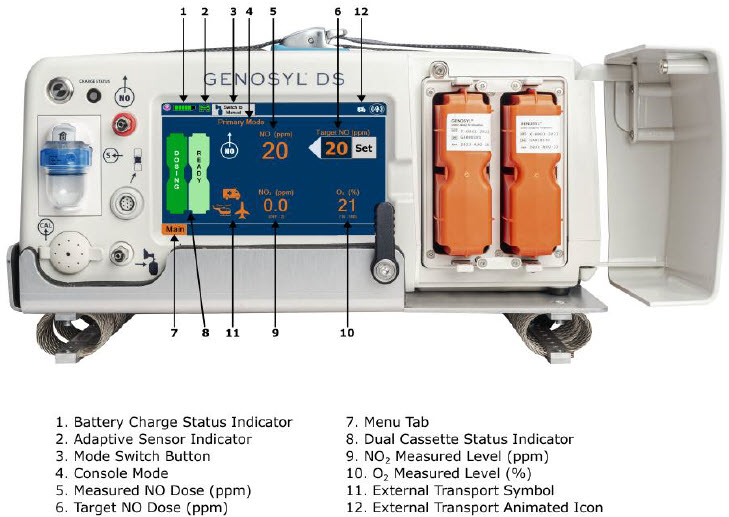
Compatibility testing has demonstrated performance meeting requirements for the GENOSYL DS operating range of 0 to 80 ppm with the following external transport ventilation devices at the operating ranges shown in Table 3 , including Manual Ventilation mode, while External Transport Mode is turned ON and while using an External Transport Cassette.
- Hamilton T1
- International Bio-Med Crossvent 2+
- International Bio-Med MVP-10
| WARNING |
|---|
|
| CAUTION |
|---|
|
| Setting | Range | Unit |
|---|---|---|
| Inspiratory Flow Rate | 2-120 | LPM |
| Respiratory Rate | 6-60 | BPM |
| Peak Inspiratory Pressure | 0-70 | cmH 2 O |
| Positive End Expiratory Pressure | 0-20 | cmH 2 O |
For use in patient external transport, the Dosing and Back-up Consoles must be securely mounted within the transport vehicle per hospital transport protocols. Figure 25 illustrates the GENOSYL DS in an External Transport Mount.
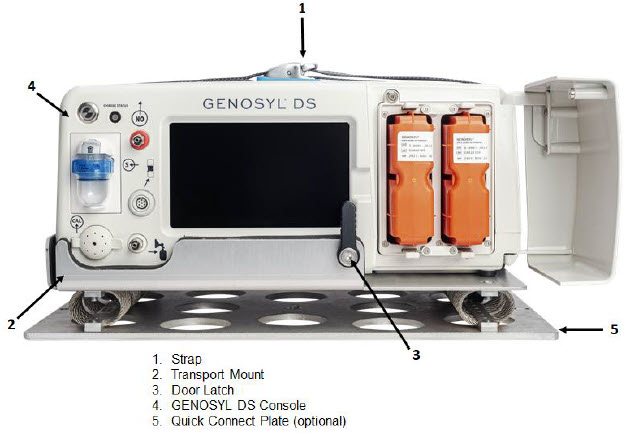
Prior to using the GENOSYL DS in external transport, both Consoles must have External Transport Mode ON with two External Transport Cassettes in the Dosing Console and at least one External Transport Cassette inserted into the Back-up Console. See Figure 26 for a diagram of the External Transport Cassette and Section 8.2.1 for instructions to turning External Transport Mode ON.
External Transport Cassette in packaging 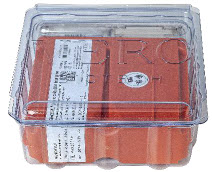 |
Unused External Transport Cassette 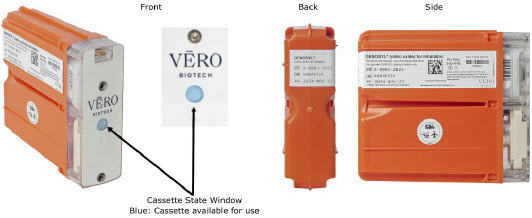 |
Inerted External Transport Cassette 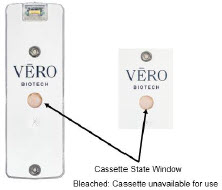 |
| Figure 26: External Transport Cassette |
Example circuit diagrams for connection of the GENOSYL DS to a transport ventilator are shown in Figure 27 (International Bio-Med Circuit) and Figures 28 and 29 for other conventional ventilators.
Additional disposable items recommended for external transport may include:
- GENOSYL External Transport Cassettes
- GENOSYL DS Gas Lines
- Water Trap
- GENOSYL DS Manual Bag NO Adapter
- Components for connection to breathing circuit
External transport equipment weight should be calculated to ensure transport system meets weight allowance.
| Part Description | Weight per Unit | Dimensions | Number Required | Total Weight |
|---|---|---|---|---|
| Console | 8.85 kg (19.75 lb) | 40.6 cm × 34.29 cm × 17 cm (16 in × 13.5 in × 6.75 in) | 2 | 17.7 kg (39.5 lb) |
| External Transport Cassette | 0.42 kg (0.93 lb) | 11.4 cm × 3.8 cm × 13 cm (4.5 in × 1.5 in × 5.1in) | 3 | 1.26 kg (2.79 lb) |
| External Transport Mount | 2.22 kg (4.89lb) | 40.64 cm × 32.77 cm × 8.89 cm (16 in × 12.9 in × 3.5 in) | 2 | 4.44 kg (9.78 lb) |
| Quick Connect Plate | 1.52 kg (3.35 lb) | 46.36 cm × 27.18 cm × 0.64 cm (18.25 in × 10.70 in × 0.25 in) | (1 Optional) | 1.52 kg (3.35 lb) |
| Power Supply | 2.07 kg (4.56 lb) | 14.6 ft | 1 | 2.07 kg (4.56 lb) |
Note: All sizes and weights are approximate and may vary slightly.
8.1 External Transport Set-Up and Ventilator Circuit Schematics
8.1.1 Securing a Console in a Transport Mount
GENOSYL DS Consoles must be secured into the External Transport Mount before used in external transport.
| ILLUSTRATION | ACTION | WARNINGS, CAUTIONS, AND NOTES |
|---|---|---|
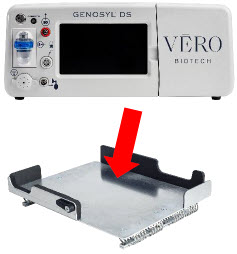 |
| WARNING |
| ALWAYS ensure the External Transport Mounts are secured during patient transport, per hospital protocols. ALWAYS ensure the GENOSYL DS Dosing and Back-up Consoles are securely affixed to the External Transport Mounts when the System will be used in an external transport vehicle. | ||
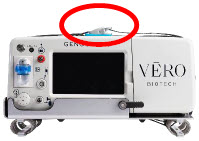 |
|
| NOTE |
|---|
| Connections to various ventilators as well as their corresponding disposable circuits are unique to each manufacturer. |
8.1.2 Connection to an International Bio-Med External Transport Ventilator Circuit
An example circuit diagram for connection of the GENOSYL DS to a dual-limb external transport ventilator is shown in Figure 27. The dual-limb circuit is used for ventilators such as the International Bio-Med Crossvent 2+ and International Bio-Med MVP-10.
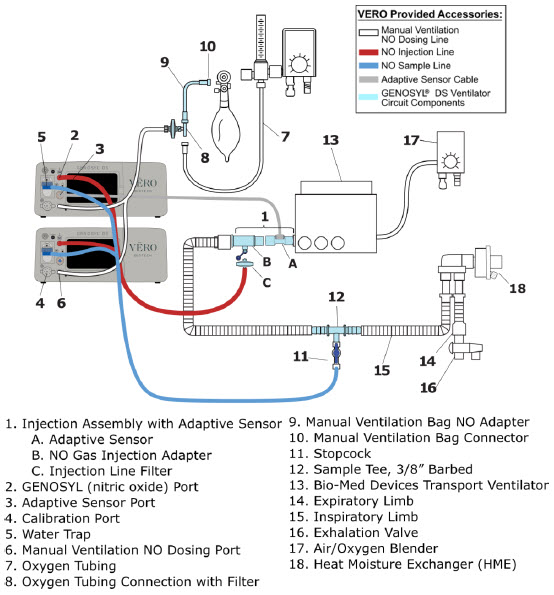
Follow the steps outlined below to connect the GENOSYL DS to a Dual-Limb External Transport Ventilator Circuit for ventilators such as the International Bio-Med Crossvent 2+ and International Bio-Med MVP-10.
| ILLUSTRATION | ACTION |
|---|---|
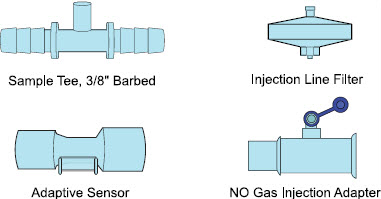 |
|
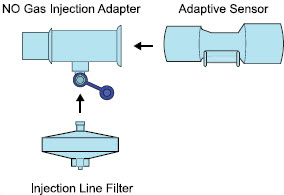 |
|
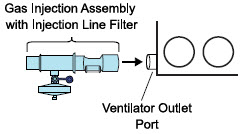 |
|
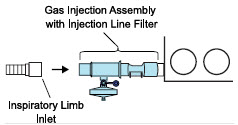 |
|
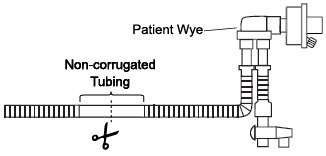 |
|
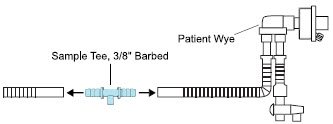 |
|
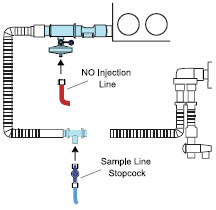 |
|
Instructions for connecting gas lines to GENOSYL DS Consoles can be found in Section 3.5.1. Section 3.5.4 covers connecting an Adaptive Sensor Cable to Dosing Console, and Section 3.5.5 details connecting it to the Adaptive Sensor on the Injection Assembly.
8.1.3 Connection to a Conventional External Transport Ventilator
An example circuit diagram for connection of the GENOSYL DS to an external transport ventilator when using an Injection Assembly with Adaptive Sensor is shown in Figure 28 and when using a Mixer Assembly with Adaptive Sensor is shown in Figure 29 with transport ventilators such as the Hamilton T1. See Section 12.2 Table 15 for applicable use scenarios.
8.1.3.1 Connection to a Conventional External Transport Ventilator using an Injection Assembly with Adaptive Sensor
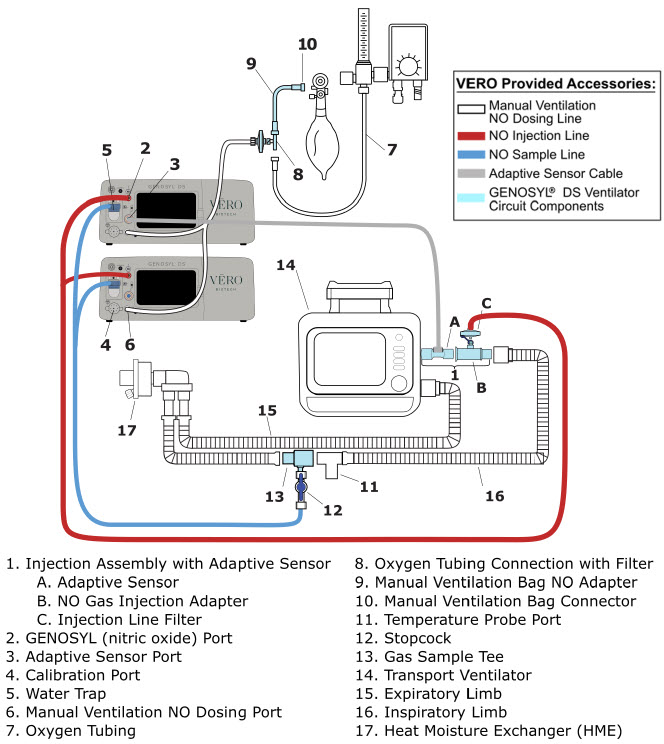
Follow the instructions outlined below to assemble the GENOSYL DS Injection Assembly with Adaptive Sensor.
| ILLUSTRATION | ACTION |
|---|---|
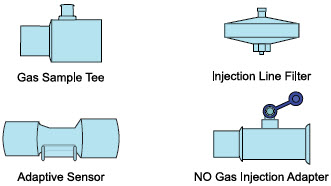 |
|
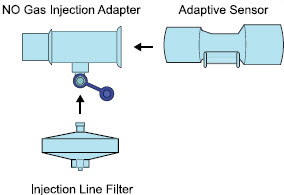 |
|
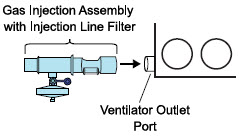 |
|
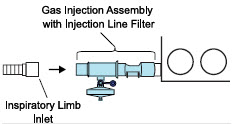 |
|
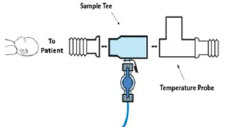 |
|
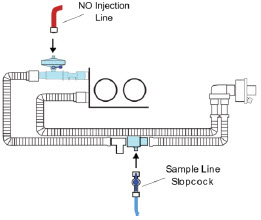 |
|
Instructions for connecting gas lines to GENOSYL DS Consoles can be found in Section 3.5.1. Section 3.5.4 covers connecting an Adaptive Sensor Cable to Dosing Console, and Section 3.5.5 details connecting it to the Adaptive Sensor on the Injection Assembly.
8.1.3.2 Transport Ventilator Circuit Set-Up and Connections using Mixer Assembly with Adaptive Sensor
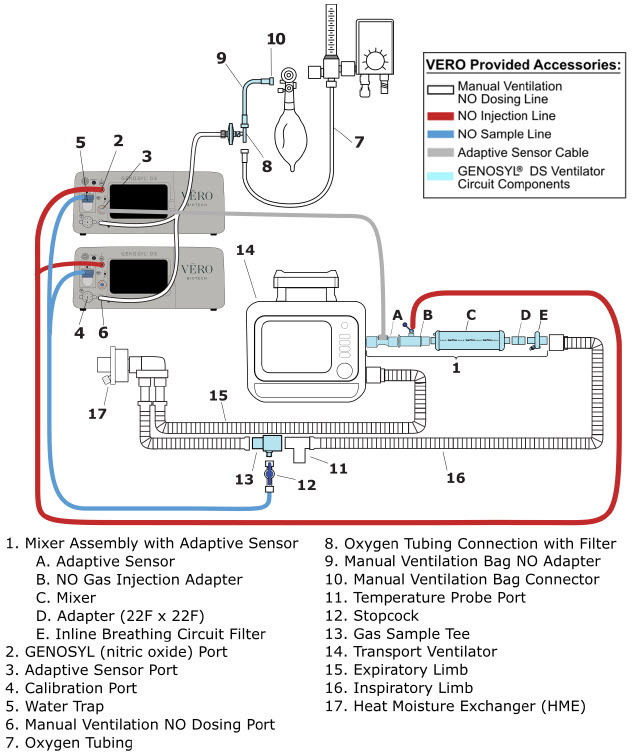
Follow the instructions outlined below to assemble the GENOSYL DS Mixer Assembly with Adaptive Sensor.
| ILLUSTRATION | ACTION |
|---|---|
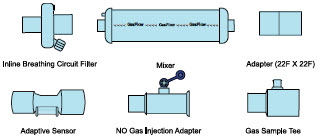 |
|
 |
|
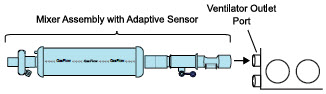 |
|
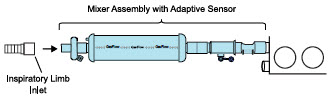 |
|
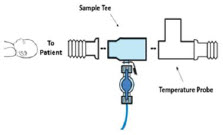 |
|
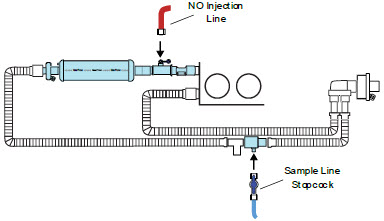 |
|
Instructions for connecting gas lines to GENOSYL DS Consoles can be found in Section 3.5.1. Section 3.5.4 covers connecting an Adaptive Sensor Cable to Dosing Console, and Section 3.5.5 details connecting it to the Adaptive Sensor on the Injection Assembly.
8.2 Using the GENOSYL DS for External Transport
8.2.1 Switching External Transport Mode ON
Both the Dosing Console and the Back-up Console must have External Transport Mode ON before use in external transport.
| ILLUSTRATION | ACTION | WARNINGS, CAUTIONS, AND NOTES |
|---|---|---|
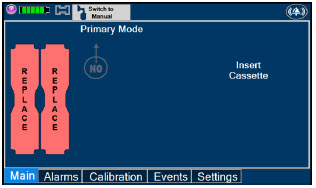 |
| NOTE |
| Proceed to Section 8.2.2 if External Transport Mode is already enabled. | ||
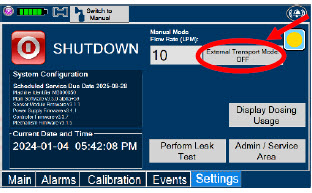 |
| WARNING |
| ALWAYS ensure Consoles are placed into External Transport Mode before inserting a Cassette for external transport outside of the hospital. | ||
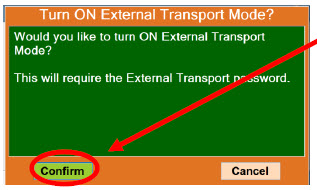 |
| |
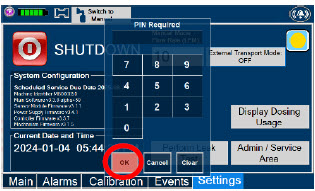 |
| NOTE |
| If you do not have the PIN, contact VERO Technical Support at 877.337.4118 . | ||
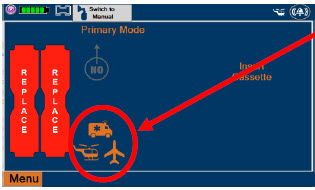 |
|
8.2.2 Inserting an External Transport Cassette
The following steps should be taken on both Consoles. External Transport Cassettes must be used for external transport. While a Console has External Transport Mode turned ON, the Console will only allow External Transport Cassettes to preheat. If a Hospital Cassette is inserted, the Console will display an informational message and eject the Hospital Cassette (See Section 9.6).
Upon the insertion of a Cassette, a test will be initiated on the Console to check and ensure the integrity of the Water Traps and Sample Line (see Section 2.13 ), this helps ensure the accuracy of NO being delivered to the ventilator circuit.
| ILLUSTRATION | ACTION | Warnings, Cautions and Notes |
|---|---|---|
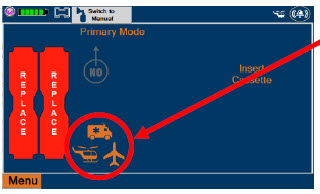 |
| WARNING |
| ALWAYS follow Cassette inspection instructions prior to insertion. Not inspecting the Cassette prior to insertion may lead to using a faulty Cassette, resulting in injury. ALWAYS ensure Consoles are placed into External Transport Mode before inserting a Cassette for external transport outside of the hospital. | ||
| NOTE | ||
| Upon turning on the Consoles, the Cassette indicator will display "Replace" | ||
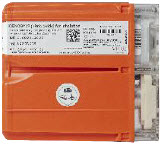 |
| WARNING |
| ONLY use External Transport Cassettes, identified by orange color and transport sticker, in external transport outside of the hospital. | ||
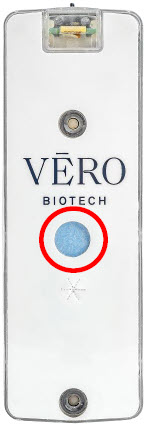 |
| |
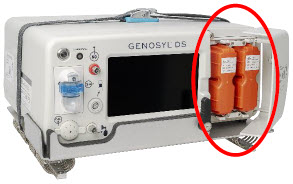 |
| NOTE |
| Make sure Consoles are turned on before inserting the Cassette. The Water Trap / Sample Line Leak Test is automatically initiated when the Cassette has been inserted and the measured NO is less than 1.0 ppm. After the first Cassette is fully inserted , the Operator will have 60 seconds to close the blue Stopcock Valve to perform the test ( Step 5 below). Gas lines will need to be connected to the Console in order to pass the Water Trap / Sample Line Leak Test. | ||
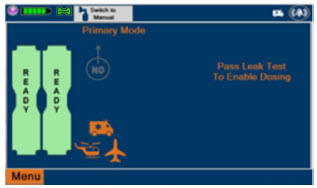 | NOTE | |
| The Display Screen will temporarily indicate the Cassette has been detected, then automatically transition to the Water Trap / Sample Line Leak Test screen. | ||
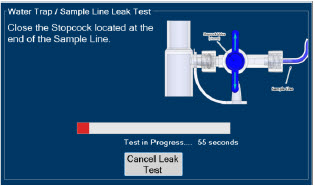 |
| WARNING |
| DO NOT use the Cassette if the window is not blue. A Cassette State Window that is any color other than blue may affect the Cassette's ability to provide the correct NO dosage to the patient, which may cause injury or death. | ||
| NOTE | ||
| The screen will indicate the Water Trap / Sample Line Leak Test has started and the progress bar will be red until the stopcock valve has been closed, upon which it will then turn green if there is no leak detected. Pressing "Cancel Leak Test", will allow for dosing in Manual Dosing Mode. See Section 8.2.6 Using Manual Dosing Mode while External Transport Mode is Enabled for detail around dosing in Manual Dosing Mode. Cassette is inserted front first. The Cassette State Window is not visible when properly inserted. If the Cassette State Window is not blue, see 10.8 Troubleshooting | ||
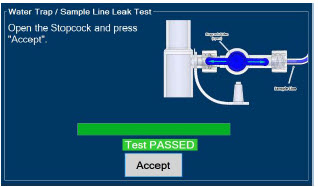 |
| CAUTION |
| Open the blue Stopcock Valve prior to pressing "Accept". Failure to do so will result in a line occlusion alarm. | ||
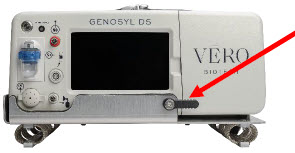 |
|
8.2.3 Setting a Dose in External Transport Mode with an Adaptive Sensor
This section describes how to set a nitric oxide dose while External Transport Mode is ON, and an Adaptive Sensor is used in the patient circuit. Refer to Section 8.1.2 and 8.1.3 for recommended set up diagrams.
| ILLUSTRATION | ACTION | Warnings, Cautions and Notes |
|---|---|---|
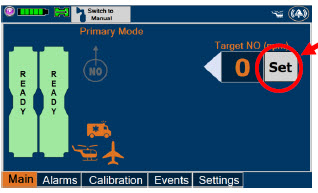 |
| NOTE |
| The Adaptive Sensor must detect flow through the respiratory circuit to set a dose. | ||
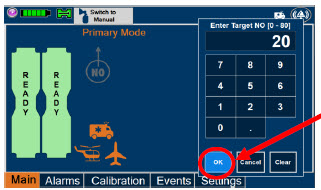 |
| NOTE |
| The time to reach target dose may vary up to 10 minutes. If unable to set the dose in Primary Dosing Mode, see Troubleshooting, Section 10.8 . | ||
| NOTE | ||
| If manual ventilation is required, proceed to Section 8.2.6. When adjusting dose, proceed to Section 8.2.5 . If dosing is completed, proceed to Section 8.2.8 . | ||
| NOTE | ||
| The display screen will look as shown after completing steps 1-3. | ||
| NOTE | ||
| The NO 2 sensor reading may appear as "—" for the first 30 seconds of dosing while the sample system is preparing. |
8.2.4 Setting a Dose in External Transport Mode without an Adaptive Sensor
This section describes how to set a nitric oxide dose while External Transport Mode is ON without an Adaptive Sensor. In the absence of an Adaptive Sensor, the GENOSYL DS will properly deliver and control nitric oxide dose. However, the user will have to manually select a Total Flow range.
| ILLUSTRATION | ACTION | Warnings, Cautions and Notes |
|---|---|---|
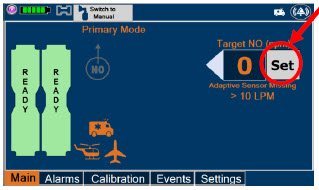 |
| |
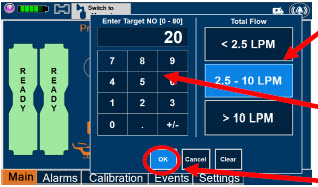 |
| NOTE |
| The time to reach target dose may vary up to 10 minutes. If unable to set the dose in Primary Dosing Mode, see Troubleshooting, Section 10.8 . | ||
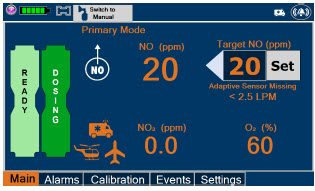 | NOTE | |
| If manual ventilation is required, proceed to Section 8.2.6. When adjusting dose, proceed to Section 8.2.5 . If dosing is completed, proceed to Section 8.2.8 . | ||
| NOTE | ||
| The display screen will look as shown after completing steps 1-4. | ||
| NOTE | ||
| The NO 2 sensor reading may appear as "--" for the first 30 seconds of dosing while the sample system is preparing. |
8.2.5 Adjusting a Dose in External Transport Mode
| ILLUSTRATION | ACTION | Warnings, Cautions and Notes |
|---|---|---|
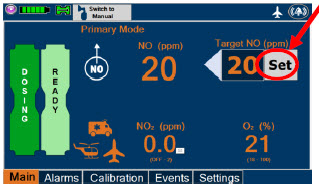 |
| |
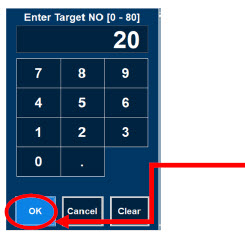 |
| NOTE |
| If dosing is completed, proceed to Section 8.2.8 . |
8.2.6 Using Manual Dosing Mode while External Transport Mode is Enabled
This section will describe NO administration when manual ventilation is required.
| ILLUSTRATION | ACTION | Warnings, Cautions and Notes |
|---|---|---|
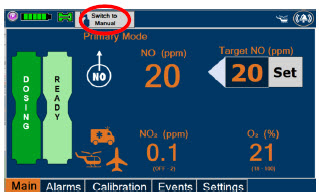 |
| |
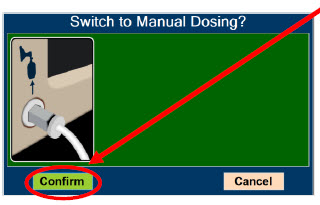 |
| WARNING |
| If the dilution flow rate displayed on the screen does not match the wall source, then the estimated NO may be inaccurate. | ||
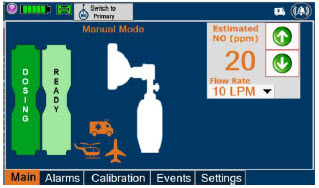 | NOTE | |
| Dosing has been initiated at the same dose (ppm) as set in Primary Dosing Mode. If the primary dosing was set at "0" prior to pressing the "Switch to Manual" button, the estimated NO will also be at "0" and will need to be adjusted. If the dose was set between 1 and 5 ppm prior to pressing the "Switch to Manual" button, the estimated NO dose will be at "5 ppm" and may be adjusted. In the event dose is initiated in Manual Dosing Mode, the console will default to 20 ppm, which can be adjusted as needed. | ||
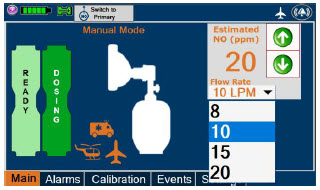 |
| NOTE |
| If an adjustment of the NO concentration is required, press the green up and down arrows. If an adjustment to the dilution flow rate is required while in Manual Dosing Mode, press the LPM value and a drop-down menu will expand. Press the prescribed value. The new value will be highlighted in blue and the drop-down menu will collapse. |
8.2.7 Resuming Primary Dosing while in External Transport Mode
This section describes the process for resuming primary dosing from Manual Dosing Mode.
| ILLUSTRATION | ACTION | Warnings, Cautions and Notes |
|---|---|---|
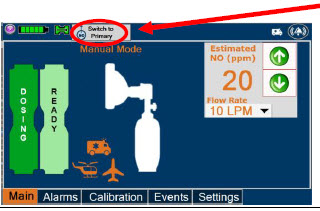 |
| |
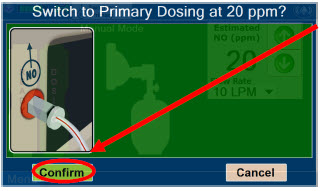 |
| NOTE |
| The NO dose used in Manual Dosing Mode will become the set target dose in Primary Dosing Mode. | ||
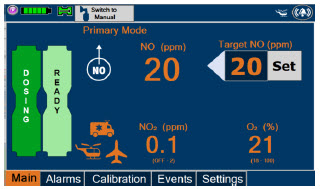 | NOTE | |
| The display screen will look as shown after completing steps 1-2. |
8.2.8 Console Shutdown while in External Transport Mode
| WARNING |
|---|
| NEVER turn the rear power switch OFF until the System has gone through a controlled shutdown or instructed by VERO Technical Support. Turning the rear power switch OFF prematurely (e.g., while it is still in use) will immediately shut down the device. This may result in interruption in NO delivery to the patient, which may cause injury or death. |
| CAUTION |
|---|
| NEVER turn the rear power switch OFF until the System has gone through a controlled shutdown or instructed by VERO Technical Support. Turning the rear power switch OFF prematurely (e.g., while it is still in use) will immediately shut down the device and may cause improper operation upon restart. |
| NOTE |
|---|
|
If the administration of NO must be stopped, then the dose must be set to "0". The following procedure describes how to remove the Cassettes and the following section will describe how to shut down the Console.
| DISPLAY | ACTION | Warnings, Cautions and Notes |
|---|---|---|
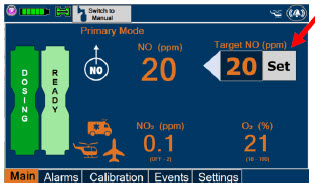 |
| |
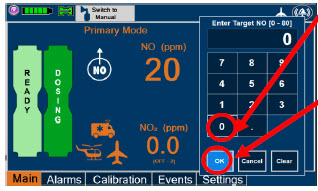 |
| |
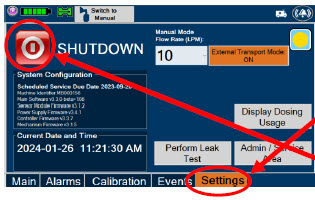 |
| |
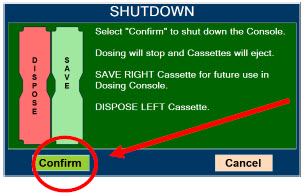 |
| NOTE |
| If the System does not shut down, see Troubleshooting Section 10.8 . The screen will inform user if Cassette should be saved or disposed of. Refer to Section 2.14 Shutdown Cassette Status Indicator description. | ||
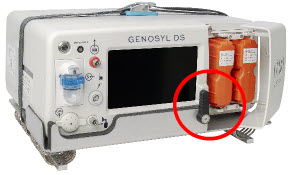 |
| |
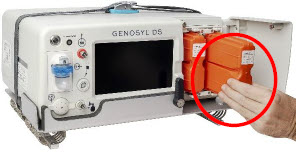 |
| NOTE |
| The Console will inert any remaining contents from a dosing Cassette upon ejection, rendering it unusable. If a Cassette has only been preheated, and not used for dosing, the contents have not been inerted and it can still be used. The Cassette State Window will remain blue on Cassettes that have not been inerted. | ||
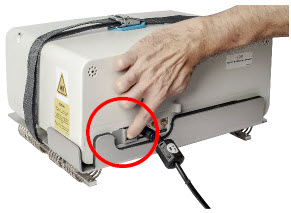 |
| WARNING |
| NEVER turn the rear power switch OFF until the System has gone through a controlled shutdown or instructed by VERO Technical Support. Turning the rear power switch OFF prematurely (e.g., while it is still in use) will immediately shut down the device. This may result in interruption in NO delivery to the patient, which may cause injury or death. | ||
| CAUTION | ||
| NEVER turn the rear power switch OFF until the System has gone through a controlled shutdown or instructed by VERO Technical Support. Turning the rear power switch OFF prematurely (e.g., while it is still in use) will immediately shut down the device and may cause improper operation upon restart. |
8.2.9 Switching External Transport Mode OFF
Both the Dosing Console and the Back-up Console must have External Transport Mode OFF before dosing with Hospital Cassettes in the hospital setting.
| DISPLAY | ACTION | Warnings, Cautions and Notes |
|---|---|---|
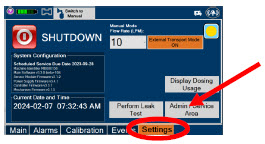 |
| |
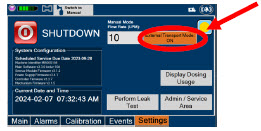 |
| |
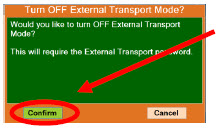 |
| |
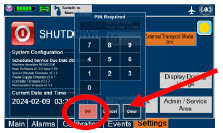 |
| NOTE |
| If you do not have the PIN, contact VERO Technical Support at 877.337.4118 | ||
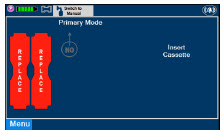 |
|
GENOSYL ® DS
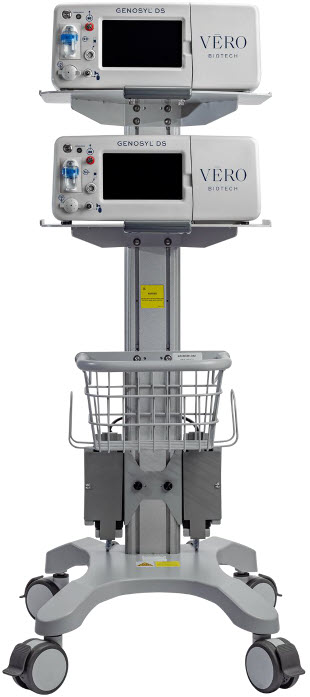
SECTION 9 USE WITH ANESTHESIA GAS MACHINE
9. USE WITH ANESTHESIA GAS MACHINES
| WARNING |
|---|
|
| CAUTION |
|---|
| Rebreathing validation testing was performed with semi-closed breathing systems. Non-rebreathing validation testing was performed with semi-open breathing systems. The GENOSYL DS has not been evaluated with fully open or fully closed anesthesia breathing systems. |
| NOTE |
|---|
|
Compatibility testing has demonstrated performance meeting requirements for the GENOSYL DS operating range of 0 to 80 ppm with the following anesthesia gas machines at the operating ranges shown in Table 5 for both mechanical and manual AGM ventilation modes. Fresh gas flow rates between 0.5 LPM and 15 LPM (10 LPM maximum tested when rebreathing), and I:E ratios ranging from 1:2 to 1:4 were validated. At low breath rates and high tidal volume settings, NO doses above 60 ppm could result in elevated NO2 levels.
See Section 12.2 Table 14 for modes validated for each anesthesia gas machine.
- Drӓger Fabius GS
- Drӓger Fabius GS Premium
- Drӓger Fabius Tiro
- GE Healthcare Aisys CS2
| CAUTION |
|---|
|
| Setting | Range | Unit |
|---|---|---|
| Respiratory Rate | 6-60 | BPM |
| Peak Inspiratory Pressure If testing range is higher than the max setting of the Anesthesia Gas Machine, the highest setting available was tested. | 0-70 | cmH 2 O |
| Positive End Expiratory Pressure | 0-20 | cmH 2 O |
Specific use cases may require the use of an Inline Mixer which is used to mix the NO gas with the gas supplied by the AGM through a filter containing silica gel to provide intra-breath NO delivery for certain scenarios. Refer to Table 6 below for use case scenarios.
| Manufacturer | Model | Fresh Gas Flow (FGF) | Ventilator Range Tested: Neonatal | Ventilator Range Tested: Pediatric/Adult | |
|---|---|---|---|---|---|
| Ventilator Circuit Using Injection Assembly ( Ref. Fig. 30 ) | Ventilator Circuit Using Injection Assembly ( Ref. Fig. 30 ) | Ventilator Circuit Using Mixer Assembly (With Inline Mixer, Ref. Fig. 31 ) | |||
| Key •: Range fully tested N/A: Use of Mixer is not recommended VT: Tidal Volume | |||||
| Drӓger | Fabius GS Fabius GS Premium Fabius Tiro | FGF > 0.75 LPM | • | VT ≤ 200 ml | VT > 200-500 ml |
| FGF ≤ 0.75 LPM | • | • | N/A | ||
| GE Healthcare | Aisys CS2 | FGF > 0.75 LPM | • | VT ≤ 300 ml | VT > 300 – 585 ml |
| FGF ≤ 0.75 LPM | • | • | N/A | ||
9.1 Connection to a Dual Limb Anesthesia Circuit
The validated anesthesia circuit configurations are indicated in Table 6 above and an illustrated circuit diagram is presented in Figures 30 and 31 . For additional instructions on System set-up, refer to Section 3.5 GENOSYL DS Gas Line Connections, Section 4 System Start up, and Section 5 Nitric Oxide Administration.
| NOTE |
|---|
| Connections to various AGMS are unique to each manufacturer as well as their corresponding disposable circuits. |
| CAUTION |
|---|
| DO NOT use in environments with <20% relative humidity (RH) in the absence of supplemental humidification. Prolonged use in dry environments without humidification will damage the gas sensors. GENOSYL DS was validated with listed AGMs using a Heat Moisture Exchanger (HME) and was not tested with heated humidification connected to the respiratory circuit. |
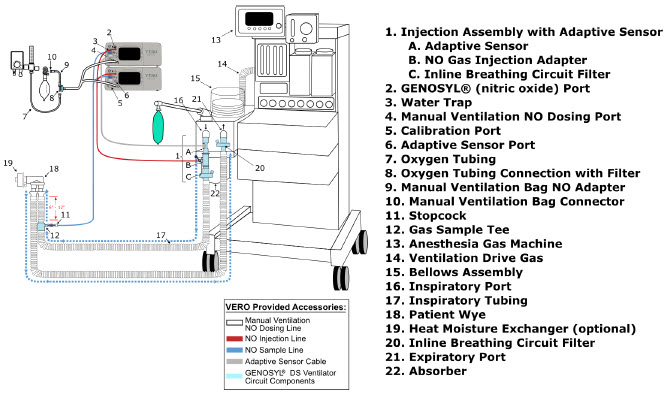
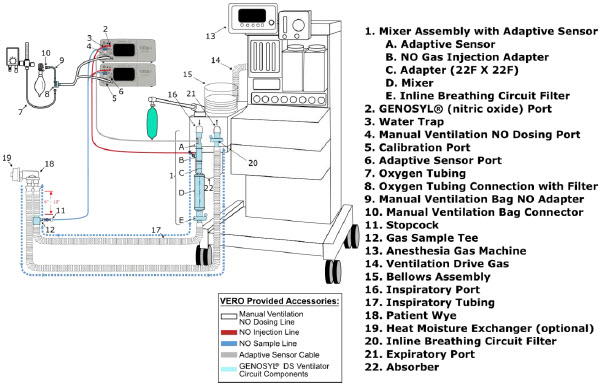
9.2 Connection Instructions for the GENOSYL DS to an Anesthesia Gas Machine
| WARNING |
|---|
|
| NOTE |
|---|
|
| DISPLAY | ACTION | Warnings, Cautions and Notes |
|---|---|---|
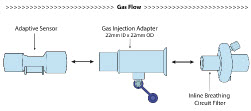 |
| NOTE |
| For detailed Injection Assembly with Adaptive Sensor instructions, refer to Section 3.4.1 . If an Inline Mixer is required per Table 6, refer to Section 3.4.2 for instructions to assemble and then proceed to Step 2. | ||
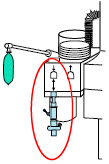 |
| |
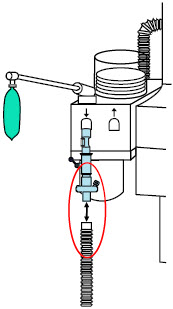 |
| |
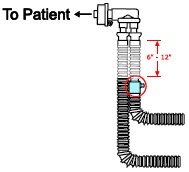 |
| WARNING |
| Ensure the Injection Assembly and the Gas Sample Tee are BOTH inserted on the inspiratory limb of the circuit. | ||
| NOTE | ||
| Skip this step if a Gas Sample Tee is already connected and in-line with the circuit. | ||
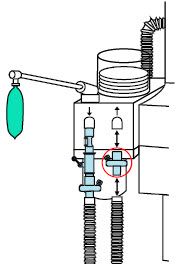 |
| NOTE |
| Skip this step if a bacteria filter is already connected and in-line with the circuit. | ||
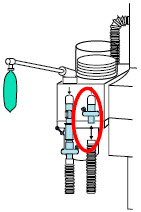 |
| |
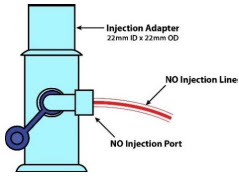 |
| |
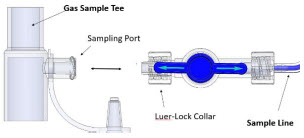 |
| NOTE |
| Refer to Section 4 for Console Start up instructions and Section 5 for nitric oxide administration instructions. | ||
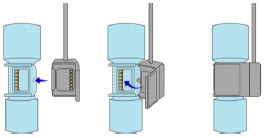 |
| |
|
| NOTE |
|---|
|
GENOSYL ® DS
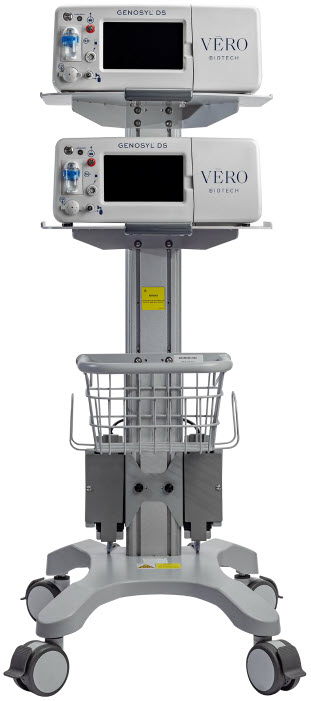
SECTION 10 ALARMS, ALERTS, AND TROUBLESHOOTING
10. ALARMS, ALERTS, AND TROUBLESHOOTING
| WARNING |
|---|
| ALWAYS ensure patient safety before troubleshooting (such as an activated alarm) or replacing a problematic item. Not monitoring the patient prior to attending to an alarm can result in injury or death. |
10.1 Alarms, Alerts, and Troubleshooting
This section contains the System alarms and messages in order of High (red), Medium (yellow), and Low Priority (turquoise) followed by Informational Messages (green). The table shows the alarm/symptom, the possible cause(s) of the alarm and recommended action to resolve the alarm. If the alarm/issue cannot be resolved, contact Technical Support at 877-337-4118 .
A sample screen with an active alarm is shown below:
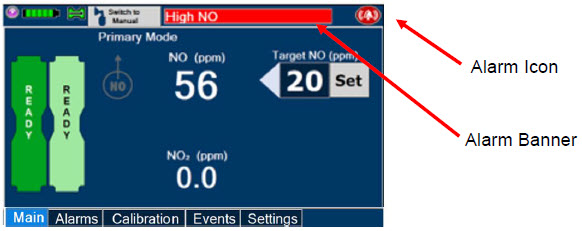
The alarm banner contains a drop-down menu containing a list of all alarms should there be multiple activated. Tapping the alarm banner will open the VERO On-screen Troubleshooting module (See Section 10.2 ). The alarm icon is always present on the top right of the screen and tapping the icon will pre-silence or silence alarms. Refer to the table below for descriptions of each alarm status:
| ALARM ICON DISPLAY | DESCRIPTION |
|---|---|
 | No active alarm condition is detected on the Console. Tap this icon to activate the Pre-Silence feature. |
 | Alarms are actively pre-silenced. Countdown of time remaining appears under the icon. Pre-silence lasts for 120 seconds. Low/High NO, High NO 2 , Low/High O 2 , Water Trap Removed, and Dosing Cassette Removed alarms are pre-silenced. Alarms will still be visible on alarm banner but audible alarm will not sound. |
 | Console has an active alarm condition that requires attention. Tap the icon to silence the alarm for 120 seconds. |
 | Console has an active alarm condition that requires attention and the alarms have been silenced. Countdown of time remaining for silence appears on bottom of icon. |
The alarm order, color, and audio signal will follow the highest priority alarm.
| Alarm Priority | Color | Flashing Frequency | Flashing Duty Cycle | Sound Level |
|---|---|---|---|---|
| High | Red | 1.4 to 2.8 Hz | 40-60% | 79.8 dBA |
| Medium | Yellow | 0.4 to 0.8 Hz | 40-60% | 76.1 dBA |
| Low | Turquoise | Constant (on) | 100% | 63.3 dBA |
Some alarms may be adjusted within the "Alarms" tab. See Table 9 below for adjustment characteristics. The System will always resort to the original default alarm settings upon reboot or complete power failure.
In addition, the System has a fallback safety dose interruption feature which will temporarily interrupt delivery of NO when the sensors detect a sampled value of ≥ 100 ppm NO and/or ≥ 3 ppm NO 2 . The System will resume NO dosing after dissipation of high gases without operator input.
Review Table 9 for complete details about the alarm adjustment ranges, defaults, alarm activation timing and interruption conditions.
| Alarm | Adjustment Range | Default Setting | Alarm Activation | Interruption Condition |
|---|---|---|---|---|
| High NO (ppm) | 0 – 100 ppm | + 50% of set value or 2 ppm (Whichever is greater) | 10 minutes after dose >0 ppm entered | ≥ 100 ppm |
| Low NO (ppm) | 0 – 99 ppm | - 50% of set point. For doses less than 4ppm, setting ranges between -50 - 70% of set point | 10 minutes after dose >0 ppm entered | NA |
| High NO 2 (ppm) | 1-2.9 ppm | 2 ppm | 30 seconds after dose > 0 ppm entered | ≥ 3 ppm |
| High O 2 (% v/v) | 22 – 100 ppm | 100 ppm | Immediately after dose > 0 ppm entered | N/A |
| Low O 2 (% v/v) | 18 – 99 ppm | 18 ppm | Immediately after dose > 0 PPM entered | N/A |
| NOTE |
|---|
| The safety dose interruption feature is active immediately upon setting a dose greater than 0 ppm. The NO and NO 2 alarms do not need to be active for the safety dose interruption feature to be activated. |
Alarms are legible for a person with 20/20 vision at a distance of 1 meter when viewed directly on the screen.
An alarm history indicating the date, time, and type of alarm can be viewed by selecting the "Alarms" tab and then selecting the alarms history button. The alarm history can be cleared by pressing the "Clear Alarm" button. If the alarm history reaches capacity, the oldest alarms will begin rolling off and become non-visible to the user. Upon Console shut down or power loss, the alarm log is cleared. If the alarm log is cleared, or reaches capacity, history of alarms will still be recorded in permanent memory accessible when logged in as admin. The operator of the equipment should be physically in front of the Console while interacting with the System. During NO delivery, the operator should remain within visual and auditory distance of the System.
The alarm system is automatically tested during the initial power-on self-test with an audible beep to confirm successful completion. Should there be an issue with communication to the alarms system electronics, a Hardware Failure error message will appear at the end of the self-test.
10.2 On-screen Troubleshooting Module
The GENOSYL DS features on-screen troubleshooting support for specific alarm conditions (refer to Table 10 for a list of alarms where on-screen troubleshooting support is available). This module can be accessed by tapping an active alarm banner or by selecting the "Alarm Info" button on the "Alarms" tab. If no alarm condition is active, and the module is accessed via the "Alarms" tab, a menu will be presented to select which condition the user would like to view troubleshooting steps for. Refer to Figure 32 for a view of the menu. If an alarm condition is active, the module will open directly to recommended troubleshooting actions, if available. Refer to Figure 33 for a description of navigating the module. If the user cannot address the alarm condition using the module, the user will be instructed to consider switching to the Back-up Console and should contact Technical Support.
| Alarm Condition |
| Low NO |
| Line Occlusion |
| Delivery Flow Error |
| High Back Pressure |
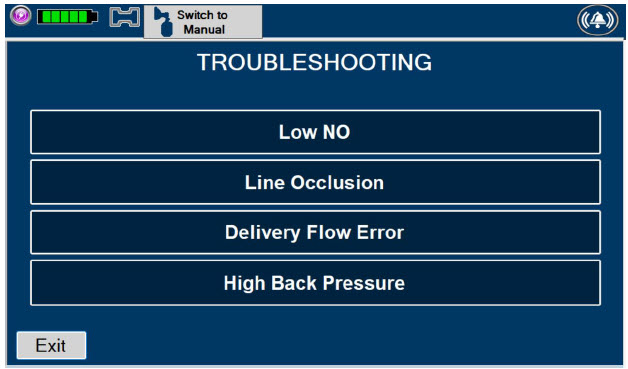
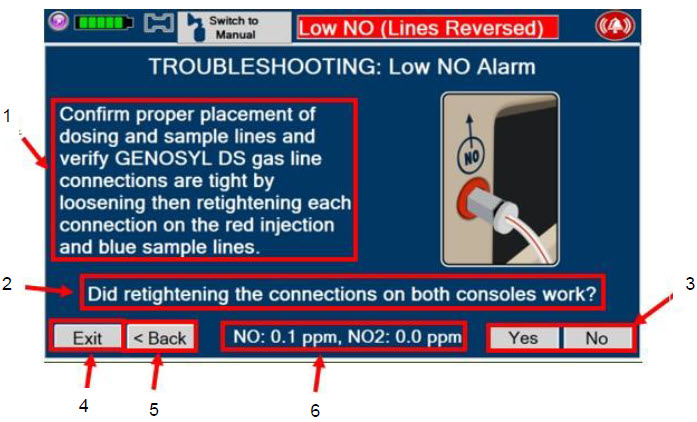
|
| Figure 33: Description of VERO On-screen Troubleshooting Module Navigation |
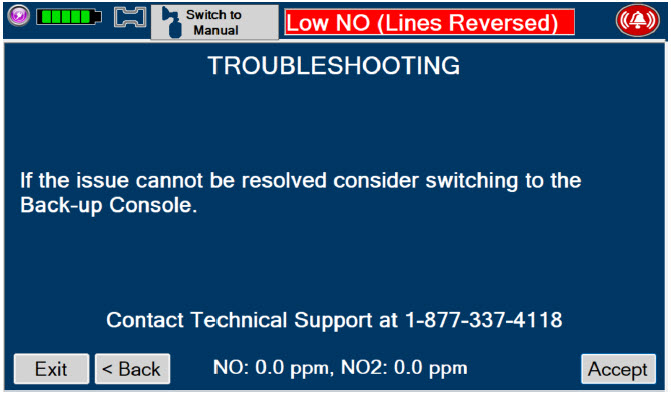
10.3 High Priority Alarms and Messages
High priority alarms and messages will have a red background and be accompanied by an audible alarm. These alarms and messages require immediate operator response.
| High Priority Alarms and Messages | ||
|---|---|---|
| Alarm/Message | Possible Cause | Recommended Action |
Nitric Oxide Delivery Interruption due to High NO Message Box: 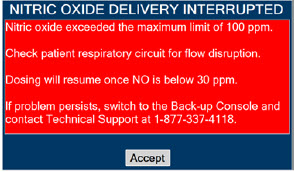 |
| This fallback mode will be cancelled once the nitric oxide level drops below the set dose + 50%.
|
Banner:  | ||
Screen Display: 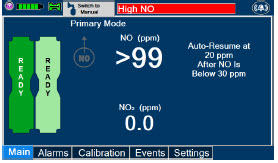 | ||
Nitric Oxide Delivery Interruption due to High NO 2 Message Box: 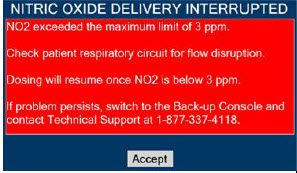 |
| This fallback mode will be cancelled once the NO2 level drops below 3 ppm.
|
Banner:  | ||
Screen Display: 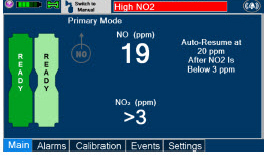 | ||
| High NO Alarm Message Box: None |
|
|
Banner:  | ||
Screen Display: 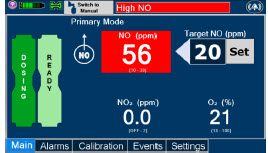 | ||
| High NO 2 Alarm Message Box: None |
|
|
Banner:  | ||
Screen Display: 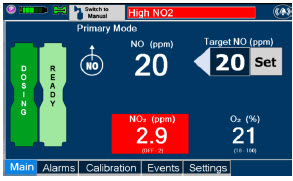 | ||
| Low NO alarm Message Box: None |
|
|
Banner: 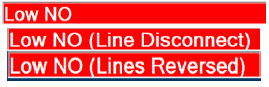 | ||
Calibration Required Message Box: 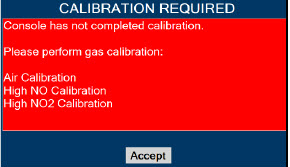 |
| This fallback mode will be cancelled once a successful high gas calibration has been completed.
|
Banner: 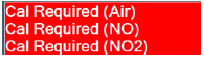 | ||
Hardware Failure Message Box: 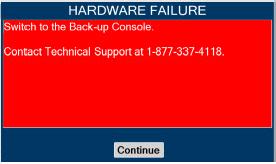 |
| In this fallback mode, the Console will continue delivering nitric oxide in an open loop mode at the last entered dose.
|
Banner:  | ||
Hardware Failure – Power Board Message Box: 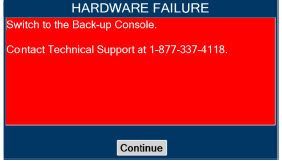 |
|
|
Banner:  | ||
Hardware Error During POST (Power On Self-Test) Message Box:  |
|
|
| Battery Error Message Box: None |
|
|
Banner:  | ||
| Line Occlusion (Sample) Message Box: None |
| In this fallback mode, the Console will continue delivering nitric oxide in an open loop mode at the last commanded dose until the line occlusion is resolved.
|
Banner:  | ||
| Line Occlusion (Cal) Message Box: None |
|
|
Banner:  | ||
Cassette Removed while dosing Message Box: 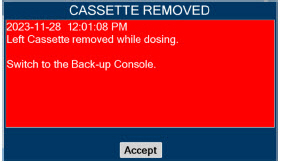 |
|
|
| Banner: None | ||
Water Trap Not Detected Message Box:  |
| In this fallback mode, the console will continue delivering nitric oxide in an open loop mode at the last commanded dose until the water trap is replaced and the leak check is passed.
|
Banner:  | ||
Configuration Parameters Incorrect Message Box:  |
|
|
Battery Not Detected during POST (Power On Self- Test) Message Box:  |
|
|
Hardware Error During POST (Power On Self-Test) Message Box:  |
|
|
Banner:  | ||
Cassette Not Operational Message Box: 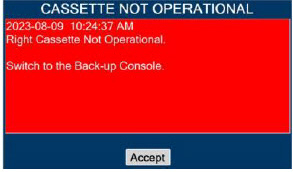 |
| If a secondary Cassette is inserted in the other slot, the Console will automatically switch to the secondary Cassette in this fallback mode.
|
System has not Completed Calibration 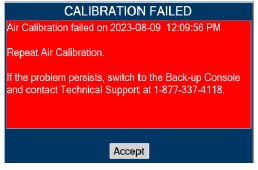 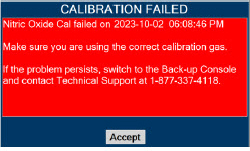 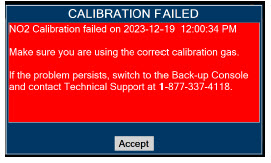 |
|
|
Hardware Failure while Dosing in Manual Dosing Mode – No Dose Change Message Box: 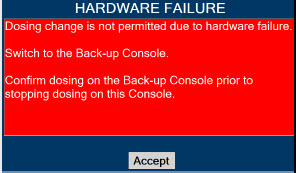 |
| In this fallback mode, the Console will continue delivering nitric oxide in an open loop mode at the last entered dose. User will not be able to adjust set dose.
|
Banner:  | ||
Hardware Failure while Dosing–Cannot Change Dosing Modes Message Box: 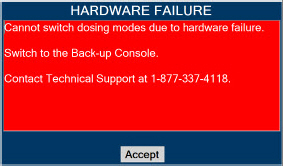 |
| In this fallback mode, the Console will continue delivering nitric oxide in an open loop mode at the last entered dose. User will not be able to switch between Dosing Modes (Primary and Manual Dosing Mode)
|
Banner:  | ||
10.4 Medium Priority Alarms and Messages
Medium priority alarms and messages will have a yellow background. Medium priority alarms and messages require a prompt response from the operator.
| Medium Priority Alarms and Messages | ||
|---|---|---|
| Alarm/Message | Possible Cause | Recommended Action |
Low Battery Alarm Message box: None Banner:  |
|
|
Cassette Failure Alarm 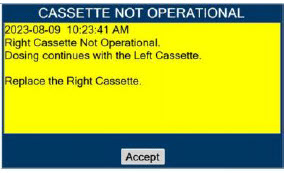 |
|
|
Service Due Date Expired 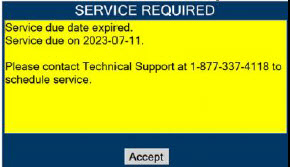 |
|
|
Cassette to Expire in 1 Hour 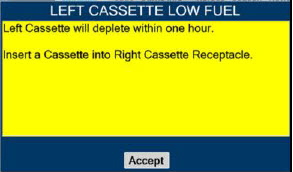 |
|
|
Low O 2 Message box: none Banner:  |
|
|
High O2 Message Box: none Banner:  |
|
|
Delivery Flow Error Message Box: 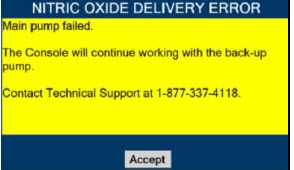 |
|
|
Banner:  | ||
High Back Pressure Message Box: 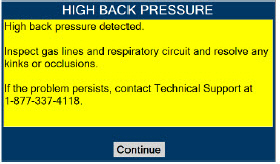 |
|
|
Banner:  | ||
Incorrect Cassette Message Box: 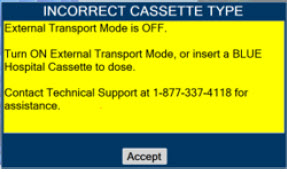 |
|
|
Incorrect Cassette Message Box: 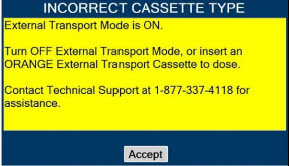 |
|
|
10.5 Low Priority Alarms and Messages
A low priority message will have a turquoise background. A low priority message will require that the operator is aware of the condition.
| Low Priority Messages and Alarms | ||
|---|---|---|
| Alarm/Message | Possible Cause | Recommended Action |
Nitric Oxide Delivery Interruption due to Flow Not Detected Message Box: 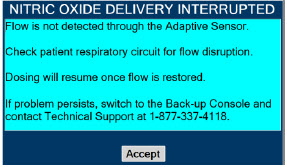 |
| Once flow is detected through the Adaptive Sensor, dosing will resume automatically and this fallback mode will be cancelled.
|
Screen Display: 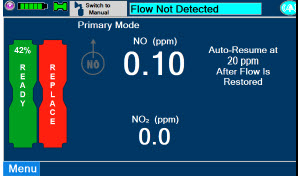 | ||
System Running on Battery Only 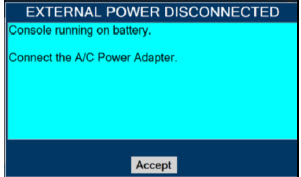 |
|
|
Service Due Date Within 2 Days  |
|
|
10.6 Informational Messages
Informational messages will have a green background. These messages require that the user is notified of the condition.
| Informational Messages | ||
|---|---|---|
| Alarm/Message | Possible Cause | Recommended Action |
Calibration Due within 48 Hours 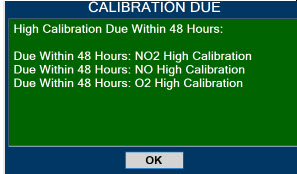 |
|
|
Service Due Date Within 14 Days 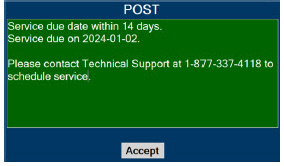 |
|
|
Cassette Will Expire In 2 Hours 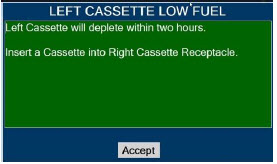 |
|
|
Calibration Due 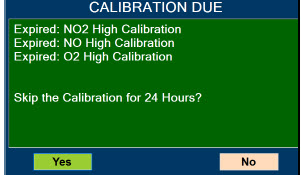 |
|
|
Invalid External Transport password 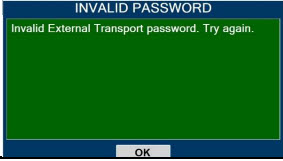 |
|
|
Turn External Transport Mode ON 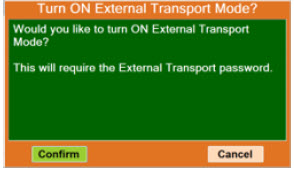 |
|
|
Turn Transport Mode OFF 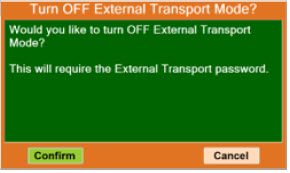 |
|
|
Cassette present while switching to or from External Transport Mode 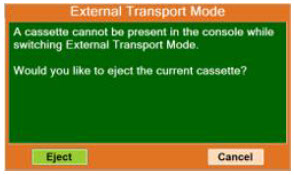 |
|
|
Cannot dose while switching to or from External Transport Mode 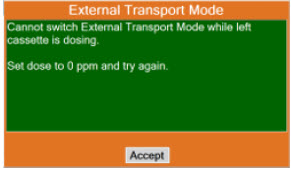 |
|
|
10.7 GaussAlert™ Alarm
The gauss alarm will sound if the GENOSYL DS is too close to the MR Scanner. If the gauss alarm sounds, move the GENOSYL DS away from the MR scanner until the gauss alarm stops sounding.
| WARNING |
|---|
| ALWAYS move System away from the MR scanner if the gauss alarm sounds. The gauss alarm will sound if the System is too close to the MR scanner. Move System away from the MR scanner until the gauss alarm stops sounding. |
10.8 Troubleshooting
The table below provides resolutions to issues that may be encountered with the GENOSYL DS.
| Issue/Symptom | Possible Cause | Recommend Action |
|---|---|---|
| Screen does not turn on |
|
|
| Cassette does not insert properly within Console |
|
|
| Cassette State Window is not blue |
|
|
| Pumps are louder than normal |
|
|
| Cannot set dose in Primary Dosing Mode |
|
|
| Console does not shutdown |
|
|
| Audible alarm tone does not sound after boot-up process |
|
|
| Failed Water Trap / Sample Line Leak Test |
|
|
| Cassette does not automatically eject from Console |
|
|
| Screen Unresponsive |
|
|
| Adaptive Sensor Not Detected |
|
|
| Flow Not Detected |
|
|
| Adaptive Sensor Icon is Yellow |
|
|
| Higher than desired NO 2 levels in respiratory circuit |
|
|
| Leak Detection |
|
|
10.9 Leak Detection Tool
The GENOSYL DS features a leak detection tool to inform the user that there may be a suspected leak in the GENOSYL DS circuit. The information will be displayed on the "Alarms" tab as pictured in Figure 35 . This feature is only available when an Adaptive Sensor is connected in the GENOSYL DS circuit. A leak is suspected if there is a difference between the flow measured by the Adaptive Sensor and estimated flow of the GENOSYL DS injection algorithm. This feature is a diagnostic tool only and the device is properly functioning and delivering NO, even when a leak is detected. However, a leak may result in a decreased Cassette life and should be addressed to ensure optimum Cassette life performance. Refer to Section 10.8 Troubleshooting for recommended actions to address a suspected leak.
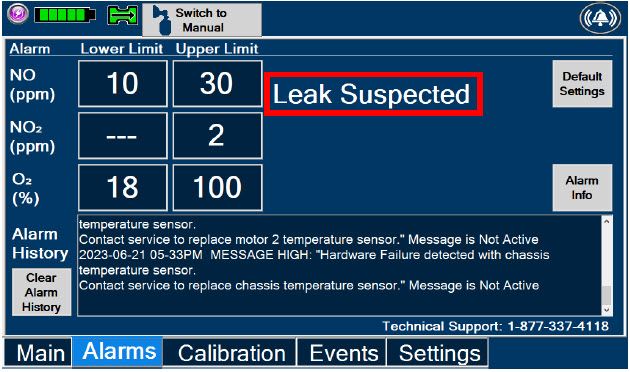
GENOSYL ® DS
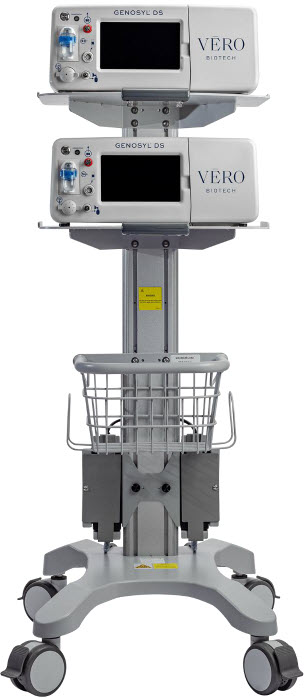
SECTION 11 SYSTEM MAINTENANCE
11. SYSTEM MAINTENANCE
11.1 Calibration
This section describes the process for performing high and low calibration for NO, NO 2, and O 2 . Calibration of the GENOSYL DS should be performed every 28 days to ensure the accuracy of NO, NO 2 , and O 2 measurements. All calibrations can be performed at any time the Console is powered on, including while actively dosing. Air calibrates the low range for the NO and NO 2 sensors. The high range of the NO and NO 2 sensors are calibrated by using calibration gas tanks. The software will notify the user when calibration is due.
The display within the "Calibration" tab provides the status and the calibration due date of the different types of sensors. Air calibration provides the time of the last calibration since the System automatically performs this calibration every 4 hours while actively dosing or every 24 hours while powered on. A green check under status indicates that sensor has successfully been executed within the calibration period. A red X under status indicates that the sensor has not successfully been executed within the calibration period.
During calibration, the display will provide measured readings from each sensor. Note, there are two redundant NO sensors which are used to verify and ensure accuracy of the dosage provided by the System. During calibration, the display will provide a real-time status of the test with colored boxes to the right of the displayed sensor output. A yellow box indicates that the sensor is being calibrated. A green box indicates that calibration was successful for that sensor. A red box indicates that calibration for that sensor failed.
| WARNING |
|---|
|
| CAUTION |
|---|
|
11.1.1 Air Calibration
| DISPLAY | ACTION | Warnings, Cautions and Notes |
|---|---|---|
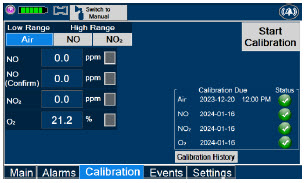 |
| NOTE |
| Air Calibration will take up to 2 minutes if not dosing, or 5 minutes if actively dosing. A progress bar is displayed in the lower left-hand corner of the display screen during the calibration process. | ||
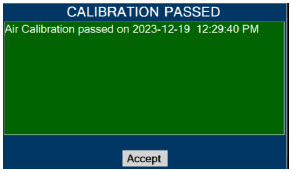 |
| NOTE |
| If air calibration fails, ensure that nothing is connected to or blocking the CAL port. |
11.1.2 NO Calibration
| DISPLAY | ACTION | Warnings, Cautions and Notes |
|---|---|---|
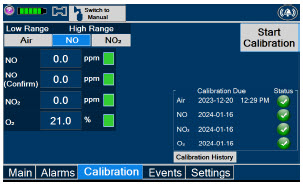 |
| |
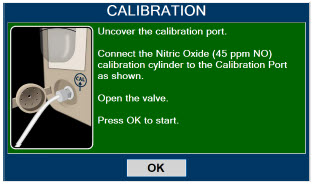 |
| WARNING |
| DO NOT open the valve prior to connecting to the CAL port. Opening the valve first will expose the user to NO gas. DO NOT interrupt calibration until finished. If interrupted, the calibration will be cancelled. | ||
| NOTE | ||
| NO calibration takes approximately 2 minutes if not dosing, or 5 minutes if actively dosing. A progress bar is displayed in the lower left-hand corner of the display screen during the calibration process. | ||
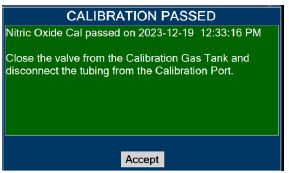 |
| WARNING |
| DO NOT disconnect tubing from the calibration port prior to closing the valve. Disconnecting the tubing first will expose the user to NO gas. |
11.1.3 NO 2 Calibration
| DISPLAY | ACTION | Warnings, Cautions and Notes |
|---|---|---|
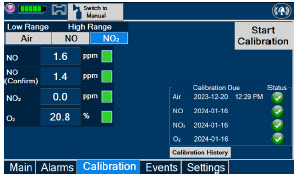 |
| |
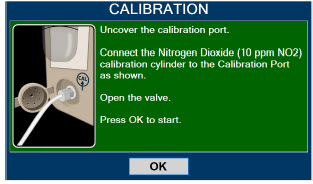 |
| WARNING |
| DO NOT open the valve prior to connecting to the CAL port. Opening the valve first will expose the user to NO 2 gas. DO NOT interrupt calibration until finished. If interrupted, the calibration will be cancelled. | ||
| NOTE | ||
| NO 2 calibration takes approximately 2.5 minutes. A progress bar is displayed in the lower left-hand corner of the display screen during the calibration process. | ||
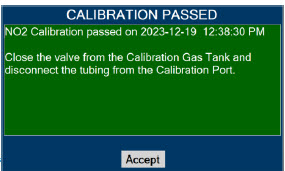 |
| WARNING |
| DO NOT disconnect tubing from the calibration port prior to closing the valve. Disconnecting the tubing first will expose the user to NO 2 gas. |
11.2 Maintenance Schedule
The Console components require the following maintenance:
| COMPONENT | SCHEDULE |
|---|---|
| Water Trap | Per patient or as required (per Water Trap/ Sample Line Leak Test) |
| GaussAlert™ | Monthly functionality check |
| Console | Every 24 months or 10,000 pump hours, whichever is first |
The Console requires factory service every 24 months or 10,000 pump hours, whichever is first. The System will display an Information Message to remind the operator when service is required. Contact Technical Support at 877-337-4118 for support or to schedule service.
11.3 Testing the GaussAlert™ Function
| WARNING |
|---|
|
| CAUTION |
|---|
|
| NOTE |
|---|
| If the LED stay illuminated for longer than a brief flash, or does not illuminate at all, the battery needs to be replaced. Contact Technical Support at 877-337-4118 to request a replacement. |
To use the GaussAlert™ test magnet tool to test alarm function, follow the steps listed below.
- Place the test magnet tool on the GaussAlert™ alarm bracket in the area identified in Figure 36.
- The alarm will activate and a short flash (less than two seconds) of the LED indicates proper function.
- Move the test magnet tool away from the GaussAlert™ until the alarm stops sounding.
- Repeat this procedure on the second GaussAlert™.
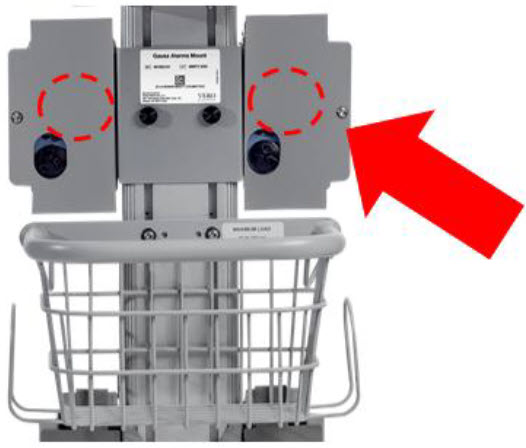
11.4 Water Trap Maintenance
The following section will describe the emptying of the Water Trap. The Water Trap should be emptied when the liquid contents reach the horizontal black line marked on the Water Trap.
Prior to emptying the Water Trap, ensure the Gas Sample Line is removed and reattached after emptying the Water Trap.
11.4.1 Emptying the Water Trap
| WARNING |
|---|
| ALWAYS empty Water Trap before each use, when prompted by the System, and when the trap is more than half full. Allowing the Water Trap to completely fill will occlude the Sample Line which will interrupt patient gas NO, NO 2 , and O 2 concentration monitoring. Failure to monitor the patient gas NO, NO 2 , and O 2 concentrations may result in patient injury. |
| DISPLAY | ACTION |
|---|---|
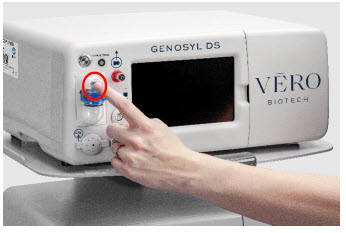 |
|
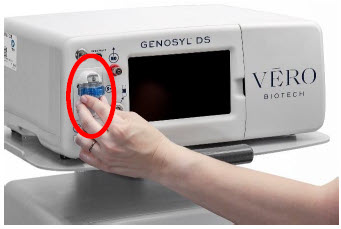 |
|
11.4.2 Water Trap Replacement
If the Water Trap / Sample Line Leak Test fails, and Sample Gas Line integrity is confirmed with blue stopcock in place, replace the Water Trap.
| WARNING |
|---|
|
| DISPLAY | ACTION |
|---|---|
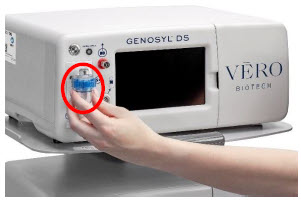 |
|
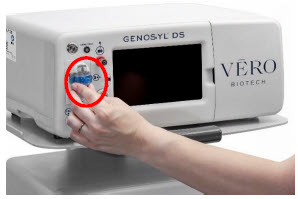 |
|
11.5 Battery
The battery will be serviced during scheduled maintenance performed by the manufacturer. If the need arises to replace the battery sooner than scheduled contact Technical Support at 877-337-4118 to schedule a maintenance appointment. Battery is expected to last up to four hours under optimal conditions. Console will alarm when less than 15 minutes of battery life remains. See Section 10.3 if you receive a Battery Error.
During storage, the GENOSYL DS may be stored with the power off, but the external power supply should be connected at least once every 3 months to ensure a minimum charge is maintained on the internal battery (see Section 13.6 for additional information).
| WARNING |
|---|
| ONLY properly trained personnel should replace the battery. Incorrectly replacing the battery may result in a hazard such as excessive temperatures, fire, or explosion. |
11.6 Cleaning
11.6.1 Enclosure, Connections, and Surfaces Other Than the Display
Prior to performing any cleaning or maintenance operations ensure that the GENOSYL DS Console has been completely powered down as specified in Section 6.1 and that the AC/DC power supply external to the GENOSYL DS Console has been unplugged. Apply any mild detergent to cloth prior to wiping the System. Gently clean the outer surface of the Console, Cart, and Adaptive Sensor Cable with a soft damp cloth and mild detergent or isopropyl alcohol (70%).
| CAUTION |
|---|
|
| WARNING |
|---|
|
| CLEANING AGENT | ACTIVE INGREDIENTS |
|---|---|
| Avert by Diversey | Sodium hypochlorite 1.312% Other ingredients 98.688% |
| Oxivir by Diversey | Hydrogen Peroxide 0.5% Other ingredients 99.5% |
| CaviWipesXL by Metrex | Disobutylphenoxyethxyethyl dimethyl benzyl ammonium chloride 0.28% Isopropanol 17.20% Inert ingredients 82.52% |
| Sani-Cloth AF3 by PDI Healthcare | n -Alkyl dimethyl ethybenzyl ammonium chlorides 0.14% n-Alkyl dimethyl benzyl ammonium chlorides 0.14% Other ingredients 99.72% |
| Super Sani-cloth by PDI Healthcare | n -Alkyl dimethyl ethybenzyl ammonium chlorides 0.25% n-Alkyl dimethyl benzyl ammonium chlorides 0.25% Isopropyl Alcohol 55.00% Other ingredients 44.50% |
11.6.2 Display Screen
Turn off Console and disconnect from AC power. Gently clean with a damp cloth.
| CAUTION |
|---|
|
11.6.3 Cleaning the Gauss Alarms Mount
Use a soft cloth dampened with water to clean the enclosure. Use an aqueous solution of up to 75% isopropyl alcohol for more efficient cleaning. Disinfection may be accomplished with the use of denatured alcohol.
11.7 Storage
11.7.1 Cart / Console Storage
The acceptable storage conditions for the Cart/Console are shown in the following table.
| Temperature | -20⁰ C to 60⁰ C | |
| Cart / Console Storage | Humidity | 15% to 95%, non-condensing |
| Pressure | 57 kPa to 110 kPa |
During storage, the GENOSYL DS may be stored with the power off, but the external power supply should be connected at least once every 3 months to ensure a minimum charge is maintained on the internal battery (see Section 13.6 for additional information).
| WARNING |
|---|
|
11.7.2 Cassette / Accessory Storage
GENOSYL DS may not function correctly if the Cassette or any of the System Accessories have been exposed to high levels of heat or humidity. Cassettes are supplied in a plastic container and should remain unopened until use. Cassettes should be stored at 25°C (77°F) with excursions permitted between 15°C to 30°C (59°F to 86°F). (See USP Controlled Room Temperature).
GENOSYL ® DS
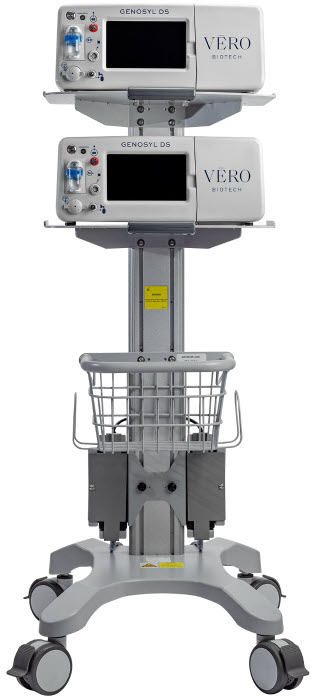
SECTION 12 MECHANICAL VENTILATION
12. MECHANICAL VENTILATION
| WARNING |
|---|
|
12.1 Mechanical Ventilation
There are two main effects of connecting the GENOSYL DS to a ventilator breathing circuit:
- The System injects up to 0.9 LPM of NO/air (21% Oxygen) into the inspiratory output of the ventilator.
- The System samples up to 0.3LPM from the ventilator circuit as a measurement to the built-in gas analyzers
The results of adding and subtracting gas into the ventilator circuit are described in sections 12.1.1 to 12.1.4:
12.1.1 Oxygen Dilution
The ventilator typically is flowing gas to the patient with enhanced oxygen content from room air, ranging from 21% at 100% oxygen. The DS is injecting NO mixed with air with a concentration of oxygen at nominally 21%. Thus, except for the case where the ventilator is supplying gas to the patient at 21% oxygen, there is some dilution of the oxygen delivered to the patient.
This dilution may be determined with the following equation:
Percent O 2 to Patient = [{%O 2 /100 + (Flow inj /Flow vent )×0.21}/{1 + (Flow inj /Flow vent )}]×100
Where:
- Flow inj = Injection flow in same units as ventilator flow
- Flow vent = Ventilator flow in same units as injection flow
- %O 2 = Percent oxygen out of ventilator
- 0.21 = Fraction of oxygen in injection flow (21%)
Table 12 below shows the maximal dilution effect on the concentration of oxygen supplied to the patient for set ventilator flow settings with NO doses ≤40 ppm and a nominal flow from the GENOSYL DS of 0.6 LPM of NO/air (21% oxygen) into the inspiratory output of the ventilator. Actual dilution may vary based on respiratory device settings and clinical scenarios.
This is applicable for all compatible gas delivery systems, unless otherwise noted below.
| NOTE |
|---|
The following respiratory devices demonstrated oxygen dilution that is representative of in ection flow greater than 0.6LPM in testing with NO doses ≤ 40 ppm. Use the calculation above to estimate maximal dilution using Flowinj = 0.64 LPM:
|
| Oxygen (%) Supplied from Ventilator | |||||
|---|---|---|---|---|---|
| 100 | 80 | 60 | 40 | 21 | |
| Ventilator Flow (LPM) | Oxygen (%) Delivered to Patient | ||||
| 70 | 99 | 79 | 60 | 40 | 21 |
| 20 | 98 | 78 | 59 | 39 | 21 |
| 15 | 97 | 78 | 59 | 39 | 21 |
| 10 | 96 | 77 | 58 | 39 | 21 |
| 9 | 95 | 76 | 58 | 39 | 21 |
| 8 | 94 | 76 | 57 | 39 | 21 |
| 7 | 94 | 75 | 57 | 39 | 21 |
| 6 | 93 | 75 | 56 | 38 | 21 |
| 5 | 92 | 74 | 56 | 38 | 21 |
| 4 | 90 | 72 | 55 | 38 | 21 |
| 3 | 87 | 70 | 54 | 37 | 21 |
| 2 | 82 | 66 | 51 | 36 | 21 |
| 1 | 70 | 58 | 45 | 33 | 21 |
| 0.5 | 57 | 48 | 39 | 30 | 21 |
Higher injection flows may be employed by the GENOSYL DS when administering NO doses >40 ppm. Use injection flow of 0.9 LPM to estimate the maximal dilution effect on the concentration of oxygen supplied to the patient when administering NO doses >40 ppm.
12.1.2 Minute Volume
When using volume ventilation with the GENOSYL DS, the tidal volume delivered to the patient may show small changes due to the addition and subtraction of gases by the Delivery System. Some minor ventilator adjustments to the minute volume may be required. Maximum total flow added to the ventilator circuit is 0.9 LPM of concentrated NO gas and the maximum total flow removed from the ventilator circuit is 0.3 LPM of sampled gas.
12.1.3 Trigger Sensitivity
The addition and subtraction of gases by the GENOSYL DS may affect the trigger sensitivity of the ventilator when using synchronized modes of ventilation. This may cause ventilators which have flow trigger modes to auto-cycle or result in apnea alarms, especially where the trigger flow is less than the total flow added.
12.1.4 Maximum NO Delivery
The maximum combination of dose (ppm) and flow (LPM) is 800 ppm × LPM (e.g., 20 ppm with 40 LPM, 40 ppm at 20 LPM, etc.). The System is capable of delivering NO at a minimum of 1 ppm × LPM (e.g., 1 ppm at 1 LPM). See the graph below for the minimum and maximum dose ranges for the System, based on ventilator circuit total minute volume.
12.1.5 Bias Flow and NO 2
The GENOSYL DS has a safety fallback where the delivery of nitric oxide will be interrupted when a sampled value higher than 3 ppm NO 2 is detected. Once sample value of NO 2 is below 3.0 ppm, the Console will auto resume delivery of NO at set dose. The table below outlines the dose at which a delivery interruption was observed during validation testing in a laboratory setting due to high NO 2 . For validation testing, FiO 2 was set at 100% and the maximum bias flow setting for each ventilation device was used. If there is an unexpected change in NO 2 concentration, the delivery system should be assessed in accordance with the recommended actions for troubleshooting Section 10.8 , and the NO 2 analyzer should be recalibrated. The dose of GENOSYL and/or FiO 2 should be adjusted as appropriate.
| CAUTION |
|---|
|
| Manufacturer | Model | Set NO dose at which NO 2 exceeded 3 ppm threshold in spontaneous modes | Set NO dose at which NO 2 exceeded 3 ppm threshold in nonspontaneous modes |
|---|---|---|---|
| Bio-Med Devices | Crossvent 2+ | 64 | 82 |
| Bio-Med Devices | MVP-10 | 75 | 70 |
| Drӓger | V500, VN 500, V600, VN 600, V800, VN 800 | 69 | 72 |
| Hamilton | C1/MR1/T1 | 72 | 70 |
| Hamilton | C6 | 72 | 67 |
| Hamilton | G5 | 72 | N/A |
| Puritan Bennett | 980 | 59 | 64 |
| Vyaire Medical Inc. | AVEA | 74 | 82 |
| Fisher & Paykel | Optiflow JR 2 | 57 | N/A |
| Fisher & Paykel | Optiflow | 69 | N/A |
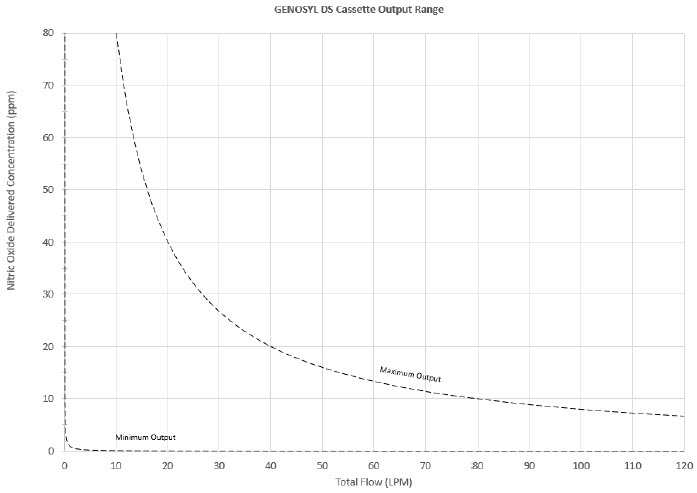
12.2 Ventilator Compatibility
VERO Biotech performs validation testing which determines the compatibility of ventilator/gas delivery systems with the GENOSYL DS. During this compatibility testing, the GENOSYL DS is evaluated for the following parameters while connected to each ventilator/gas delivery system:
- NO Dose Accuracy: Continuous and accurate delivery of a targeted dose of nitric oxide within ± 20% of setpoint or within ± 2 ppm, whichever is greater.
- Respiratory Device Breath Delivery and Alarms: The respiratory device breath delivery and alarms continue to function as intended by the manufacturer across the range of operating conditions.
- NO 2 Performance: NO 2 remains within acceptable limits less than 1.0 ppm with 60% FiO 2 and ≤40 ppm NO.
- O 2 Dilution: Post dilution O 2 level delivery is maintained within acceptable limits and conforms with the information presented in the GENOSYL DS Operator's Manual, Section 12.1.1 , "Oxygen Dilution".
- NO Concentration Transients: NO concentration transients are ≤150% of mean concentration and as low as 0.0 ppm as long as the transient duration does not exceed 10% of the volumetric duration of the breath.
The testing performed demonstrated conformance with all specified requirements. The following ventilators and non-invasive gas delivery systems in Table 14 have been validated for use with the GENOSYL DS. See Section 3.2 for use configurations.
| WARNING |
|---|
|
Table 14: Details of Validated Systems
Validated ventilators were not tested with a nebulizer.
Use of a Mixer is recommended when delivering in specific tidal volume ranges on various ventilation devices. Refer to Table 15 for when a Mixer is and is not recommended.
| Manufacturer | Models | Hospital | External Transport | Anesthesia Gas Machine | Modes Validated |
|---|---|---|---|---|---|
| Bio-Med Devices | Crossvent 2+ | • | • | • Cycle • CPAP | |
| Bio-Med Devices | MVP-10 | • | • | • Cycle • CPAP | |
| Dräger | Fabius GS, Fabius GS Premium, Fabius Tiro | • | • VC • PC • PS • SIMV/PS | ||
| Dräger | V500, VN 500, V600, VN 600, V800, VN800 | • | • VC-AC • VC-SIMV • VC-CMV • PC-AC • PC-SIMV • PC-CMV • PC-BIPAP • VC-MMV • PC-APRV • PC-PSV • SPN-CPAP/PS • SPN-CPAP/VS • SPN-PPS | ||
| GE | Aisys CS2 | • | • VCV • PCV • PCV-VG • PSVPro • CPAP+PSV • SIMV PCV • SIMV VCV • SIMV PCV-VG • Manual | ||
| Hamilton | C1/MR1 | • | • PCV+ • PSIMV+ • APVcmv • APVsimv/SIMV+ • ASV • DuoPAP • APRV • SPONT • NIV • NIV ST • nCPAPA • nCPAP PC | ||
| Hamilton | C6 | • | • APVcmv • APVsimv • PCV+ • PSIMV+ • DuoPAP • APRV • SPONT • ASV • NIV • NIV-ST • nCPAP-PS | ||
| Hamilton | G5 | • | • (S)CMV • P-CMV • P-SIMV • APVcmv • APVsimv • ASV • DuoPAP • APRV • SPONT • VS • NIV • NIV-ST • nCPAP-PS • SIMV | ||
| Hamilton | T1 | • | • | • PCV+ • PSIMV+ • APVcmv • APVsimv/SIMV+ • ASV • DuoPAP • APRV • SPONT • NIV • NIV ST • nCPAP • nCPAP PC | |
| Puritan Bennett | 980 | • | • A/C PC • A/C VC • A/C VC+ • NIV AC PC • NIV AC VC • BiLevel • BiLevel PC PS • BiLevel PC TC • NIV CPAP • SPONT VS • NIV SPONT PS • SPONT TC • SPONT PAV+ | ||
| Vyaire Medical Inc. | AVEA | • | • Volume A/C • Pressure A/C • Volume SIMV • Pressure SIMV • CPAP/PSV • PRVC A/C • PRVC SIMV • APRV/BiPhasic • TCPL A/C • TCPL SIMV • Nasal CPAP/IMV | ||
| Fisher & Paykel | Optiflow JR 2 | • | • N/A | ||
| Fisher & Paykel | Optiflow | • | • N/A |
Table 15: Validated Compatibility with and without Inline Mixer
At the lowest tested rate of 6 BPM, a Mixer may be used to reduce intra-breath dose variability as outlined in Table 15 below. Intra-breath dose variability was not observed at a respiratory rate of 60 BPM.
For mixer recommendations when using an anesthesia gas machine, refer to Table 6.
See Section 3.4 for assembly instructions for Injection Assembly with Adaptive Sensor and Mixer Assembly with Adaptive Sensor.
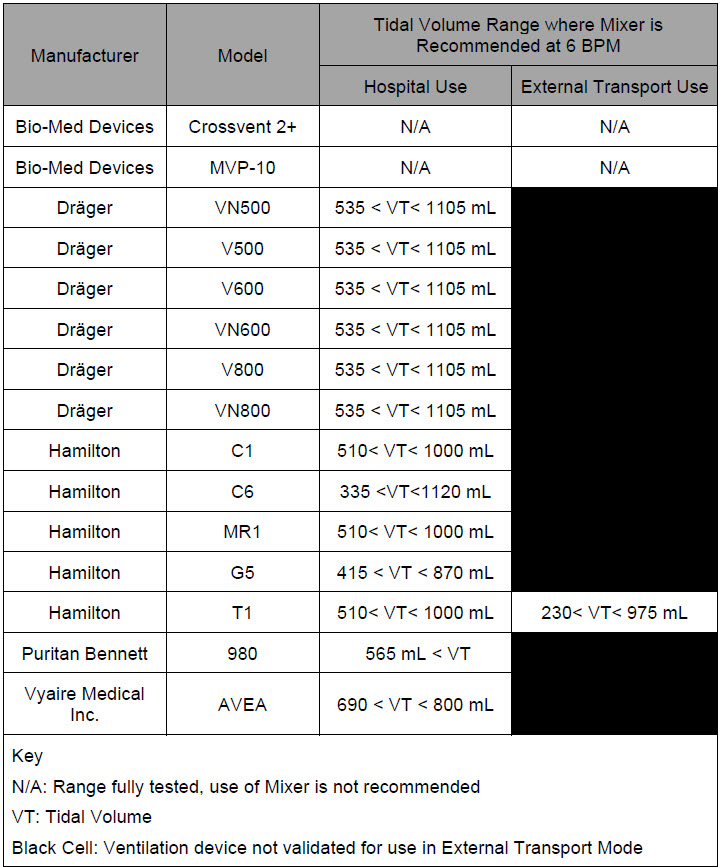
GENOSYL ® DS
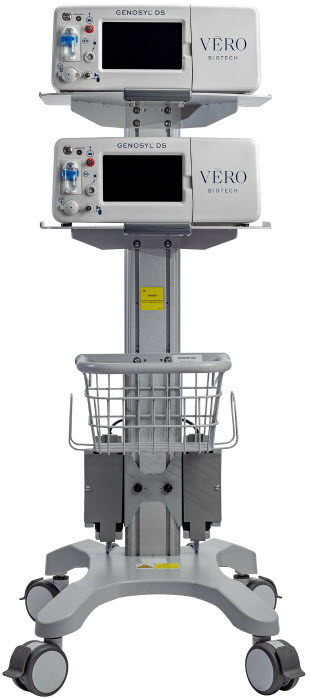
SECTION 13 PRODUCT SPECIFICATIONS
13 PRODUCT SPECIFICATIONS
13.1 System Performance
| NO DOSING | |
|---|---|
| Accuracy | ± 20% or ± 2 ppm (whichever is greater) |
| Range | 0 to 80 ppm |
| Flow rate (max) | 900 mL/min |
| GAS SENSOR | |||
|---|---|---|---|
| Range | Resolution | Accuracy | |
| NO | 0 - 10 ppm | 0.1 ppm | ≤20 ppm: ± (20% of actual concentration + 0.5) >20 ppm:± (10% of actual concentration + 0.5) |
| 10 – 100 ppm | 1 ppm | ||
| NO 2 | 0.0 - 12 ppm | 0.1 ppm | ± 20% of actual concentration, or ± 0.5 ppm, whichever is greater |
| O 2 | 18 - 100% | 1% | ± volume fraction of 2.5% +2.5% of gas level |
13.2 System Classification
- Class I equipment
- Ordinary Equipment IPX1
- Continuous Use
- Essential Performance: The System shall continue to deliver a controlled dose, as configured by the user (e.g., 20 ppm @ 6 LPM within +/- 20%) with NO 2 < 3 ppm and O 2 = 21 ±3% in room air for the specified range of use conditions.
13.3 Testing
- ANSI ES 60601-1
- IEC 60601-1-2
- IEC 60601-1-8
13.4 Electrical
| NOTE |
|---|
| Disconnect main power cord from the wall outlet to isolate equipment from main power. Do not position equipment to make it difficult to disconnect equipment from main power. |
13.5 Power Supply
- Medical Grade Class I
- Input: 100-240 V, 50-60 Hz, 2A
- Output: 18 V DC, 8.3 A
- 150 Watts Max
13.6 Battery
- Fully charged Battery is expected to last up to four hours under optimal conditions. Console will alarm when less than 15 minutes of battery life remains. See Section 10.3 if you receive a Battery Error.
- Typical battery life is 300 charge/discharge cycles.
- The battery will be serviced during scheduled maintenance performed by the manufacturer.
- If the need arises to replace or dispose of the battery sooner than scheduled contact Technical Support to schedule a maintenance appointment.
The battery has an embedded 5 segment LCD battery indicator viewable through side panel window. The segments will display the following information:
- 5 segments filled – 81%-100% charged
- 4 segments filled – 61%-80% charged
- 3 segments filled – 41%-60% charged
- 2 segments filled – 21%-50% charged
- 1 segment filled – 1% - 20% charged
- No battery indication – below 1%
- Most significant segment flashing – charging
- Most significant segment not flashing – not charging
13.6.1 Battery Charge Status Indicator
| COLOR | ERROR |
|---|---|
| Solid Red | Battery Power Supply Error |
| Blinking Red | Communication Failure or Hardware Error |
| Solid Amber | Console is unplugged and using battery power |
| Blinking Amber | Console is running and running on low battery |
| Solid Green | Console is plugged in and battery is fully charged |
| Blinking Green | Console is plugged in and the battery is charging |
13.17 Display
- Touch screen – Resistive
- Brightness – 400 cd/m 2
- Resolution – 800 × 480 pixels, color
13.8 Mechanical
| CART | |
|---|---|
| Weight | 18.15 kg (40.01lbs) |
| Width × Length | 47.8 cm (18.8 in) × 66.7 cm (26.3 in) |
| Height | 120.7 cm (47.5 in) |
| CONSOLE | |
|---|---|
| Weight | 8.85 kg (19.75 lb) |
| Width × Length | 40.6 cm × 30.5 cm (16 in × 12 in) |
| Height | 17 cm (6.75 in) |
| CASSETTE | |
|---|---|
| Weight | 0.42 kg (0.93 lb) |
| Width × Length | 11.4 × 3.8 cm (4.5 in × 1.5 in) |
| Height | 13 cm (5.1in) |
13.9 Environmental
| ENVIRONMENTAL RANGES | ||
|---|---|---|
| Operating | Temperature | 5⁰ C to 40⁰ C |
| Humidity | 15% to 95%, non-condensing | |
| Pressure | 57 kPa to 110 kPa | |
| Altitude | Under 15,000 feet | |
| Storage | Temperature | -20⁰ C to 60⁰ C |
| Humidity | 15% to 95%, non-condensing | |
| Pressure | 57 kPa to 110 kPa | |
| Altitude | Under 15,000 feet | |
| Water Ingress Protection | IPX1 | |
13.10 GaussAlert™ Specifications
| Standard Factory Preset Alarm Thresholds | 100 Gauss (10 mT) |
| Audio Alarm Typical Sound Pressure | 92dB (A) at 24 inches |
| Audio Alarm Frequency | 2900 Hz +/- 250Hz |
| Typical Battery Life | 5 years |
| Sensor Type | Mechanical with panoramic uniform sensitivity |
13.11 MR Signal-to-Noise Ratio and Artifact Dimension Analysis
MR image artifact was evaluated using 1.5 T and 3 T MRI Systems. Testing was conducted using standard American College of Radiology (ACR) sequences and a standard ACR large phantom placed inside a transmit-receive head coil. Duplicate sequences were performed to acquire the same images with and without the GENOSYL DS operating on battery power inside the MRI suite.
The GENOSYL DS compatibility test results are as follows:
| Artifact Dimensional Analysis | 1.5 T | The maximum dimensional change in images acquired during the operation of the GENOSYL DS was < 1 mm. |
| 3 T | The maximum dimensional change in images acquired during the operation of the GENOSYL DS was < 1 mm. | |
| Image Quality Signal-to-Noise Ratio Analysis | 1.5 T | The average SNR change was -35%. The average SFNR change was -42%. The PIU values were all 96%. |
| 3 T | The average SNR change was -25%. The average SFNR change was -22%. The PIU values were all greater than 94%. |
The GENOSYL DS does not distort the geometric accuracy and the image intensity uniformity is not adversely affected by the presence of the GENOSYL DS at the 100 Gauss line. The SNR and SFNR are both impacted by the presence of the GENOSYL DS, to a more pronounced degree when the equipment is powered via a wall outlet inside the MRI suite versus operating on the battery.
| NOTE |
|---|
|
13.12 EMI/EMC
| Emissions test | Compliance | Electromagnetic Environment – Guidance |
|---|---|---|
| RF emissions CISPR 11 | Group 1 | The GENOSYL DS uses RF energy only for its internal function. Therefore, its RF emissions are very low and are not likely to cause any interference in nearby electronic equipment. |
| Class B | The GENOSYL DS is suitable for use in all establishments, including domestic establishments and those directly connected to the public low voltage power supply network that supplies buildings used for domestic purposes. | |
| RF conducted emissions per CISPR 11 Ed. 5.1b:2010 | Class B | The GENOSYL DS is suitable for use in all establishments, including domestic establishments and those directly connected to the public low voltage power supply network that supplies buildings used for domestic purposes. |
| Harmonic emissions IEC 61000-3-2 | Class A | |
| Voltage fluctuations/flicker emissions IEC 61000-3-3 | Complies |
| Guidance and Manufacturer's Declaration – Electromagnetic Immunity | |||
|---|---|---|---|
| The GENOSYL DS is intended for use in the electromagnetic environment specified below. The customer or the user of the GENOSYL DS should assure that it is used in such an environment | |||
| Immunity Test | IEC 60601 Test Level | Compliance Level | Electromagnetic Environment - Guidance |
| Electrostatic discharge (ESD) IEC 61000-4-2 | ±8 kV contact ±15 kV air | ±8 kV contact ±15 kV air | The relative humidity should be at least 5%. |
| Electrical fast transient/burst IEC 61000-4-4 | ±2 kV for power supply lines | ±2 kV for power supply lines | Mains power quality should be that of a typical commercial or hospital environment. |
| Surge IEC 61000-4-5 | AC line: Line to Line ±0.5kV, ±1 kV & Line to GND ±0.5kV, ±1 kV, ±2kV | AC line: Line to Line ±0.5kV, ±1 kV & Line to GND ±0.5kV, ±1 kV, ±2kV | Mains power quality should be that of a typical commercial or hospital environment. |
| Voltage dips, short interruptions and voltage variations on power supply input lines IEC 61000-4-11 | 0% during 0.5 cycle 0% (100% reduction) for 1 cycles 70% (30% reduction) for 25 cycles 0% for 250 cycles- Short interruptions | 0% during 0.5 cycle 0% (100% reduction) for 1 cycles 70% (30% reduction) for 25 cycles 0% for 250 cycles- Short interruptions | Mains power should be that of a typical commercial or hospital environment. If the user of the GENOSYL DS requires continued operation during power mains interruptions, it is recommended that the GENOSYL DS be powered from an uninterruptible power supply or a battery. |
| Power frequency (50/60 Hz) Magnetic field IEC 61000-4-8 | 30 A/m | 30 A/m with dwell time of 60sec | Power frequency magnetic fields should be at levels characteristic of a typical location in a typical commercial or hospital environment. |
| NOTE: U T is the AC main voltage prior to application of the test level. | |||
| Conducted RF IEC 61000-4-6 | 6 V rms 150 kHz to 80 MHz in ISM bands The ISM (industrial, scientific and medical) bands between 150 kHz and 80 MHz are 6.765 MHz to 6.795 MHz; 13.553 MHz to 13.567 MHz; 26.957 MHz to 27.283 MHz; and 40.66 MHz to 40.70 MHz. | 10 V 80% AM @ 1 kHz 150 kHz - 80 MHz in ISM bands, | Except as indicated on page 10-137, portable and mobile RF communications equipment, including cables, should be used no closer to any part of the GENOSYL DS than the recommended separation distance calculated from the equation applicable to the frequency of the transmitter. |
| Recommended separation distance: d=1.2√P d=1.2√P d=1.2√P 80 MHz to 800 MHz d=2.3√P 800 MHz to 2.7 GHz where P is the maximum output power rating of the transmitter in watts (W) according to the transmitter manufacturer and d is the recommended separation distance in meters (m). The compliance levels in the ISM frequency bands between 150 kHz and 80 MHz and in the frequency range 80 MHz to 2.7 GHz are intended to decrease the likelihood that a portable communications device could cause interference if it is inadvertently brought into patient areas. For this reason, an additional factor of 10/3 is used in calculating the recommended separation distance for transmitters in these frequency ranges. | |||
| Radiated RF IEC 61000-4-3 | 10 V /m 80MHz to 2.7 GHz | 10 V /m 80 MHz to 2.7 GHz | |
| Field strengths from fixed RF transmitters, as determined by an electromagnetic site survey, Field strengths from fixed transmitters, such as base stations for radio (cellular cordless) telephones and land mobile radios, amateur radio, AM and F M radio broadcast and TV broadcast cannot be predicted theoretically with accuracy. To assess the electromagnetic environment due to fixed R transmitters, an electromagnetic site survey should be considered. If the measured field strength in the location in which the GENOSYL DS is used exceeds the applicable RF compliance level above, the GENOSYL DS should be observed to verify normal operation. If abnormal performance is observed, additional measures may be necessary, such as reorienting or relocating the GENOSYL DS. should be less than the compliance level in each frequency range. Over the frequency range 150 kHz to 80MHz, field strengths should be less than 3 V/m. Interference may occur in the vicinity of equipment marked with the following symbol:
| |||

| NOTE |
|---|
| NOTE 1 : At 80 MHz and 800 MHz, the higher frequency range applies. NOTE 2 : These guidelines may not apply in all situations. Electromagnetic propagation is affected by absorption and reflection from structures, objects and people. |
| Recommended separation distances between portable and mobile RF communications equipment and the GENOSYL DS | |||
|---|---|---|---|
| The GENOSYL DS is intended for use in an electromagnetic environment in which radiated RF disturbances are controlled. The customer or the user of the GENOSYL DS can help prevent electromagnetic interference by maintaining a minimum distance between portable and mobile RF communications equipment (transmitters) and the GENOSYL DS as recommended below, according to the maximum output power of the communications equipment except as indicated on page 10-166. | |||
| Rated Maximum Output Power of Transmitter W | Separation Distance According to Frequency of Transmitter, m | ||
| 150 kHz to 80 MHz d=1.2√P | 80 MHz to 800 MHz d=1.2√P | 800 MHz 2.5 GHz d=2.3√P | |
| 0.01 | 0.12 | 0.12 | 0.23 |
| 0.1 | 0.38 | 0.38 | 0.73 |
| 1 | 1.2 | 1.2 | 2.3 |
| 10 | 3.8 | 3.8 | 7.3 |
| 100 | 12 | 12 | 23 |
| For transmitters rated at a maximum output not listed above, the recommended separation distance d in meters (m) can be estimated using the equation applicable to the frequency of the transmitter, where P is the maximum output power rating of the transmitter in Watts (W) according to the transmitter manufacturer. | |||
| Immunity Test | Standards Tested | Compliance Level | Electromagnetic Environment - Guidance |
|---|---|---|---|
| Radiated RF AIM 7351731 - Medical Electrical Equipment and System Electromagnetic Immunity Test for Exposure to Radio Frequency Identification Readers |
| Per the Annex in the standard | System tested as compatible with RFID tags/communication |
Frequencies of portable and mobile transmitters for which the recommended separation distance is 30 cm (12 in).
| Band (MHz) | Service |
|---|---|
| 380 - 390 | TETRA 400 |
| 430 - 470 | GMRS 460, FRS 460 |
| 704 - 787 | LTE Band 13, 17 |
| 800 - 960 | GSM 800/900 TETRA 800, iDEN 820, CDMA 850, LTE Band 5 |
| 1,700 – 1,990 | GSM 1800; CDMA 1900; GSM 1900; DECT; LTE Band 1, 3, 4, 25; UMTS |
| 2,400 – 2,570 | Bluetooth, WLAN, 802.11 b/g/n, RFID 2450, LTE Band 7 |
| 5,100 – 5,800 | WLAN 802.11 a/n |
GENOSYL ® DS
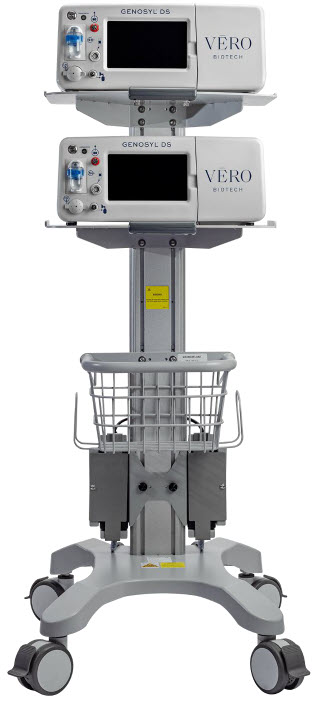
INDEX
| Adjusting the dose | 113 |
| Adjustments, alarms, high and low levels for NO, NO2, and O2 | 185 |
| Adjustments, date and time | 59 |
| Adjustments, dose in manual mode | 56 |
| Adjustments, dose in primary mode with keypad | 62 |
| Adjustments, ventilator for minute volume | 234 |
| Aerosol Delivery | 95 |
| Alarm, Battery Error | 194 |
| Alarm, Calibration Required | 193 |
| Alarm, Hardware Failure | 193 |
| Alarm, Line Occlusion | 195, 196 |
| Alarm, Low NO | 192 |
| Alarms, Battery Not Detected | 197 |
| Alarms, Cassette Failure | 200 |
| Alarms, Cassette Not Operational | 198 |
| Alarms, Cassette Time Remaining | 201 |
| Alarms, Configuration Parameters Incorrect | 197 |
| Alarms, Delivery Flow Error | 202 |
| Alarms, Gauss alarm | 207 |
| Alarms, High NO2/NO shutdown | 190 |
| Alarms, High O2 | 201 |
| Alarms, Low Battery | 200 |
| Alarms, Low O2 | 201 |
| Alarms, Service Due Date Expired | 201 |
| Alarms, Service Due Date Within 2 Days | 205 |
| Alarms, Service Required | 194, 198 |
| Alarms, System Running on Battery Only | 204 |
| Alarms, Water Trap Not Detected | 196 |
| ANESTHESIA GAS MACHINES | 174 |
| Bagging | 116 |
| Bagging, manual ventilation | 116 |
| Bagging, manual ventilation circuit setup | 74, 93 |
| Battery, backup | 33 |
| Battery, error alarm | 194 |
| Battery, low battery alarm | 200 |
| Battery, not detected alarm | 197 |
| Buttons, operational, display screen | 61 |
| Calibration, Air | 217 |
| Calibration, auto air calibration required | 198 |
| Calibration, calibration due | 206 |
| Calibration, calibration due date | 216 |
| Calibration, calibration due in less than 3 days | 205 |
| Calibration, calibration failed message | 198 |
| Calibration, calibration required alarm | 193 |
| Calibration, explanation | 216 |
| Calibration, history | 59 |
| Calibration, NO | 218 |
| Calibration, NO2 | 220 |
| Calibration, tab | 58 |
| Cart, storage | 228 |
| Cassette, activation | 110 |
| Cassette, cassette status on display screen | 63 |
| Cassette, damage | 208 |
| Cassette, description | 49 |
| Cassette, disposal | 38, 128 |
| Cassette, failure alarm (cassette not operational) | 200 |
| Cassette, indication of use | 49 |
| Cassette, indicator not blue | 208 |
| Cassette, insertion | 101 |
| Cassette, mechanical specifications | 246 |
| Cassette, output range | 234 |
| Cassette, removal | 124, 167 |
| Cassette, storage | 228 |
| Cassette, to expire alarm (time remaining) | 201 |
| Cassette, to expire message (time remaining) | 206 |
| Cassette, Water Trap / Sample Line Leak Test | 68 |
| Cautions | 3, 178 |
| Cautions, User Responsibility | 32 |
| Cleaning, console | 226 |
| Cleaning, display screen | 227 |
| Cleaning, GaussAlert | 227 |
| Components, use of non-specified components | 74 |
| Components, use outside of product labeling | 9 |
| Connections, console | 86 |
| Connections, example ventilator circuit setup | 74 |
| Connections, GENOSYL DS ventilator circuit | 91 |
| Connections, manual ventilation bag | 93 |
| Connections, Non-Invasive Gas Delivery Systems | 79 |
| Connections, power cord to console | 100 |
| Connections, Standard Ventilators | 75 |
| Connections, ventilator circuit | 94 |
| Console, backup battery | 33 |
| Console, cleaning | 226 |
| Console, connections | 86, 87 |
| Console, gas monitoring | 37 |
| Console, maintenance schedule | 222 |
| Console, mechanical specifications | 246 |
| Console, modes operation | 56 |
| Console, primary definition | 19 |
| Console, repair or replacement | 32 |
| Console, standby definition | 19 |
| Console, start up | 100 |
| Console, storage | 228 |
| Console, use as a backup | 120 |
| Console, user responsibility | 32 |
| Date, alarm history | 186 |
| Date, calibration due date | 216 |
| Date, calibration due date passed | 206 |
| Date, change date and time | 59 |
| Date, expiration | 81 |
| Date, manufacture | 21 |
| Date, service date within 2 days | 205 |
| Date, service due within 14 days | 205 |
| Date, service past due | 201 |
| Date, use by | 23 |
| Display, cleaning | 227 |
| Display, definition | 19 |
| Display, menu tab navigation | 57 |
| Display, screen | 56 |
| Display, screen cassette status | 63 |
| Display, screen operational buttons | 61 |
| Display, screen overview | 56 |
| Display, specifications | 246 |
| Dosing, during manual (bagging) ventilation | 116, 164 |
| Dosing, during use as a backup | 120 |
| Dosing, resuming primary dosing | 119, 166 |
| Dosing, system performance specifications | 244 |
| EMI/EMC, specifications | 248 |
| External Transport Transport, External | 138 |
| External Transport Cassette | 142 |
| Feedback loop, explanation | 33 |
| Fresh Gas Flow | 176 |
| Gas lines, detailed explanation | 54 |
| Gas monitoring | 37 |
| Gauss alarm | 207 |
| GaussAlert maintenance | 222, 223 |
| GaussAlert specification | 247 |
| GaussAlert, cleaning | 227 |
| GaussAlert, testing | 223 |
| Height, cart specifications | 246 |
| Height, cassette specifications | 246 |
| Humidity, operating humidity | 247 |
| Humidity, storage/transport | 247 |
| Indications for Use | 33 |
| Injection Assembly | 83 |
| Injection Assembly, assembly | 83, 149 |
| Label, expiration date | 81 |
| Labeling, intended population for use | 33 |
| Labeling, use outside of | 9 |
| Labeling, user responsibility | 32 |
| Lable, gas lines | 54 |
| Maintenance, GaussAlert | 222 |
| Manual ventilation | 116, 164 |
| Manual Ventilation Line, detailed explanation | 54 |
| Manual Ventilation Line, function | 51 |
| Manual Ventilation Line, manual vent bag connection | 93 |
| Messages, informational, Auto Air Calibration Required | 198 |
| Messages, informational, Calibration Due | 206 |
| Messages, informational, Cassette Will Expire in 2 Hours | 206 |
| Messages, informational, Incomplete Calibration | 198 |
| Messages, informational, Service Due Date within 14 Days | 205 |
| Mixer, assembly | 84 |
| Mixer, definition | 20 |
| Mixer, Function | 52 |
| Mixer, principles of operation | 37 |
| Modes of Operation, console | 56 |
| Monitoring, gas | 33, 37 |
| Monitoring, gas sensor | 37 |
| Monitoring, NO, NO2 and O2 concentrations and water trap | 82 |
| Monitoring, patient | 7 |
| Mount, transport | 140 |
| MR exclusion zone | 133 |
| MR Image Artifact | 247 |
| MR Scanner Room | 133 |
| MR Signal to Noise Ratio | 247 |
| Nebulizers | 95 |
| NO Injection Line, detailed explanation | 54 |
| NO Injection Line, Function | 51 |
| NO Injection Line, NO port connection | 94 |
| Notes | 3, 174, 178 |
| Notes, user responsibility | 32 |
| PARTS / COMPONENTS, GENOSYL DS | 23 |
| Pneumatic Nebulizers | 10, 95 |
| Power connection to console | 100 |
| Power, battery specifications | 245 |
| Power, black rocker switch powering on | 101 |
| Power, cord | 100 |
| Power, EMI/EMC | 249 |
| Power, EMI/EMC specifications | 249 |
| Power, power down before cleaning | 226 |
| Power, power supply | 245, 248 |
| Power, power supply specifications | 245 |
| Power, screen does not turn on | 208 |
| Power, silver power button, powering on | 101 |
| Power, system does not shutdown | 208 |
| Pressure, operating pressure | 247 |
| Pressure, storage/transport | 247 |
| Problems, see Troubleshooting | 208 |
| Procedure, adjusting the dose | 113 |
| Procedure, air calibration | 217 |
| Procedure, cart/console storage | 228 |
| procedure, cassette activation | 110 |
| Procedure, cassette disposal | 128 |
| Procedure, cassette insertion | 101, 155 |
| Procedure, cassette/accessory storage | 228 |
| Procedure, cleaning | 226 |
| Procedure, console connections | 86 |
| Procedure, console shutdown | 124, 167 |
| Procedure, console startup | 100 |
| Procedure, console use as a backup | 120 |
| Procedure, emptying the water trap | 224 |
| Procedure, gas lines connections | 86 |
| Procedure, GENOSYL DS ventilator circuit connections | 91 |
| Procedure, injection assembly assembly | 83, 149, 152 |
| Procedure, manual ventilator bag connector | 93 |
| Procedure, mechanical ventilator circuit connections | 91 |
| Procedure, mixer assembly | 84 |
| Procedure, NO Calibration | 218 |
| Procedure, NO2 calibration | 220 |
| Procedure, resuming primary dosing after manual mode | 119, 166 |
| Procedure, ventilatory circuit assembly pre-check | 81 |
| Procedure, water trap replacement | 225 |
| Procedure, weaning | 113 |
| Pumps, general information | 33 |
| Pumps, louder than normal | 208 |
| Pumps, NO delivery into the ventilator system | 33 |
| Pumps, noise level | 208 |
| Removal, cassette prior to shutdown | 124, 167 |
| Removal, water trap from console to empty | 224 |
| Removal, water trap from console to replace | 225 |
| Responsibility, User | 32 |
| Sample Line Filter Connection | 89 |
| Sample Line Leak test | 68 |
| Sample Line, detailed explanation | 54 |
| Sample Line, function | 51 |
| Sample Line, leak test | 105, 158 |
| Sample Line, sample tee connection | 95, 149, 152, 179 |
| Sample Line, water trap connection | 86 |
| Sensors, calibration | 216 |
| Sensors, principles of operation | 37 |
| Service, battery replacement | 245 |
| Service, due date within 14 days | 205 |
| Service, due date within 2 days | 205 |
| Service, repair of replacement | 32 |
| Service, scheduling | 222 |
| Service, service required alarm | 194, 198 |
| Service, yearly | 222 |
| Shutdown Cassette Status Indicators | 69 |
| Specification, GaussAlert | 247 |
| Specifications, transport mount | 143 |
| Storage, cart and console | 228 |
| Storage, cassette | 228 |
| Temperature, operating temperature | 247 |
| Temperature, storage/transport | 247 |
| Transport equipment weight | 143 |
| Transport Mount | 144 |
| Transport mount specifications | 143 |
| Transport, environmental | 247 |
| Transport, environmental specifications | 247 |
| Ventilator Compatibility | 236 |
| Ventilator, circuit assembly pre-check | 81 |
| Ventilator, minute volume | 234 |
| Ventilator, oxygen dilution | 232 |
| Warning, user responsibility | 32 |
| Warnings | 3, 68, 124, 167 |
| Water Trap Leak Test | 68 |
| Water trap, emptying | 224 |
| Water Trap, maintainance schedule | 222 |
| Water Trap, replacing | 225 |
| Weaning | 113 |
| Weight, cart specifications | 246 |
| Weight, cassette specifications | 246 |
| Weight, console specifications | 246 |
| Weight, transport equipment | 143 |
| Width and Length, cart specifications | 246 |
| Width and Length, cassette specifications | 246 |
| Width and Length, console specifications | 246 |
VERO Biotech and GENOSYL are registered trademarks of VERO Biotech Inc. © 2025 VERO Biotech. Printed in U.S.A. LBL-602502 Rev I JUNE 2025 Please read full prescribing information enclosed. 877.337.4118 | VERO-biotech.com
Mechanism of Action
Nitric oxide relaxes vascular smooth muscle by binding to the heme moiety of cytosolic guanylate cyclase, activating guanylate cyclase and increasing intracellular levels of cyclic guanosine 3',5'-monophosphate, which then leads to vasodilation. When inhaled, nitric oxide selectively dilates the pulmonary vasculature, and because of efficient scavenging by hemoglobin, has minimal effect on the systemic vasculature.
GENOSYL appears to increase the partial pressure of arterial oxygen (PaO 2 ) by dilating pulmonary vessels in better ventilated areas of the lung, redistributing pulmonary blood flow away from lung regions with low ventilation/perfusion (V/Q) ratios toward regions with normal ratios.